EPSON LX-300+II/300+II RTP/1170II Revision D
LX-300+II RTP Adjustment 105
7.2 Adjustment
When making the adjustment with the adjustment program, follow the steps below.
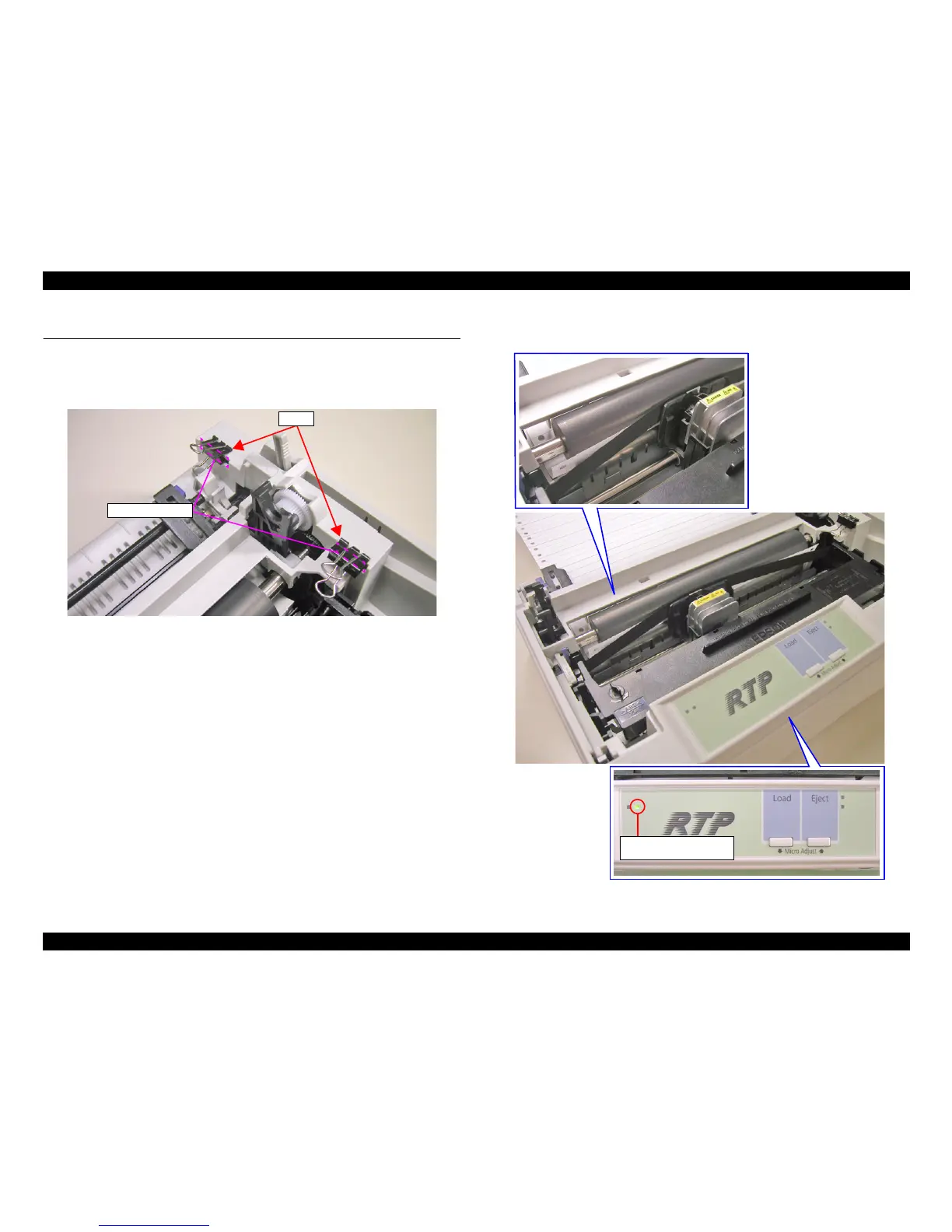
1. Hold pressing the two open cover sensors with a clip to set them ON. Refer to the
figure.
Figure 7-9. Hold pressing The two open cover sensors
2. Feed the paper as shown in the figure below. (Be sure the LEDs state is as shown
in the figure.)
Figure 7-10. Position of the paper feeding



 To Next Page
 Loading...










