2. OPERATION
2-1
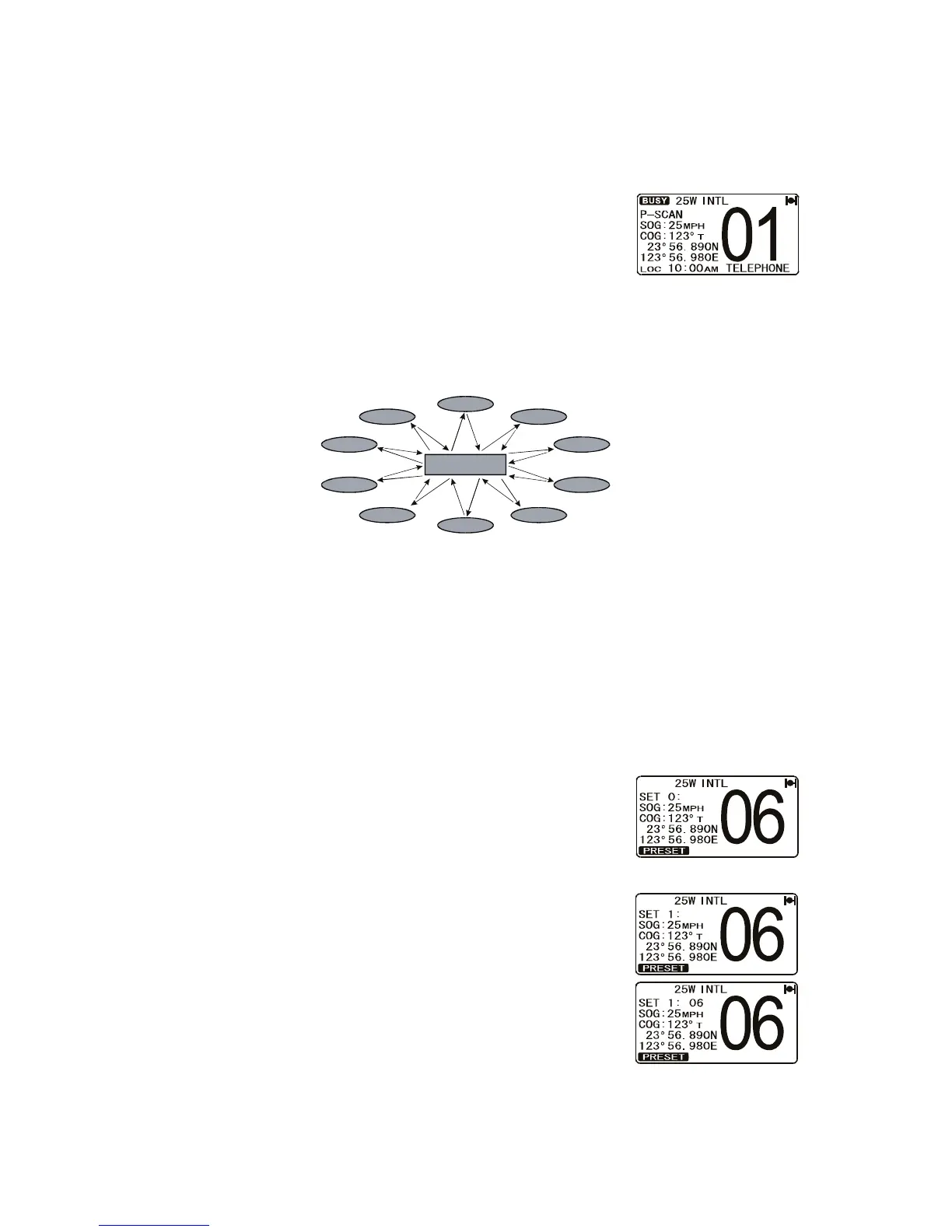
2.1 .4 Priority scanning P-SCAN
In the default setting, CH16 is set as the priority channel. (See section 5.5 for how to
set priority channel.) ou may change the priority channel from 16 to another channel
as shown below.
1. Ad ust the SL knob until background noise disap-
pears.
2. Press the NC key followed by the 3/SCAN key. P-
SCAN appears on the display. Scanning starts be-
tween the memori ed channels and preset channels
(described in next section) and the priority channel. The priority channel is
scanned after each programmed channel.
3. To stop scanning, press the 16/9 or CLR/ key, or the NC key followed by
the 3/SCAN key.
2.11 How to Preset Channels -7 : nstant Access
Eight preset channels can be programmed for instant access. Press one of the soft
keys then press the PRESET soft key to activate the user assigned channel bank.
efore beginning the instant access operation, assign the PRESET command into the
one of the programmable keys. See section 4.12 Soft eys .
2.11.1 How to preset channels
1. Rotate the CH knob to select the channel to be pro-
grammed.
2. Press one of the soft keys momentarily then press and
hold the PRESET soft key until the channel number
blinks.
3. Rotate the CH knob to select the desired preset chan-
nel ( SET 0 - SET 7 ) you wish to program. hen you
recall a preset channel (for example, SET 1) that is al-
ready programmed, the operating channel number (for
example, 6) is shown to the right of the preset channel
number.
4. Press the ADD soft key momentarily to program the
channel into the preset channel.
5. Repeat steps 1 through 4 to program the desired chan-
nels into preset channels 0 to 7.
Priority Channel
CH12
CH09
CH01
CH15
CH18
CH22
CH61
CH72
CH68
CH88


 To Next Page
 Loading...











