3. DIGITAL SELECTIVE CALLING
3-26
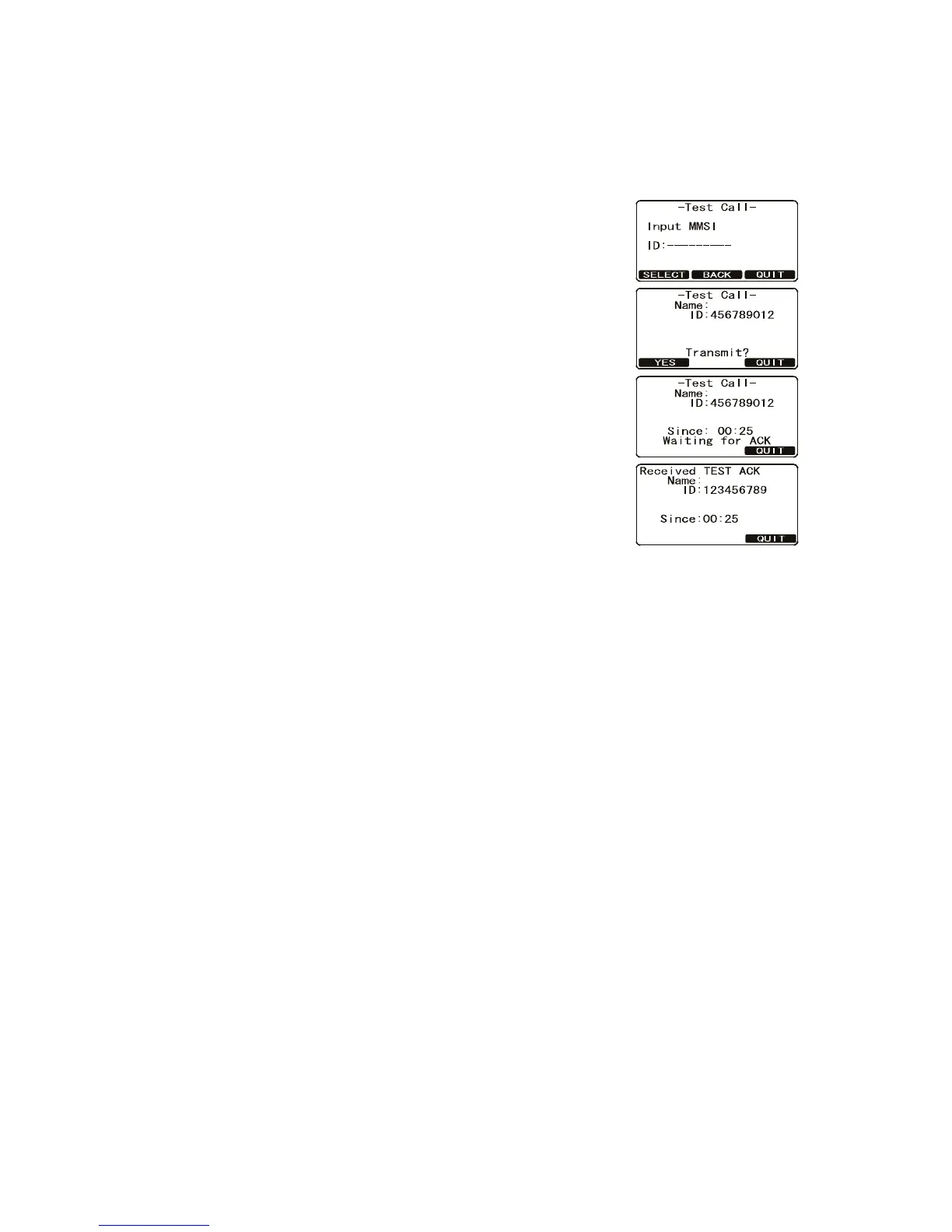
3.12.2 How to make a DSC test call by manually entering MMSI
1. Press the CALL/MENU key to show the [DSC Menu].
2. Rotate the CH knob to select [DSC Test] then press the [SELECT] soft key.
3. Rotate the CH knob to select [Manual] then press the [SELECT] soft key.
4. Enter the MMSI number which you want to contact.
5. Press and hold the [SELECT] soft key to show the
[Test Call] page.
6. Press the [YES] soft key to transmit the DSC test call
to the other vessel.
After the radio receives a test call reply from the vessel, the
radio rings and shows the “TEST ACK” display, which con-
firms the radio you called received the test call.
Category: Safety
Category: Safety


 To Next Page
 Loading...











