3. DIGITAL SELECTIVE CALLING
3-20
3.8.4 When you receive a Position Request call
When you receive a Position Request call from another vessel, a ringing alarm sounds
and "POS Request" appears on the display. The FM-4721 automatically or manually
replies to the request depending on the setting of [Position Reply] in the [DSC Setup]
menu.
Automatic transmission of your position
1. When you receive a Position Request call, position coordinates are automatically
transmitted to the vessel that requested your vessel’s position.
2. 10 seconds after your position is transmitted, the radio automatically changes to
the requested channel. Press the [QUIT] soft key to exit from the position request
display.
Manual transmission of your position
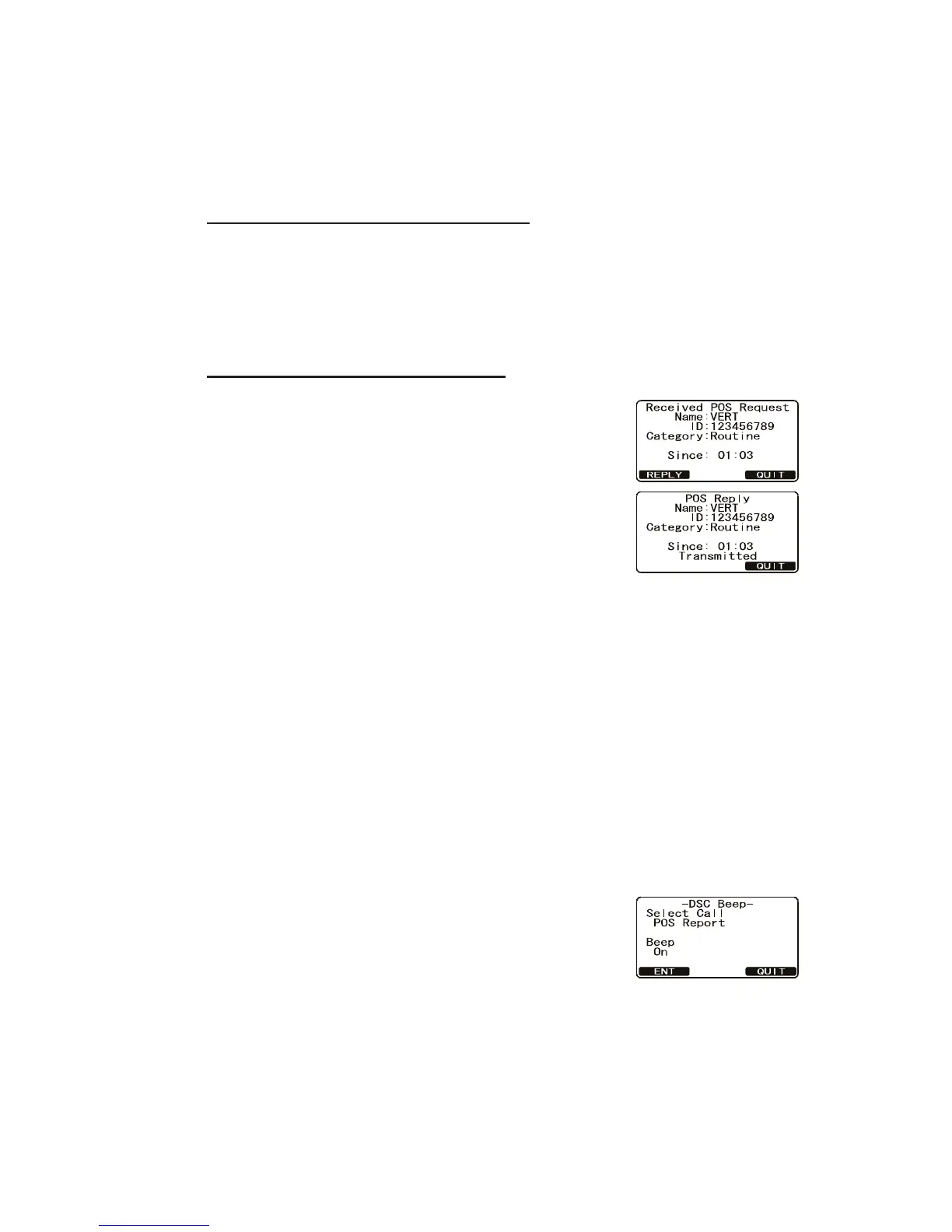
1. When a Position Request call is received from another
vessel, the display looks something like the one shown
below.
2. A ringing alarm sounds four times. To transmit your
vessel’s position to the requesting vessel, press the
[REPLY] soft key. Or to exit from the position request
display without transmitting position, press the [QUIT]
soft key.
3.9 Position Report Call
A Position Report call transmits your position to another vessel. Your vessel must
have an operating GPS receiver connected to the FM-4721 to transmit your position.
The MMSI of the vessel can be one you have programmed, or entered manually.
3.9.1 How to enable, disable the position report ringer
A ringer sounds when you receive a request for your position. Enable or disable the
position report ringer as follows:
1. Press and hold down the CALL/MENU key until the [Setup Menu] appears.
2. Rotate the CH knob to select [DSC Setup] menu then press the [SELECT] soft
key.
3. Select [DSC Beep] with the CH knob then press the
[SELECT] soft key.
4. Rotate the CH knob to select [POS Report] then push
the [ENT] soft key.
5. Rotate the CH knob to select [Off] then push the [ENT]
soft key.
6. Press the [ENT] soft key to save the selected setting.
7. Press the [QUIT] soft key several times to return to radio operation.
To re-enable the ringer tone, select [On] at step 4 in the procedure.



 To Next Page
 Loading...










