152
English
Saving the LAN setting file to the
USB memory device
Create the following files, and save them to the USB
memory device.
File name: th-75bq1_network.sh
Setting Example
TH-75BQ1_LAN_SETTINGS
A:192.168.0.18
S:255.255.255.0
G:192.168.0.1
P:1024
I:ON
E:EAP-TLS
E_U:EAPUSER
E_P:eappassword
E_D:digitalcertificate.pfx
E_C:cacerficate.cer
TH-75BQ1_LAN_SETTINGS:
Fixed characters represent the model name. Be sure to
input as follows.
TH-(inch size)(Model name)_LAN_SETTINGS
A: Specifies the IP address.
S: Specifies the subnet mask.
G: Specifies the gateway address.
P: Specifies the port number to use for the command
control.
I: Setting this to [ON] can set individual IP addresses for
each main unit.
One IP address is assigned to each main unit in the
range that can be specified as an IP address.
E: Selects the EAP setting. Describe the setting referring
to the following.
•
NONE
•
PEAP(MS-CHAPv2)
•
PEAP(GTC)
•
EAP-TTLS(MD5)
•
EAP-TTLS(MS-CHAPv2)
•
EAP-FAST(MS-CHAPv2)
•
EAP-FAST(GTC)
•
EAP-TLS
E_U: Specifies the EAP user name. This is referred
to only when EAP is set to something other than
[NONE].
E_P: Specifies the EAP password. This is referred to
only when EAP is set to something other than
[NONE].
E_D: Describe the file name of the electronic certificate
(extension: PFX) used for authentication. This is
referred to only when EAP is set to [EAP-TLS].
E_C: Describe the file name of the CA certificate
(extension: CER) used for authentication. This is
referred to only when EAP is set to [EAP-TLS].
Note
●
Deleting the rows “S”, “G”, “P” or “E” will not overwrite
the deleted setting items. The original setting contents
are retained.
●
When the row “I” is deleted, it will be set to [ON]
automatically.
●
Be sure to fill in the rows of the fixed character and
IP address.
●
If the network setting fails with this function, an error
message is displayed.
If fails, the network setting is not changed.
Be sure to confirm the file description, and insert the
USB memory device again.
●
This function operates only when a file with the above
file name exists in the USB memory device.
●
Use one-byte alphanumeric characters to describe
file contents.
Copying the USB memory data to the
display
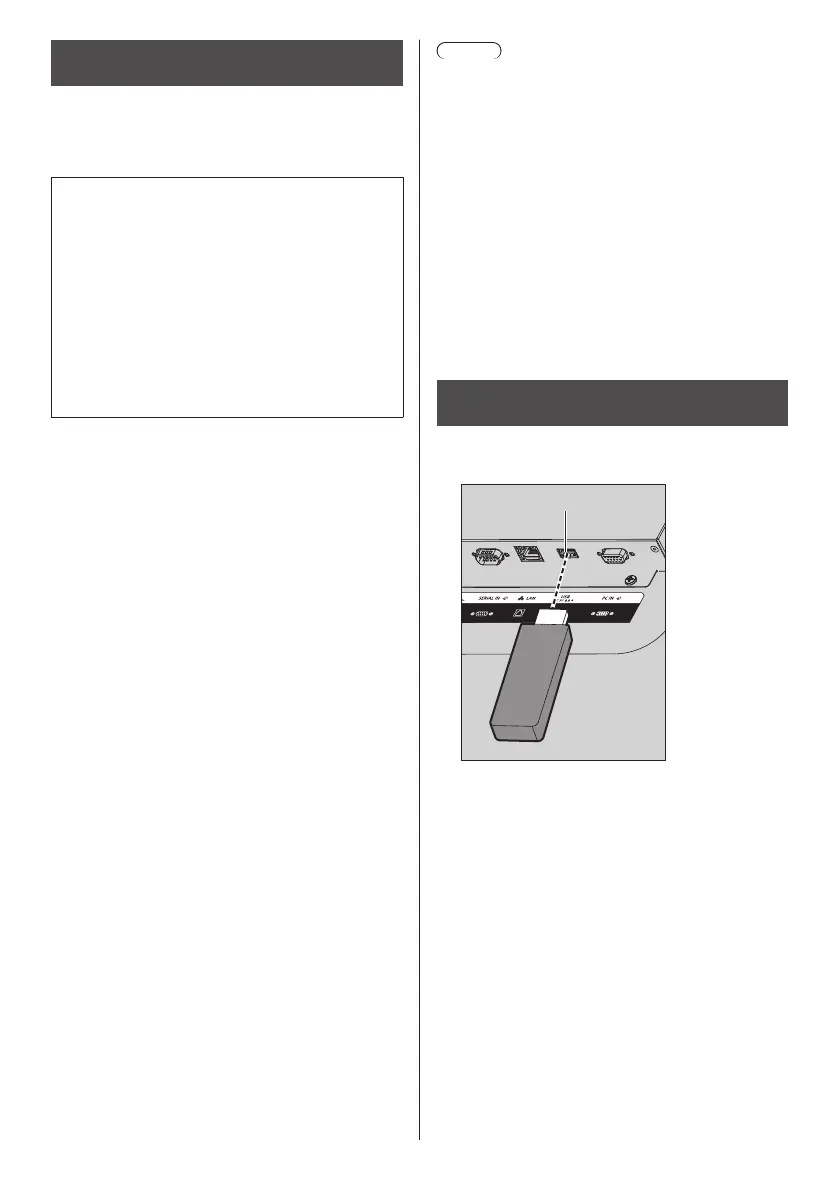
1
Insert the USB memory device to the
USB terminal on the display.
USB memory
USB terminal
2
The [LAN setup] screen is displayed
after data copy has finished.
3
Remove the USB memory device from
the USB terminal.


 To Next Page
 Loading...