160
English
Troubleshooting
Before you call for service, determine the symptoms and make a few simple checks as shown below.
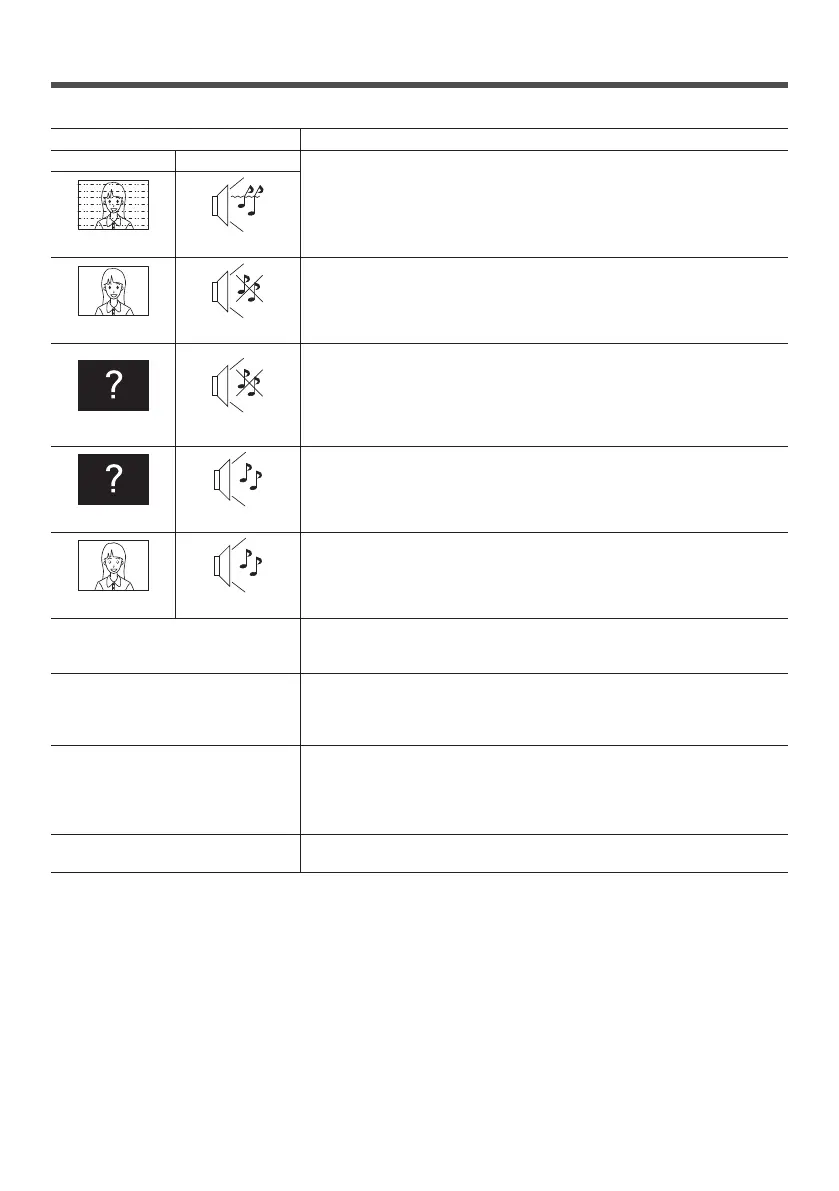
Symptoms Check
Picture Sound
Electrical Appliances
Cars / Motorcycles
Fluorescent light
Interference Noisy Sound
Volume
(Check whether the mute function has been activated on the remote
control.)
Normal Picture No Sound
Not plugged into AC outlet
Not switched on
Picture and Brightness/Volume setting
(Check by pressing the <Main Power On / Off button> or the <Standby
(ON/OFF) button>.)
No Picture No Sound
If a signal with a non-applicable colour system format, or frequency is
input, only the input terminal indication is displayed.
No Picture Normal Sound
Colour controls set at minimum level (see page 70, 72)
No Colour Normal Sound
There are dark spots or bright spots
on the screen.
Although the LCD panel is made with high-precision technology, there may
be missing pixels or bright spots on the screen. But such pixels and spots
are not malfunction.
A display error such as “no picture”
occurs, or remote control operation is
suddenly disabled.
This unit incorporates highly-advanced software. If you notice an abnormal
operation such as “Remote control cannot be operated” or “Display is
disturbed”, remove the power plug from the socket outlet, and inset it again
after 5 seconds or more to turn the power on. (see page 31)
Power automatically turns off
unexpectedly.
Check the settings of [No signal power off], [HDMI1 power management],
[HDMI2 power management], [HDMI3 power management], [DisplayPort
power management], [DVI-D power management], [PC power
management] and [No activity power off]. Any of them may be set to [On
(Enable)]. (see page 89)
Power indicator is blinking in orange.
There is possibility of malfunction. Please contact an Authorized Service
Centre.


 To Next Page
 Loading...