16
ESP-LXME Controller
Set Watering Start Times
Start times are the time(s) of day that the program begins.
You can assign up to eight Start Times per day to a single program.
Multiple Start Times allow you to run a program more than once on
each day. For example, if you’re growing new lawn seed, you may want
to water several times a day to keep the seedbed or top dressing damp.
NOTE: Start times apply to the entire program and not just to an
individual station.
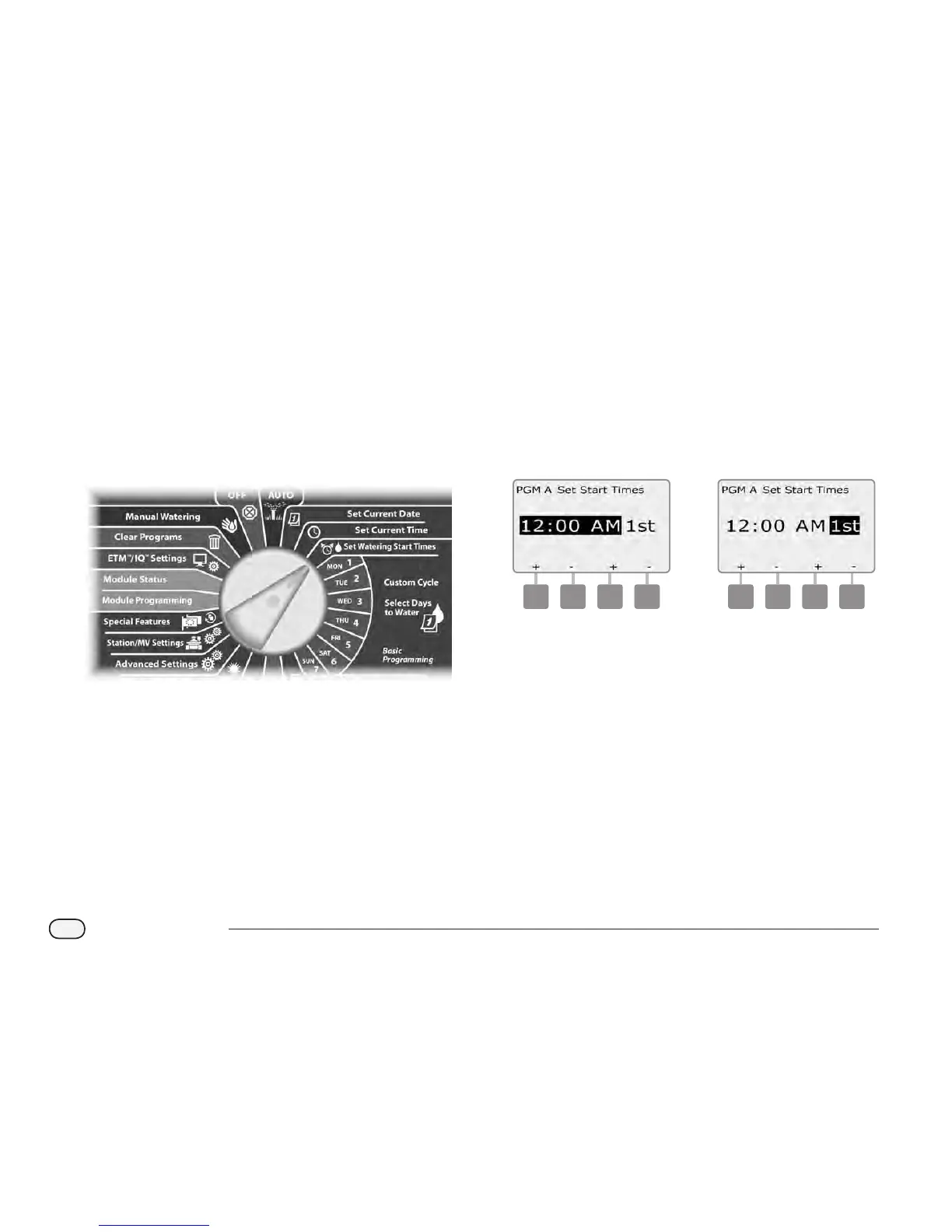
Turn the controller dial to Set Watering Start Times.
A
The Set Start Times screen appears. Press the + and – buttons on
the left to set Start Time for the current program.
Press and HOLD buttons to accelerate settings for hours and
minutes.
NOTE: If the desired program is not selected, use the Program
Select switch to change it. See Section B, Program Select Switch
for more details.
B
Press the + and – buttons on the right to set the start number (1
through 8).
1 2
Change the Program Select switch and repeat this process to set
up additional Watering Start Times for other programs as desired.
NOTE: Cycle+Soak
TM
is an alternative method of dividing the
total Station Run Time into smaller cycle times. If you plan to use
Cycle+Soak, only a single Watering Start Time is required for each
program. See Section D, Set Up Cycle+Soak for more details.



 To Next Page
 Loading...











