24
ESP-LXME Controller
Station Run Time
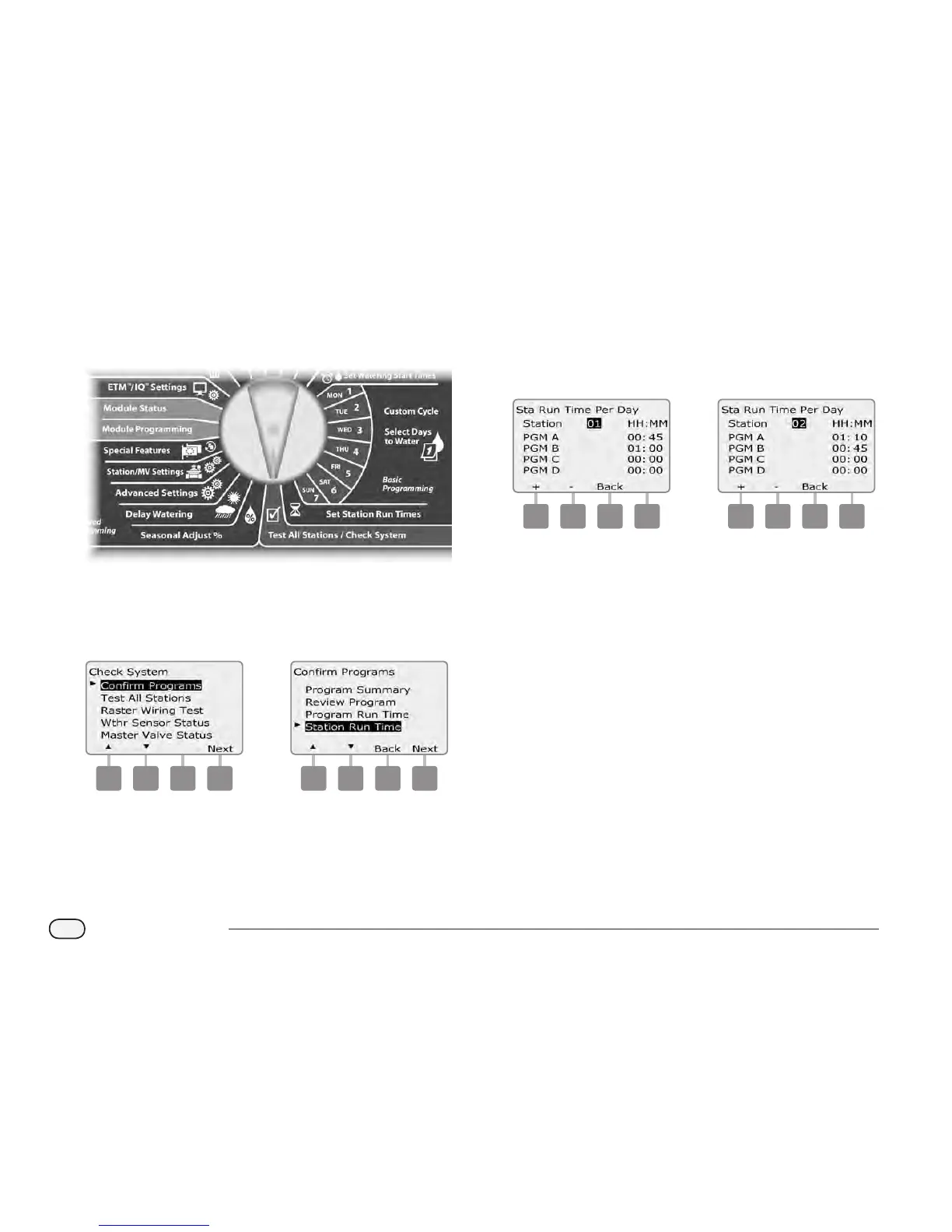
Review total Run Time for all stations:
Turn the controller dial to Test All Stations/Check System.
A
The Check System screen appears with Conrm Programs
selected; press Next.
B
The Conrm Programs screen appears. Press the Down Arrow
button to select Station Run Time; then press Next.
1 2
C
The Sta Run Time Per Day screen appears with total Run Time
displayed for the currently selected station in all four programs.
For programs where a particular station is not used no runtime
will show.
D
Press the + and – buttons to advance and see additional stations.
3 4
NOTE: Soak times for stations set up with Cycle+Soak
are not
included in the Station Run Time calculations. See Section D, Set
Up Cycle+Soak for more details.



 To Next Page
 Loading...











