33
ESP-LXME Controller
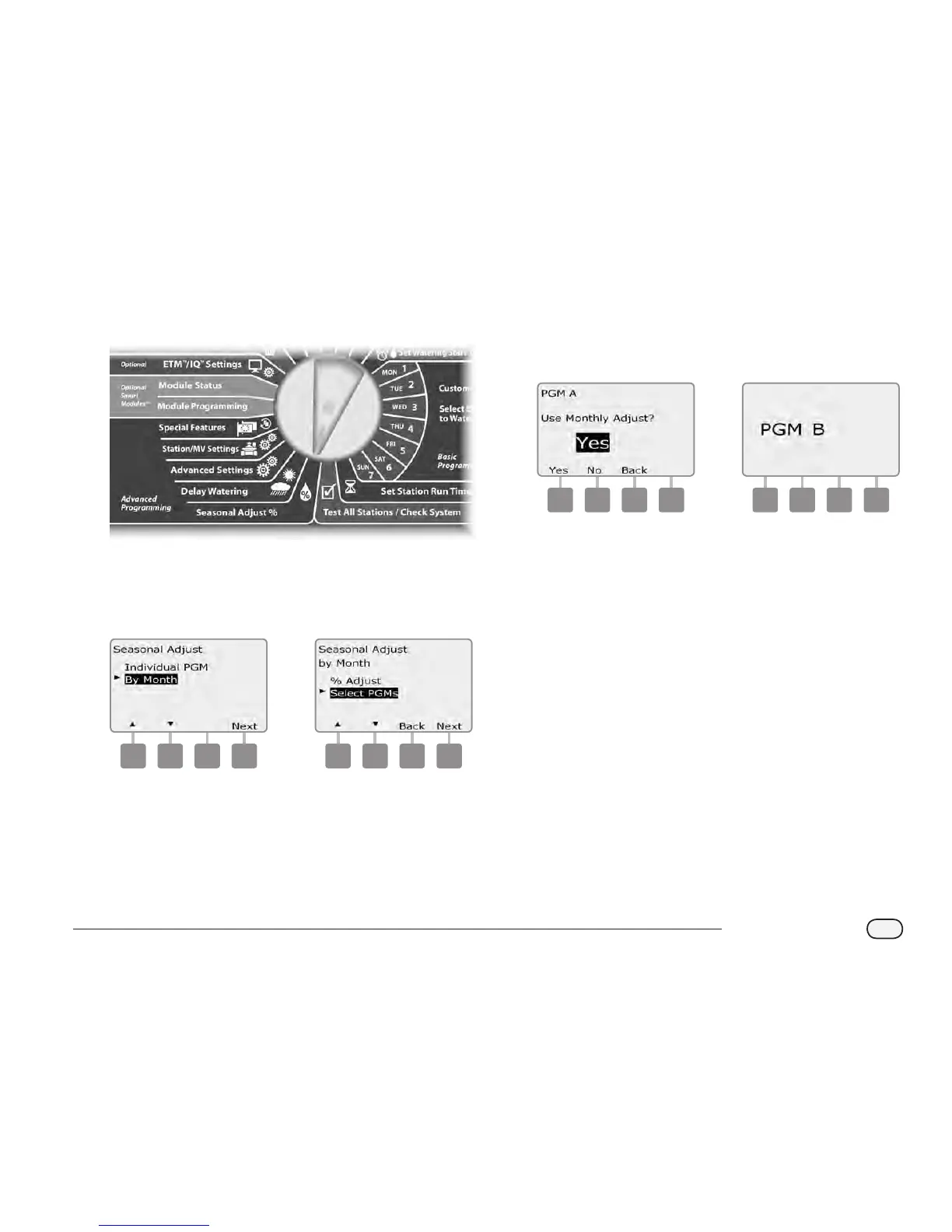
Select Programs To Adjust
Turn the controller dial to Seasonal Adjust %.
A
The Seasonal Adjust screen appears. Press the Down Arrow button
to select By Month; then press Next.
B
The Seasonal Adjust by Month screen appears. Press the Down
Arrow button to select Select PGMs; then press Next.
1 2
C
Press the Yes or No buttons to set Monthly Adjust for the current
selected program.
D
To set another program, change the Program Select switch to the
desired program; a conrmation appears.
3 4
Repeat this process to set Monthly Adjustments for other
programs as desired.



 To Next Page
 Loading...











