172 Chapter 15—Scene Memories
03D—Owner’s Manual
Sorting Scene Memories
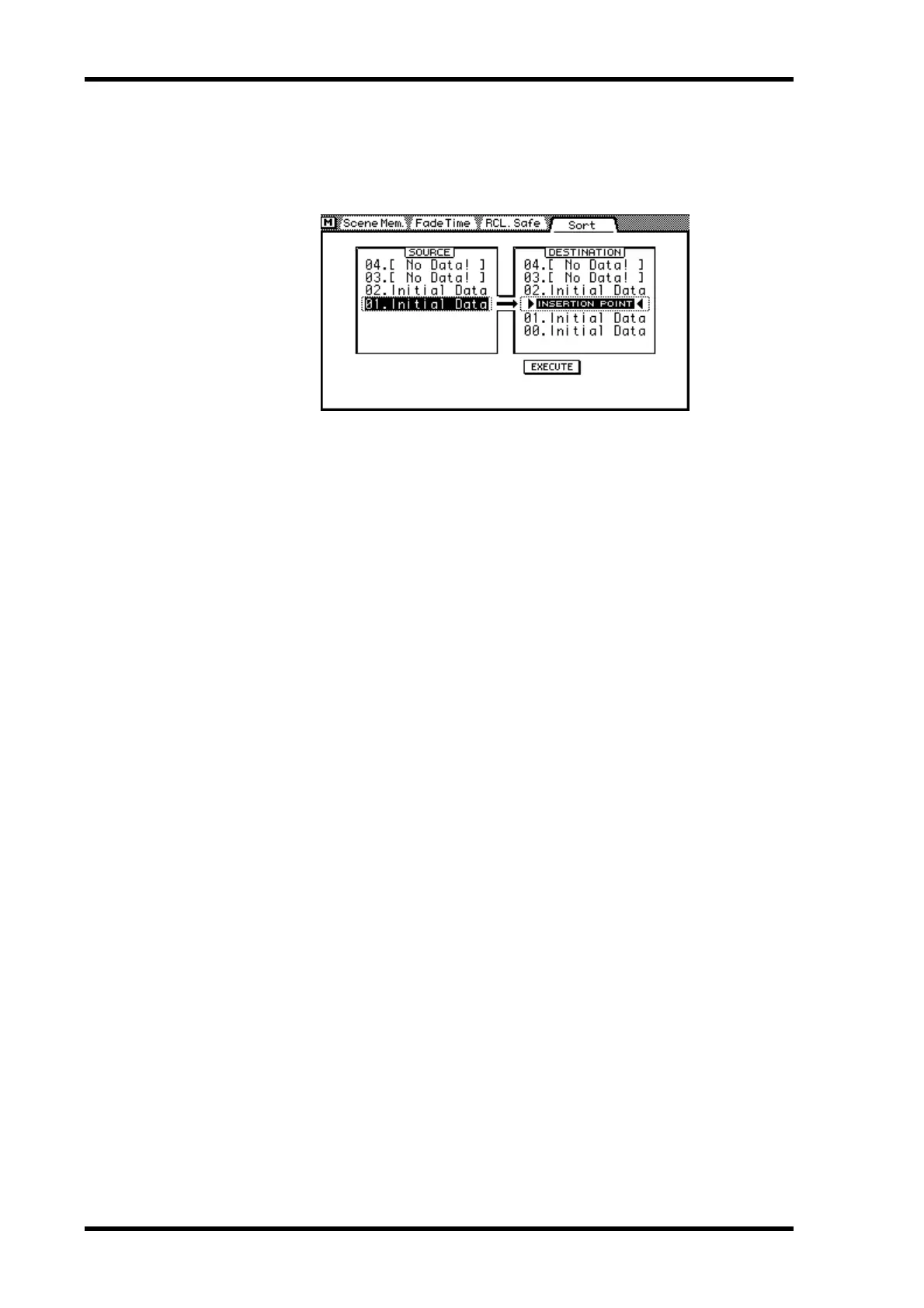
Scene memories can be sorted using the Sort page.
1. Use [SCENE MEMORY] button to locate the Sort page shown below.
2. Use the PARAMETER wheel or mouse to select a scene memory from the
SOURCE list.
3. Use the cursor buttons to move the cursor over to the DESTINATION list.
4. Use the PARAMETER wheel or mouse to select the insertion point.
5. Use the cursor buttons to select the EXECUTE switch.
6. Press the [ENTER] button.
If you are using a mouse, simply click the EXECUTE switch.
The source scene memory is renumbered.


 To Next Page
 Loading...












