2. Press Ctrl No [UP/DOWN] to select the control
function. The control function name appears
beside the available control numbers.
When set to a Knob (1 ~ 8), Tempo and Data Entry can also be selected for
control.
For a list of available controllers, see the separate Data List book.
3. Repeat steps 1 and 2, above, to assign all
controllers as desired.
Scene Control Assign
(1) Press Device [UP/DOWN] and select "Scene".
(2) Press Ctrl No [UP/DOWN] to select a Control Change
number to control Scene Control.
(3 Press Device [UP/DOWN] again to select the controller you
want to use.
(4) Press Ctrl No [UP/DOWN] again to select the same Control
Change number as selected in step 2, above.
Control Change Modes
The AN1x has two Control Change modes. Mode 1 is the
official MIDI standard, which is set at the factory. Mode 2 is
a special list of Control Change parameter settings unique to
the AN1x.
To change between modes, first turn off the power. Then,
press and hold [ASSIGN] and press the [POWER] switch.
Either “mode1” or “mode2” will appear in the LCD at the
start-up procedure to indicate which mode is activated.
When using Mode 2, take care when making Control Change assignments
since the behavior will be different from the MIDI standard.
For a list of Control Change types for each mode, see the separate Data List
book.
Voice Recall
If you edit a voice and then inadvertently select
another voice before storing the edited voice,
you can retrieve the edited data using the Voice
Recall function.
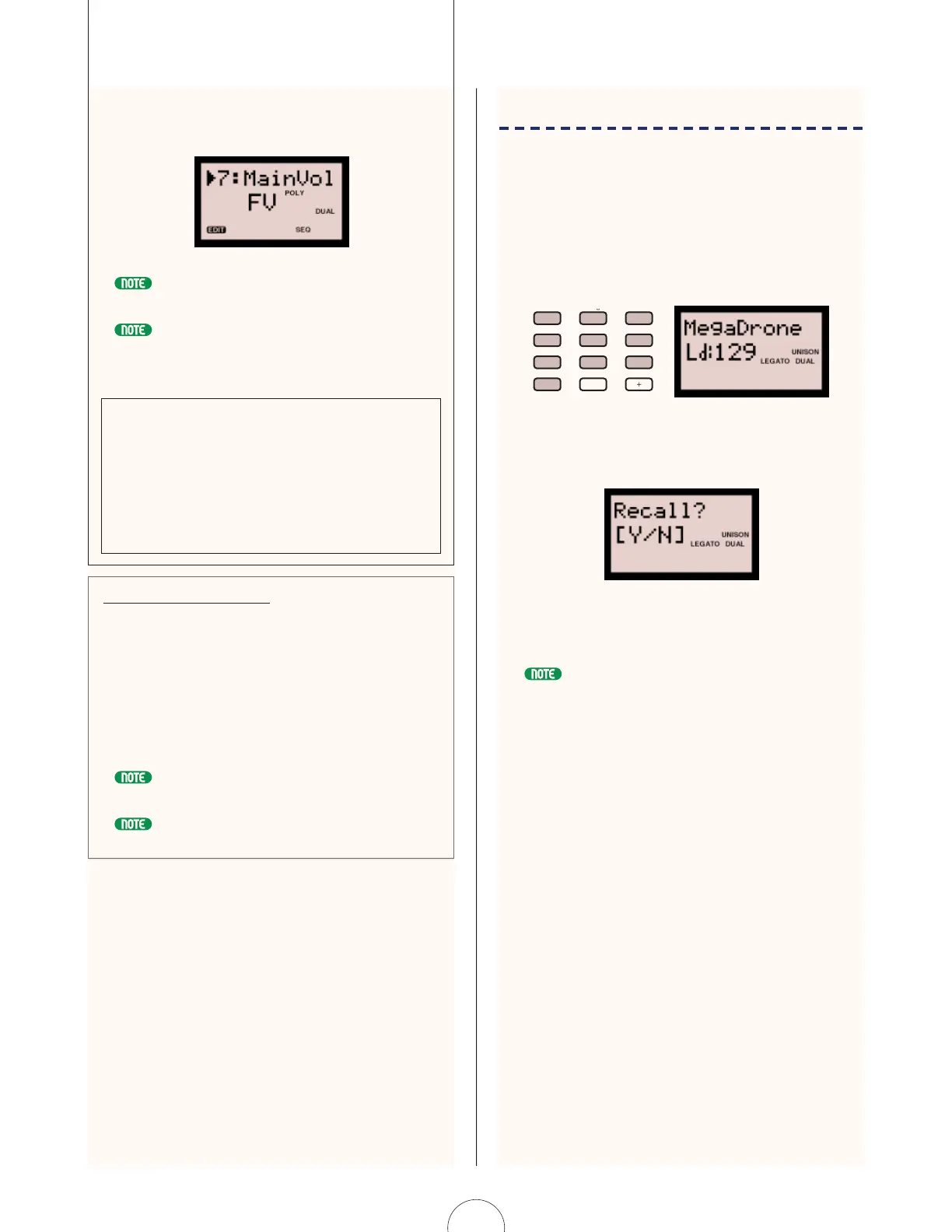
1. Enter [129] in the PROGRAM CHANGE
keypad. The number 129 begins flashing in
the LCD.
2. Press [YES/ENTER]. “Recall?[Y/N]” appears in
the LCD.
3. Press [YES/ENTER] again to recall the
previously edited voice data.
After step 2, pressing [NO] will cancel the Voice Recall operation and the LCD will
display the previously selected voice name and number.
ABC
0
VWX
MNO
7
YZ
8
PQR
5
GHI
2
–
4
DEF
1
OTHERS
STU
9
6
JKL
3
YES/ENTERNO
96


 To Next Page
 Loading...