97
Voice Initialize
The Voice Initialize function lets you "reset" a
voice to its initial setting, which is handy when
you want to create a voice from "scratch".
The initialized setting loads into the edit buffer, so after performing the Voice
Initialize operation, be sure to store the voice using the Voice Store operation.
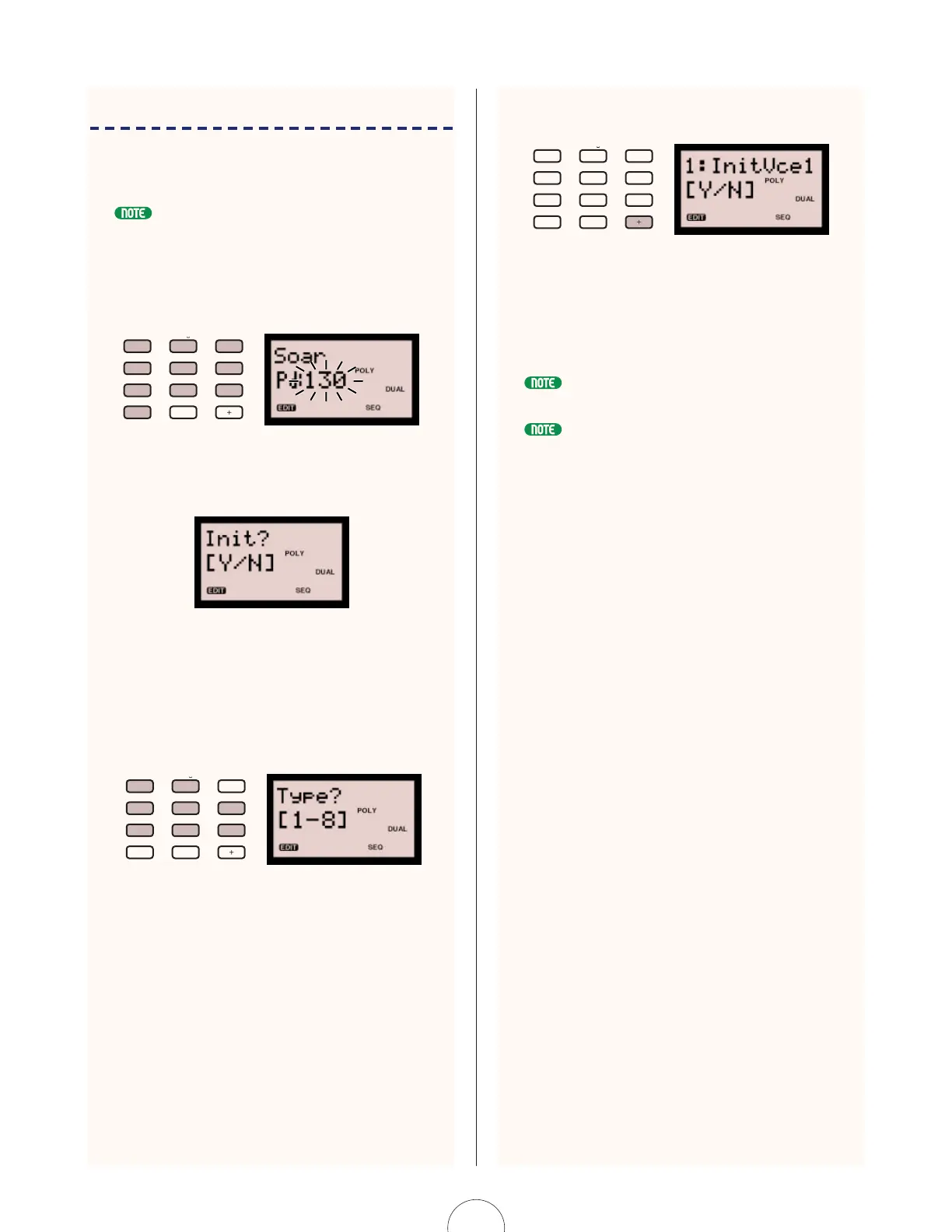
1. Enter [130] in the PROGRAM CHANGE
keypad. The number 130 begins flashing
in the LCD.
2. Press [YES/ENTER]. "Init?[Y/N]" appears in
the LCD.
3. Press [YES/ENTER] again. "Type? 1-8"
appears in the LCD. Select the template
Type (1-8) by pressing the corresponding
number key in the PROGRAM CHANGE
keypad. The number and name appear in
the LCD.
You can choose from eight types of initial voice
settings, each with the basic settings programmed for
specific types of voices, as follows:
1 - Normal (all settings normalized)
2 - Bass
3 - Brass
4 - Strings
5 - E.Piano
6 - Organ
7 - Sync mono (for solo lead type voices)
8 - PWM (for pad type voices)
ABC
0
VWX
MNO
7
YZ
8
PQR
5
GHI
2
–
4
DEF
1
OTHERS
STU
9
6
JKL
3
YES/ENTERNO
ABC
0
VWX
MNO
7
YZ
8
PQR
5
GHI
2
–
4
DEF
1
OTHERS
STU
9
6
JKL
3
YES/ENTERNO
4. Press [YES/ENTER] to initialize the voice
data.
The initialized voice settings are loaded into the edit
buffer. You should change the name using the Name
function in the VOICE COMMON menu (see page
80), and store the voice by performing a Voice Store
operation (see page 98).
After step 1, pressing [NO] will cancel the Voice Initialize operation and the LCD
will display the previously selected voice name and number.
You can give the voice a name using the Name function in the VOICE COMMON
menu. For information, see page 80.
ABC
0
VWX
MNO
7
YZ
8
PQR
5
GHI
2
–
4
DEF
1
OTHERS
STU
9
6
JKL
3
YES/ENTERNO



 To Next Page
 Loading...