3
()
Photos
Refer
to
this chapter for details on shooting photos - from capturing
and playing
back
photos
to
printing them.
Basic
Recording
Taking
Photos
(0
25)
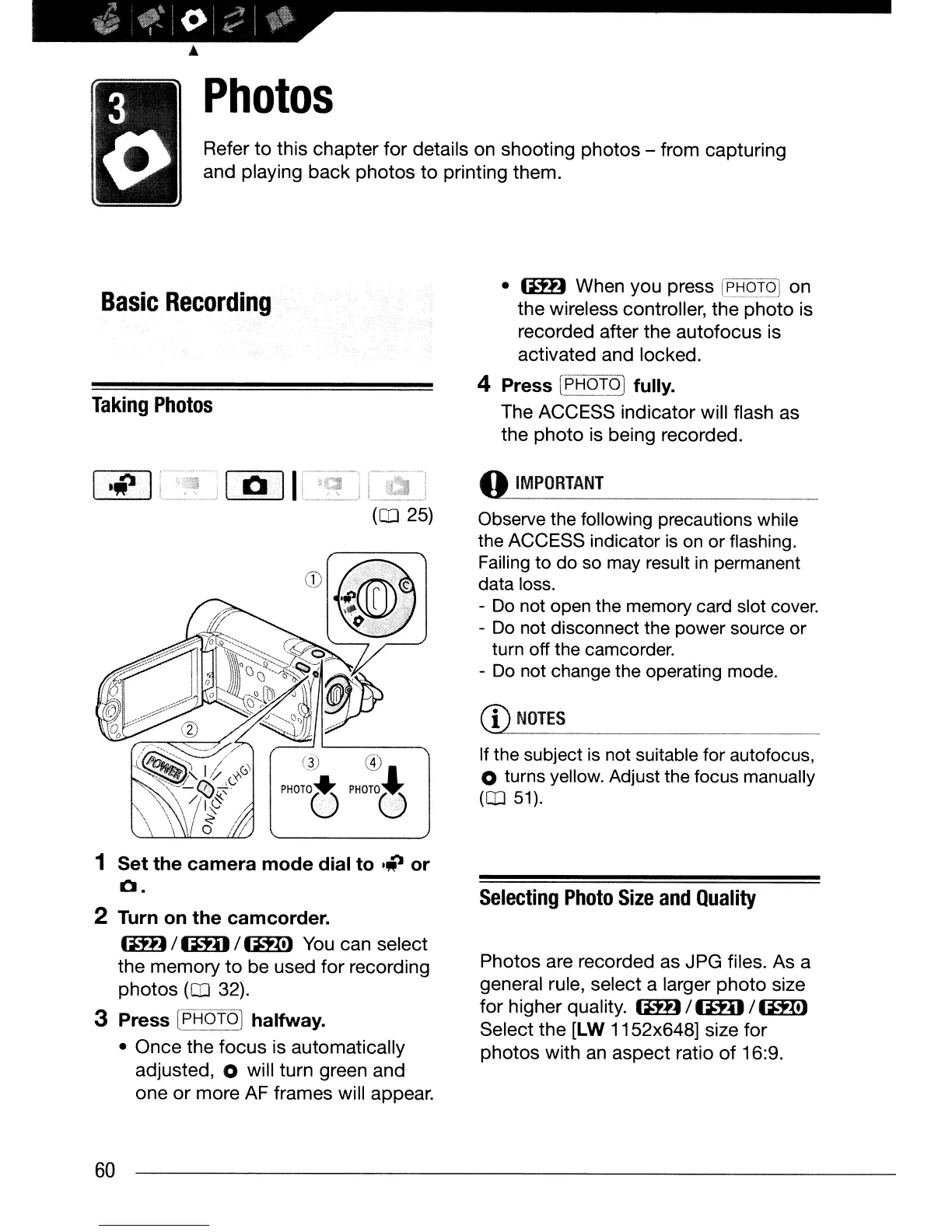
1 Set the camera mode dial to
Iii
or
o.
2 Turn
on
the camcorder.
1m)
/
mIl
/
(iH!)
You
can select
the memory
to
be used
for
recording
photos
(0
32).
3 Press
CpH6T6l
halfway.
• Once the
focus
is automatically
adjusted,
0 will turn green and
one
or
more AF frames will appear.
60
•
IlH)
When you press
rE':iQTQJ
on
the wireless controller, the
photo
is
recorded after the autofocus is
activated and locked.
4 Press
[pT:j6f~
fully.
The ACCESS indicator will flash as
the photo is being recorded.
«»
IMPORTANT
Observe the following precautions while
the ACCESS indicator
is
on
or flashing.
Failing to do so
may
result
in
permanent
data loss.
-
Do
not open the memory card slot cover.
-
Do
not disconnect the power source or
turn off the camcorder.
-
Do
not change the operating mode.
CD
NOTES
If the subject is not suitable for autofocus,
o turns yellow. Adjust the focus manually
(0
51).
Selecting
Photo
Size
and
Quality
Photos are recorded as JPG files. As a
general rule, select a larger
photo
size
for
higher quality.
aD)
/
mIl
/
(iH!)
Select
the
[LW
1152x648] size for
photos with
an
aspect ratio
of
16:9.



 To Next Page
 Loading...








