Photos
• If
the
photo
index
screen is
displayed,
move
the
zoom
lever
toward
T
to
display
a
photo.
· = appears and changes
to
'I.
• The
~
"'" (print/share)
button
lights
up
and
the
current print settings
will
be
displayed
for
approx.
6
seconds.
o
IMPORTANT
• If =continues to flash (for more than 1
minute)
or
if
'I
does not appear, the
camcorder is not correctly connected to
the printer.
In
such case, disconnect the
USB cable and turn off the camcorder
and the printer. After a short while, turn
them on again, set the camcorder to
[jj]
mode and restore the connection.
• During the following operations, even if
you connect a printer to the camcorder
it will not be recognized.
- Erasing all photos
- Erasing all transfer orders
- Erasing all print orders
CD
NOTES
•
&4!l
will appear for photos that cannot be
printed.
•
We
recommend powering the
camcorder using the compact power
adapter.
• Refer also to the printer's instruction
manual.
• If you have no intention to use the
optional DW-100
DVD
Burner, you can
set [USB SETIING]
to
[~PC/PRINTER]
(CD
90) so the device type selection
screen does not appear every time you
connect the camcorder to a printer.
• Connection to a PictBridge-compatible
printer will not work when the memory
card contains 1,800 photos or more.
70
• For best performance, we recommend
keeping the number
of
photos on the
memory card under 100.
• Disconnect the USB cable before
changing the operating mode.
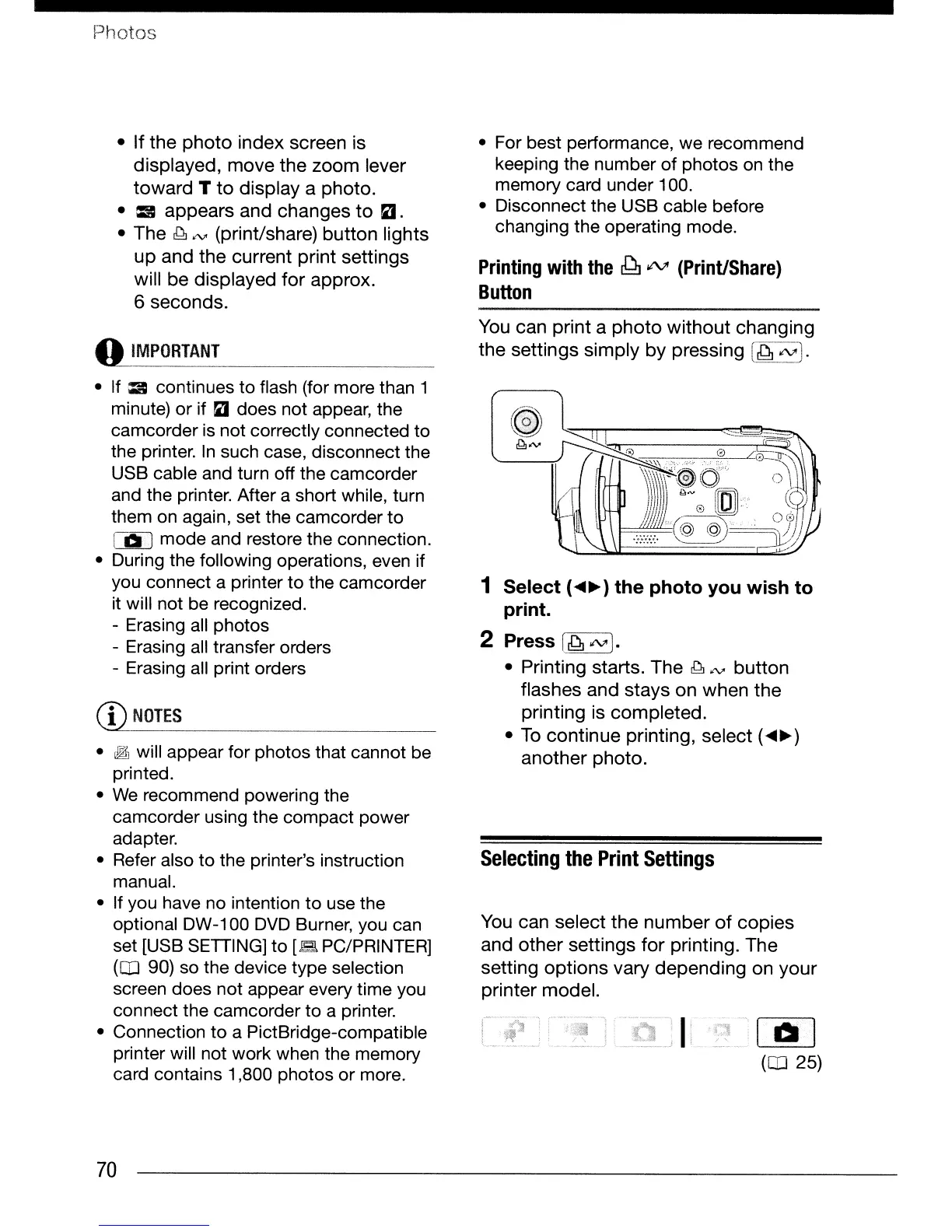
Printing
with
the
~"tV
(Print/Share)
Button
You
can
print
a
photo
without
changing
the
settings
simply
by
pressing
[~~J.
1 Select (
....
~)
the photo you wish to
print.
2 Press
L~J.
• Printing starts.
The
~"'"
button
flashes and
stays
on
when
the
printing is
completed.
•
To
continue
printing, select (
....
~)
another
photo.
Selecting
the
Print
Settings
You can select
the
number
of
copies
and
other
settings
for
printing.
The
setting
options
vary
depending
on
your
printer model.


 To Next Page
 Loading...









