Video
Playing
Back
the
Video
Basic
Playback
• Observe the following precautions while
the ACCESS indicator
is
on
or flashing.
Failing to do so may result
in
permanent
data loss.
-
Do
not open the memory card slot
cover.
-
Do
not disconnect the power source
or turn off the camcorder.
-
Do
not change the operating mode.
•
You
may not be able to play back with
another device the movies
you
recorded
on
the memory card with this
camcorder.
In
such case, play back the
o
IMPORTANT
1 Push the joystick (...) to display
the joystick guide.
2 Push the joystick (...
~)
to select
the top row.
3 Adjust (
....
~)
the volume.
To
turn off the volume, keep the
joystick pressed (
.....
) toward
({]l»
until
the volume bars disappear.
4 Press
[~/lll
or @ to begin the
playback.
• Playback will start from the scene
selected and continue until the end
of
the last scene recorded.
• Press
[~/II)
again
to
pause the
playback.
• Press
LJ~]
to
stop
the playback
and return
to
the index screen.
I
ADJUSTING
THE
VOLUME
J
(OJ 25)
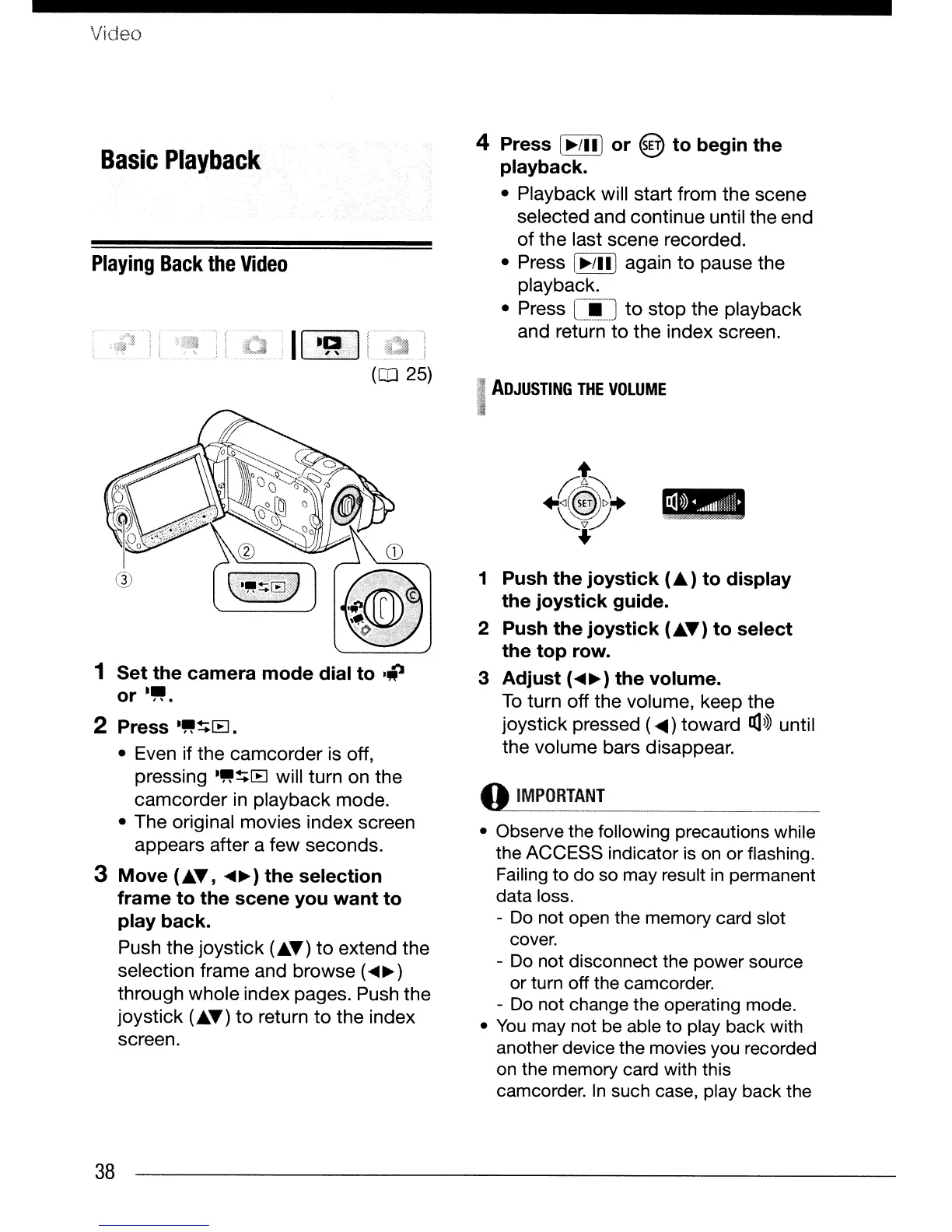
1 Set the camera mode dial to
·iJ
or
.~.
2 Press
."~[B.
• Even if the camcorder is off,
pressing
."~[B
will turn on the
camcorder in playback mode.
• The original movies index screen
appears after a few seconds.
3 Move (...
~,
....
~)
the selection
frame to the scene you want to
play back.
Push the
joystick
(...
~)
to
extend the
selection frame and browse (
....
~)
through whole index pages. Push the
joystick (...
~)
to
return
to
the index
screen.
38


 To Next Page
 Loading...









