6. MAINTENANCE, TROUBLESHOOTING
6-7
6.7 Diagnostics
A diagnostic test program is provided to test major circuit boards in the control unit,
processor unit and card I/F unit. Note that the normal radar picture is lost during this
test.
Proceed as follows to execute the diagnostic test:
1. Open the [MAIN MENU].
2. Select [INITIAL SETTING], then press the left button.
3. Select [TEST], then press the left button.
4. Select [SELF TEST], then press the left button.
5. To stop the test at any time, press the MENU key.
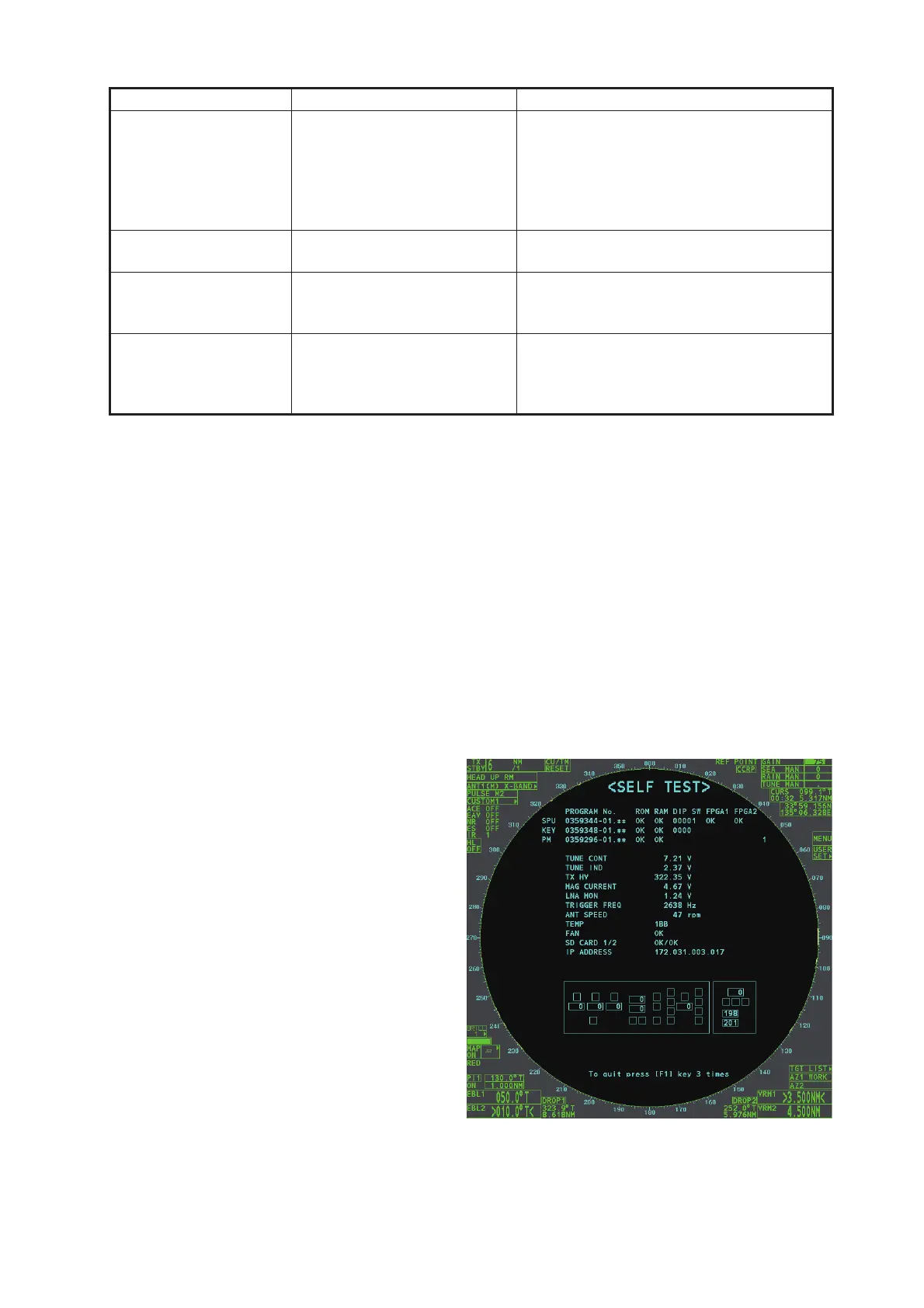
In a few moments the results of
the test are displayed. The ROMs
and RAMs of the SPU, RFC, Con-
trol Unit, Trackball Control Unit
and SD-Card readers are
checked for proper operation.
"OK" appears for normal opera-
tion. If "NG" (No Good) appears,
corresponding components may
be defective. Consult your dealer.
In the middle of the display the
rpm of the antenna unit and vari-
ous voltages are displayed.
Note: To stop the test, press the
F1 key three times.
True motion orientation
not working correctly
1) Incorrect menu setting
2) Speed entry incorrect
3) TM display inaccurate
1) Referring to section 1.29, select TM
orientation mode.
2) Enter correct own ship speed referring
to section 1.12.
3) Make sure that speed and compass in-
puts are accurate.
Target not tracked cor-
rectly
Poor definition of targets in
sea clutter
Adjust A/C SEA and A/C RAIN referring to
section 1.19 and section 1.20.
Buttons on trackball
module operated but
no response
Trackball module Replace trackball module.
Picture is not updated
with each sweep.
1) Slots in rotating disc in
antenna unit
2) Motor brushes
1) Remove foreign material (carbon,
grease, etc.) from slots.
2) Replace motor brushes if they are
shorter than 6 - 7 mm.
Problem Possible cause Remedy


 To Next Page
 Loading...





