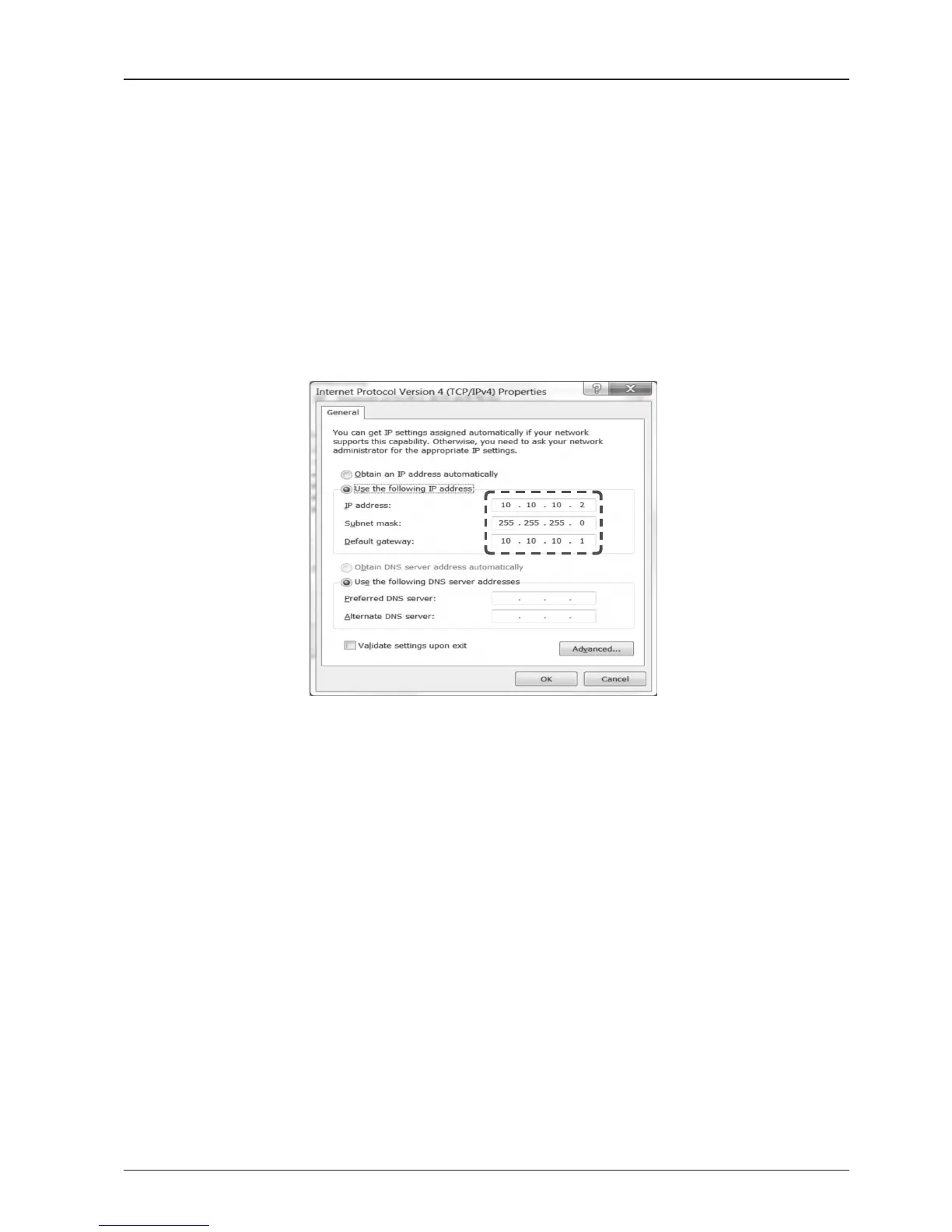
2. Change the network settings to the settings listed below.
Case #1
If iARM Module’s IP is known
The iARM module’s default IP is 192.168.1.223
PC IP : 192.168.1.222
Subnet Mask : 255.255.255.0
GateWay : 192.168.1.223
Case #2
If iARM Module’s IP is unknown
The iARM module’s secondary IP is 10.10.10.1
PC IP : 10.10.10.2
Subnet Mask : 255.255.255.0
GateWay : 10.10.10.1
Setting up the PC in order to access Wi-Fi
1. Setting up my computer’s wireless IP address
- Control Panel> Network and Sharing Center > Change Adapter Settings >
Right click on the “Local Area Connection”> Click Properties
After selecting TCP/IPv4, click on the properties menu.



 To Next Page
 Loading...










