EasyManua.ls Logo

Kenwood DNX6180 - How to Listen to the Radio

Kenwood DNX6180
177 pages
Print Icon
To Next Page IconTo Next Page
To Previous Page IconTo Previous Page
Loading...
.
....
r,
~.":'
t r
f 'f.
~
..l
88.00
Hz
DNX7180/DNX7480BT/DNX6980/DNX6180/DNX6040EX/DNX6480BTIDNX5180
I
How
To
Listen
To
The Radio
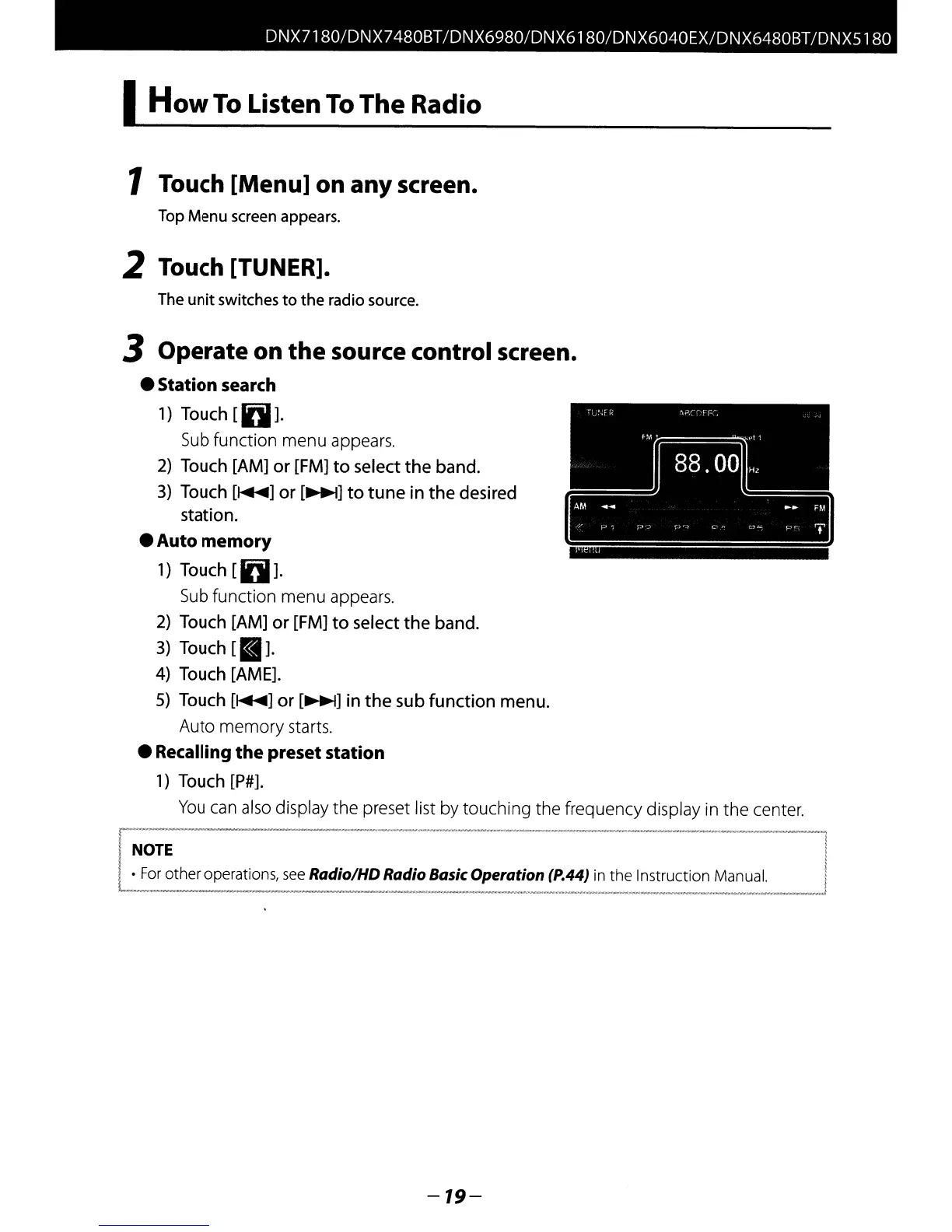
1 Touch [Menu]
on
any
screen.
Top
Menu
screen appears.
2 Touch [TUNER].
The
unit
switches
to
the
radio source.
3 Operate
on
the
source
control
screen.
Station search
1)
Touch
[IDI].
Sub
function menu appears.
2)
Touch [AM] or [FM]
to
select
the
band.
3) Touch
[~]
or
[~]
to
tune
in
the
desired
station.
Auto memory
1) Touch
[IDI].
Sub
function menu appears.
2) Touch [AM]
or
[FM]
to
select
the
band.
3) Touch
[a].
4) Touch [AME].
5) Touch
[~]
or
[~]
in
the
sub
function
menu.
Auto memory starts.
Recalling
the
presetstation
1)
Touch [P#].
You
can
also
display the preset list by touching the frequency display in the center.
I
NOTE
For
other operations,
see
Radio/HDRadio Basic
Operation
(P.44) in the Instruction Manual.
-19-

Table of Contents