27
Return to the Top page
DVD, VCD
Disc setup
Performs setup when using disc media.
1
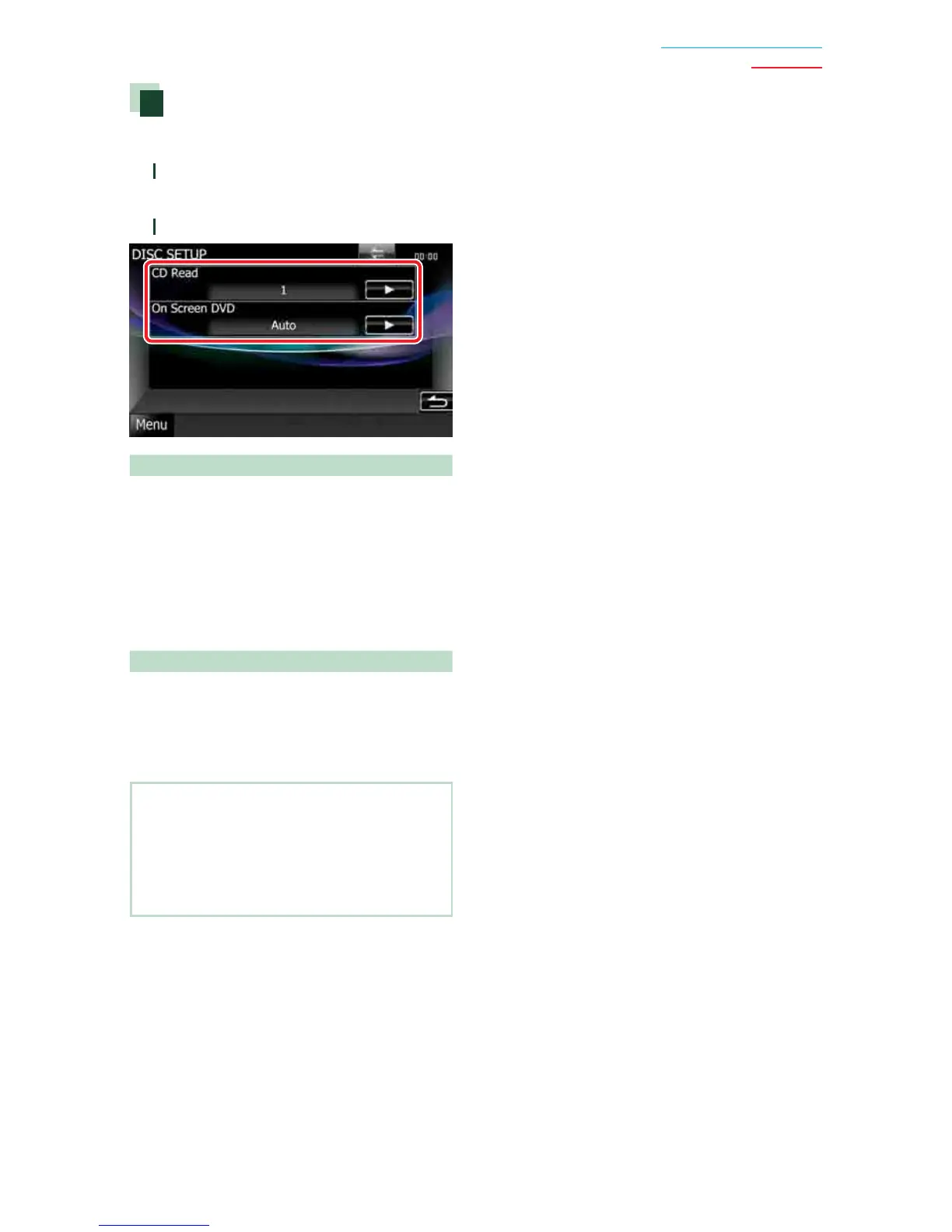
Touch [SET] of [DISC SETUP].
DISC SETUP screen appears.
2
Select an option as follows.
CD Read
Sets the motion of this unit when a music CD
is played.
1 (Default): Automatically recognizes and plays
back an audio file disc, a DVD or a music CD.
2: Forcibly plays back a disc as a music CD.
Select [2] if you wish to play a music CD having
a special format or if you cannot play a disc in
[1] position.
On Screen DVD
Sets an on-screen display.
Auto: When updated, information appears for
5 seconds.
OFF (Default): Information does not appear.
NOTE
• [CD Read] is not available when a disc is in the
unit.
• You cannot play an audio file/VCD disc in the [2]
position. Also, you may not play some music CDs
in the [2] position.


 To Next Page
 Loading...