171
White Balance
❚❚
Direct Measurement
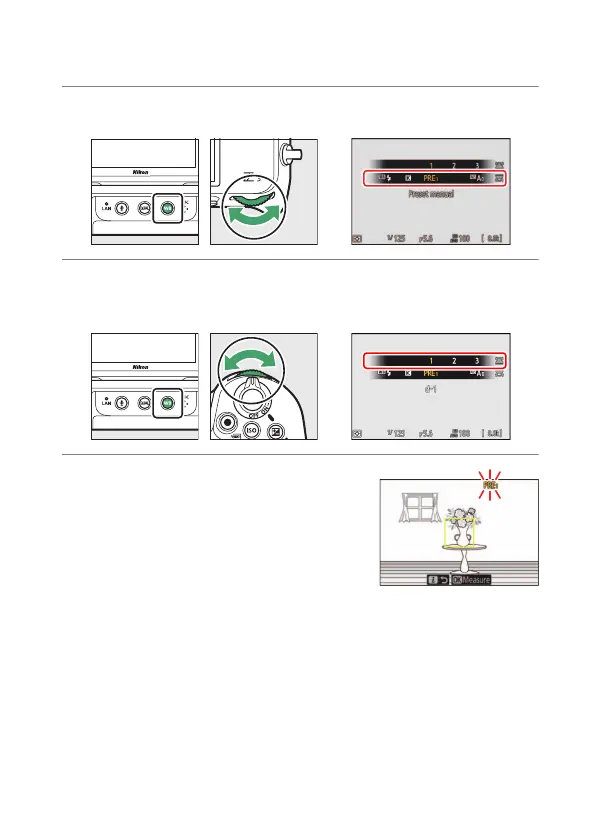
The camera can store up to six values for preset manual white balance.
1
Hold the
U
button and rotate the main command dial to select
L
.
2
Select a preset.
Hold the
U
button and rotate the sub-command dial until the
desired white balance preset (d-1 to d-6) is displayed.
3
Select direct measurement mode.
•
Release the
U
button briefly and then
press the
U
button until the
L
icon
in the monitor starts to flash.
•
A white balance target (
r
) will appear in
the center of the frame.


 To Next Page
 Loading...











