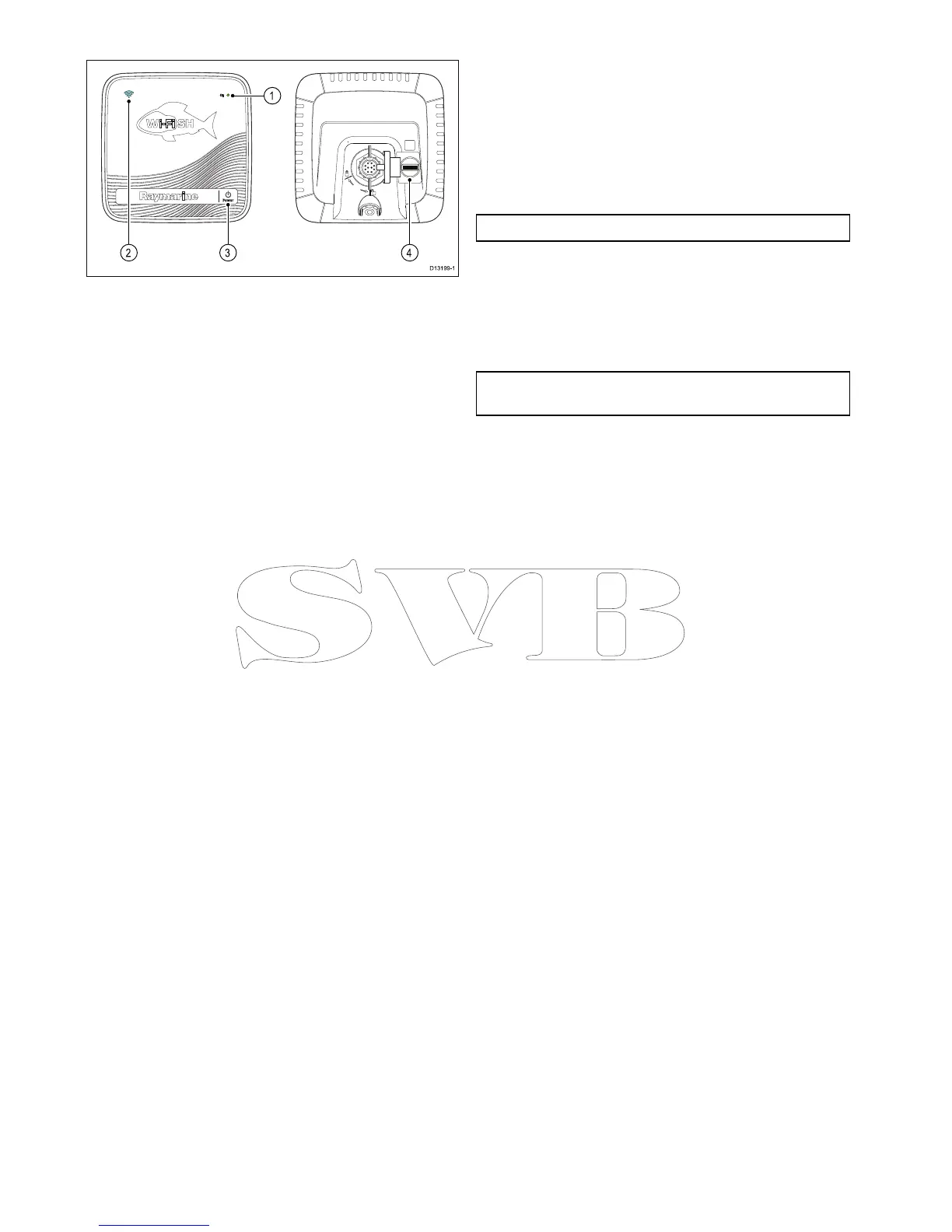
1.Powerindicator(quickGreenash=initializing,
slowGreenash=normaloperation,Red=
devicefailed)
2.Wi-Ficonnectionindicator(quickBlueash=
notconnected,slowBlueash=connected)
3.Powerbutton
4.MicroSDcardreader
6.2Switchingtheunitonandoff
Poweringtheuniton
1.PressandholdthePowerbuttonfor
approximately3secondstopoweruptheunit.
*Ondisplayproductsafterapproximately5
secondsthesplashscreenisdisplayed.
2.*PressOKtoaccepttheLimitationsofUse
disclaimerwhenitappears.
Note:*DoesnotapplytoWi-Fish
TM
.
Poweringtheunitoff
1.PressandholdthePowerbuttonfor
approximately6seconds.
Ondisplayproductsa3secondcount-downtimer
willbedisplayed.
Note:Tocancelthepoweroffprocess,releasethe
powerbuttonbeforetheunitpowersoff.
42
Dragony-4/Dragony-5/WiFish



 To Next Page