Publication 2711C-QS001F-EN-P - November 2010 27
Make Terminal Connections Chapter 2
Configure Browser Settings
Browser changes are required before using the PanelView Explorer design environment. For optimal
performance, the Internet Explorer 7 browser or the Firefox 2.0 or 3.0 browser is recommended.
All Browsers
1. Verify that cookies are
enabled.
2. Turn off the pop-up blocker.
Mozilla Firefox 2.0 or 3.0
The Firefox browser requires changes before you can copy and paste data from a grid or state editor in
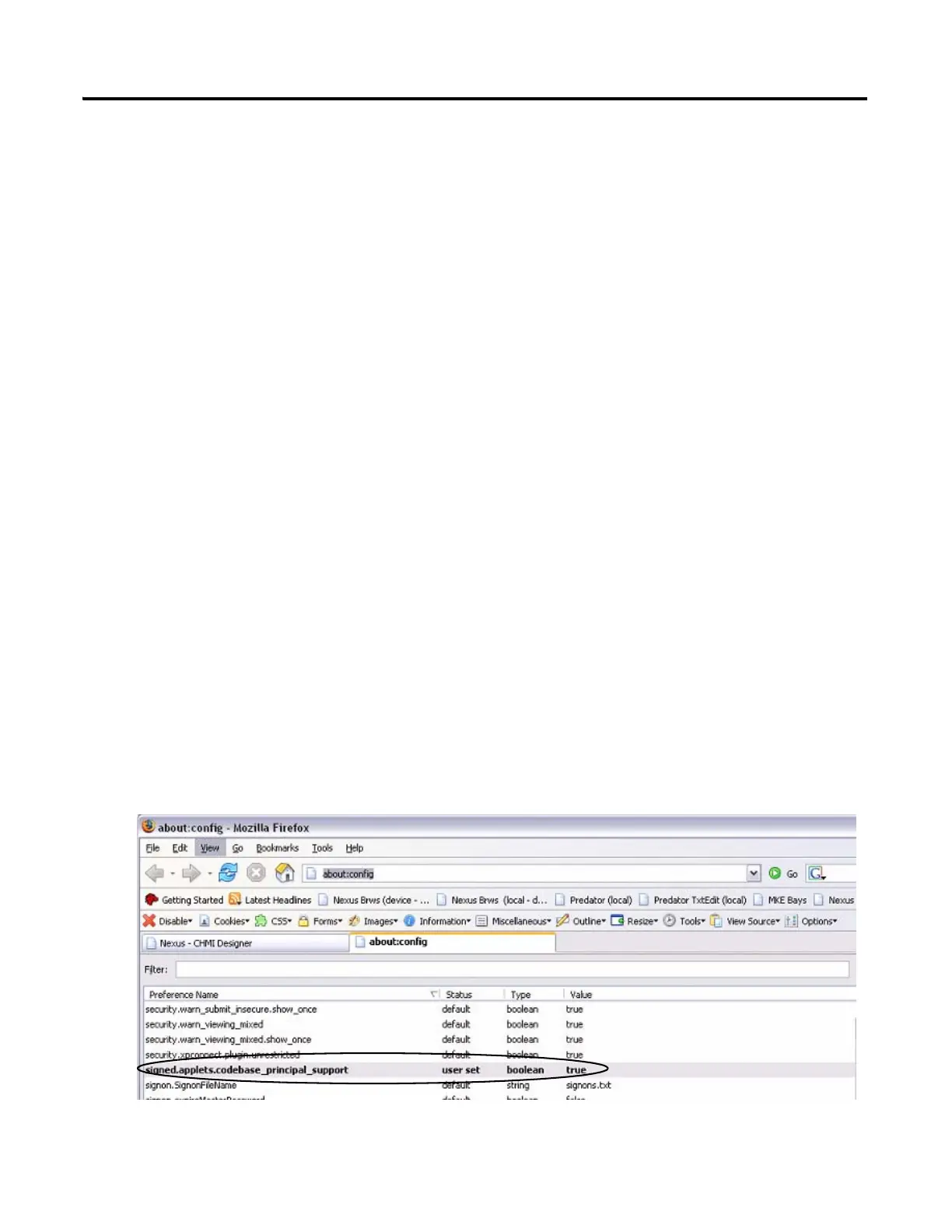
PanelView Explorer to Excel. The browser requires a preference named
signed.applets.codebase_principal_support. Without this preference, data will not paste into Excel.
1. Verify your Firefox browser
is open.
2. Enter the URL about:config.
3. Look for the preference:
signed.applets.codebase_prin
cipal_support
4. If the preference name
exists, skip to step 7..


 To Next Page
 Loading...