WebConsole - Switching Options
77
NX-Series Controllers - WebConsole & Programming Guide
Outputs Only
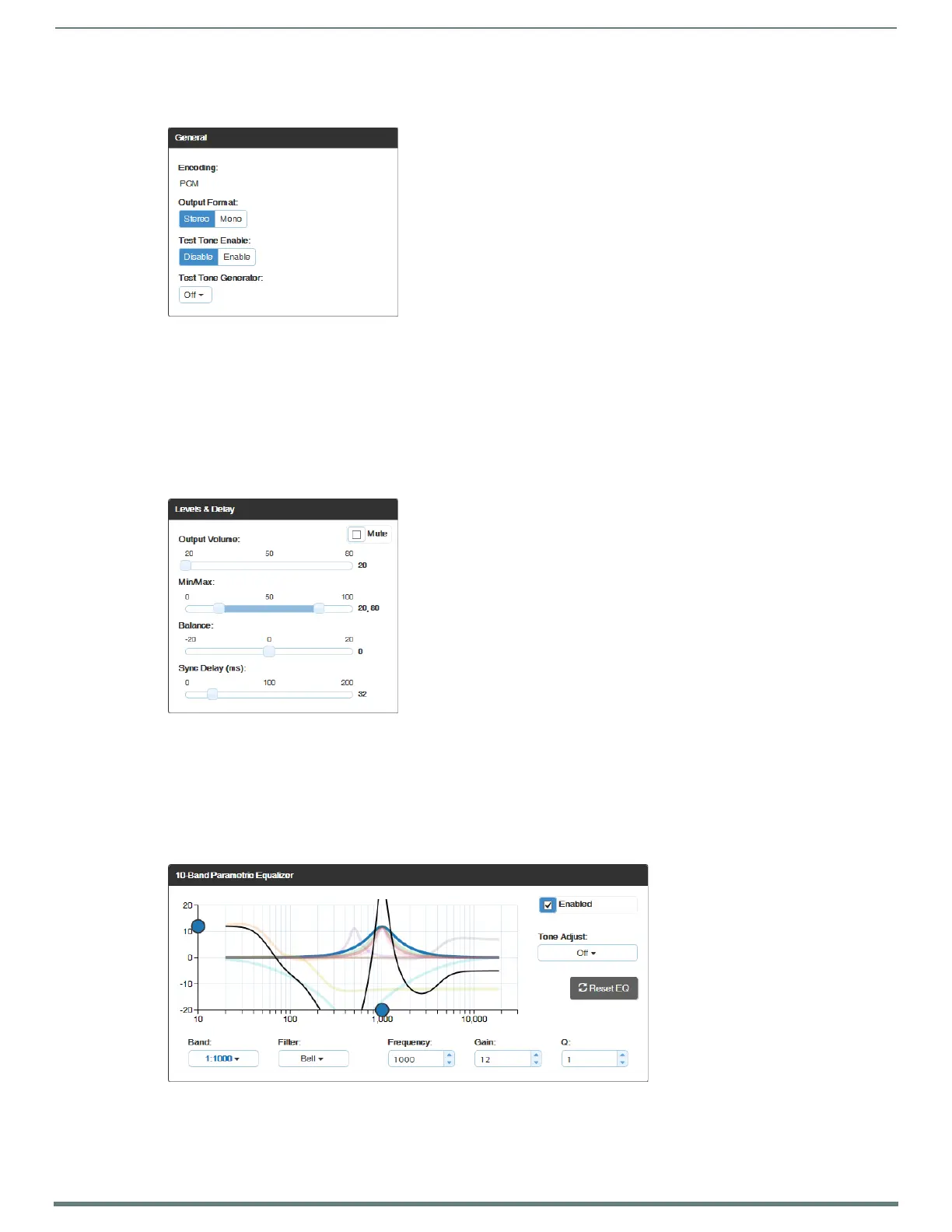
Ge n e r a l s e t t i n g s :
Encoding – PCM (read only).
Output Format – click Stereo or Mono.*
Test Tone Enable – click Disable or Enable.
Test Tone Generator – from the drop-down list, select Off, 60Hz, 250Hz, 400Hz, 1kHz, 3kHz, 5kHz, 10kHz, Pink Noise, or
White Noise.
Audio Routing – click Embedded or Switched.**
* Setting this option to “Mono” audio on the output results in the left and right channels being combined and sent to both the left
and right output channels equally.
** With Audio Switching Boards in the system, Audio Routing defaults to Switched.
Levels & Delay:
Mute – click Mute if desired.***
Output Volume (0 to 100)
Min/Max (0 to 100)
Balance (-20 to 20, left to right)
Sync Delay (ms) (0 to 200).
*** Changing the volume level will not un-mute the signal; however, the new volume level is saved and when the Mute button is
deselected, the volume returns at the new level.
10-Band Parametric Equalizer:
Enabled – this check box must be selected before the Equalizer options are available.*
Tone Adjust – use the drop-down box to select: Off, Voice, Music, or Movie (Tone Adjust is applied on top of any
equalizer adjustments).
Reset EQ – click this button to reset the all of the Equalizer values.


 To Next Page
 Loading...