Editing the Embroidery Pattern (Pattern Editing Screen) 169
—————————————————————————————————————————————————————————————————————
—————————————
5
3
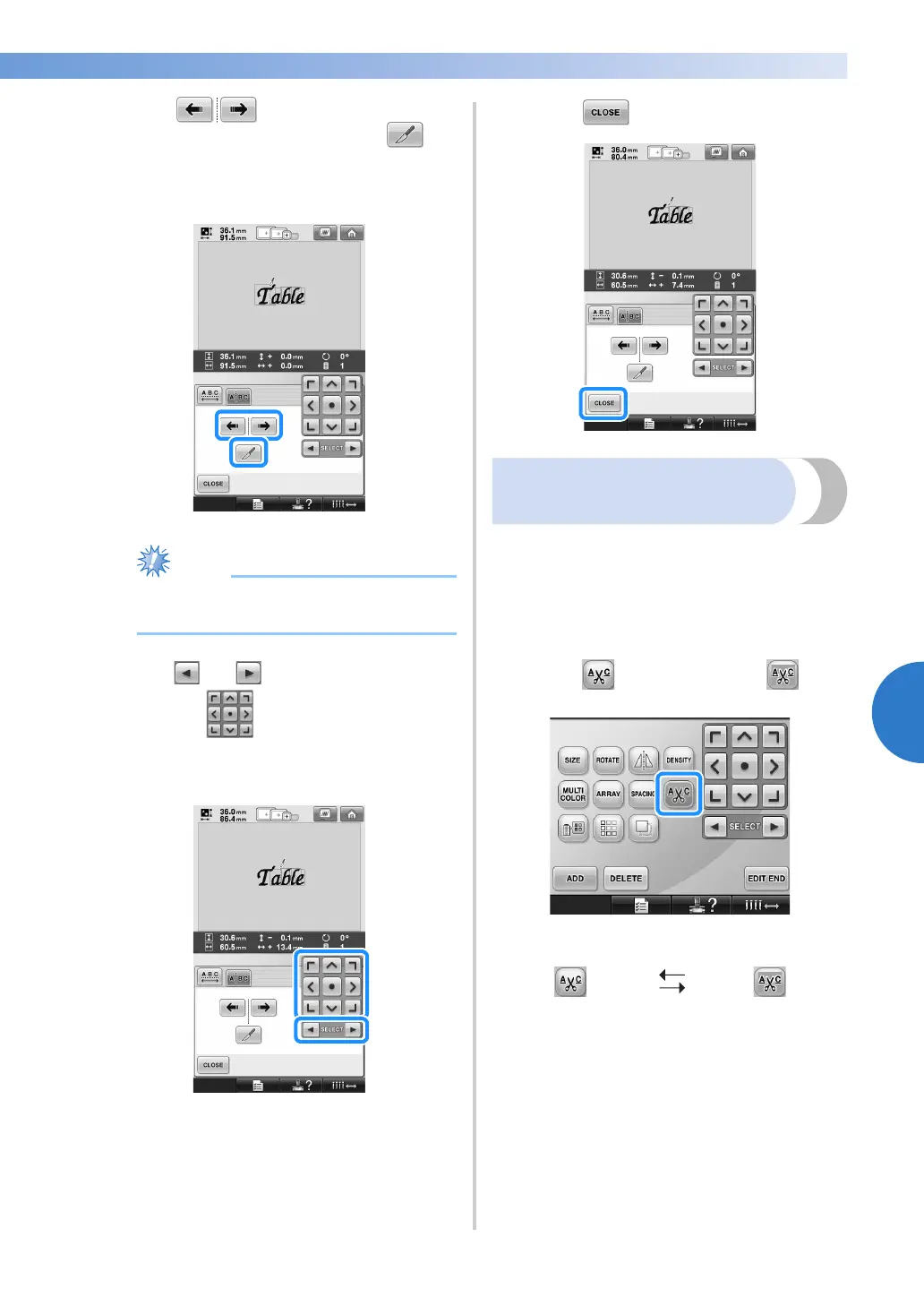
Use to select where the pattern
is to be separated, and then touch to
separate it. For this example, the pattern will
be separated between “T” and “a”.
● A separated character pattern cannot be
combined again.
4
Use and to select a pattern, and
then use to adjust the character
spacing.
5
Touch .
Trimming the threads
between characters
If the machine is set to trim the threads between the
characters, the jumpstitches between the characters
are reduced and any other necessary procedures
after embroidering are reduced. However, the
embroidering time will increase if the threads are
trimmed between each of the characters.
1
Touch so that it changes to .
• Each touch of the key turns the setting
either on or off.
Threads are not
trimmed.
Threads are
trimmed.


 To Next Page
 Loading...











