GETTING READY ——————————————————————————————————————————————————————————————————————
26
Setting up the machine
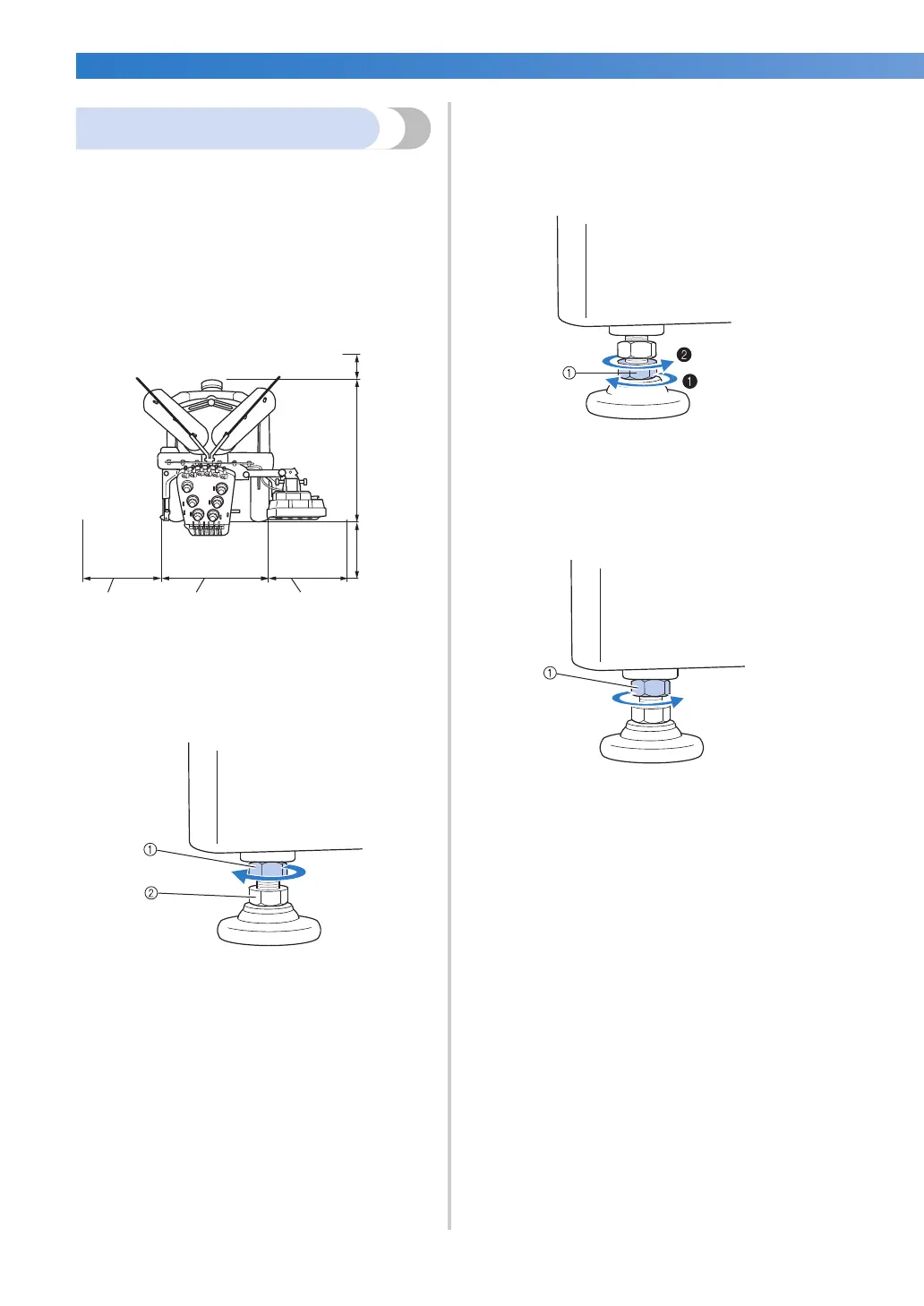
When setting up the machine, adjust the legs so
that the machine is steady.
1
Make sure that all packing tape affixed to the
machine is peeled off and that all packing
material is removed.
2
Set up the machine while making sure that
there is sufficient space around it.
3
Adjust the legs so that the machine is steady.
Use the included wrench to loosen the lock
nut on the leg that you wish to adjust.
1 Lock nut
2 Adjustable foot nut
X The foot can be turned.
4
Use the included wrench to turn the
adjustable foot nut on the foot.
Turning the nut in direction 1 lengthens the
leg; turning the nut in direction 2 shortens
the leg.
1 Adjustable foot nut
• Adjust all four legs so that they securely
contact the desk or table.
5
After adjusting the legs to the desired length,
use the included wrench to tighten the nuts.
1 Lock nut
6
Press down on each corner of the
embroidery machine to check that it is
stable.
If it is still unstable, perform steps
3 through
5 again to adjust the legs.
More than
50 mm
(2 inches)
589 mm
(23-3/16
inches)
More than
350 mm
(13-3/4
inches)
More than
250 mm
(9-7/8 inches)
512 mm
(20-5/32 inches)
More than
250 mm
(9-7/8 inches)


 To Next Page
 Loading...











