106
4.2.2 Replacing with a Different Cartridge Type
Toreplacethecellwithacellforadifferentgas,followthis
procedure:
1�Unscrewtheweatherproofcover,loosenthesensor
retainerlockingscrew,andunscrewthesensorretainer�
2�Removetheoldsensorbypullingwithouttwisting�
3�Unscrewthesensorcap�
4�Removetheoldcellbypullingwithouttwisting�
5�Plugthenewcellintothesensor,takingcaretoalignthe
sensorpinswiththeconnectorholesinthePCB�
6�Retthesensor,takingcaretoalignthesensorpinswith
theconnector�
7�Retthesensorretainer,tightenthelockingscrew,and
rettheweatherproofcover�
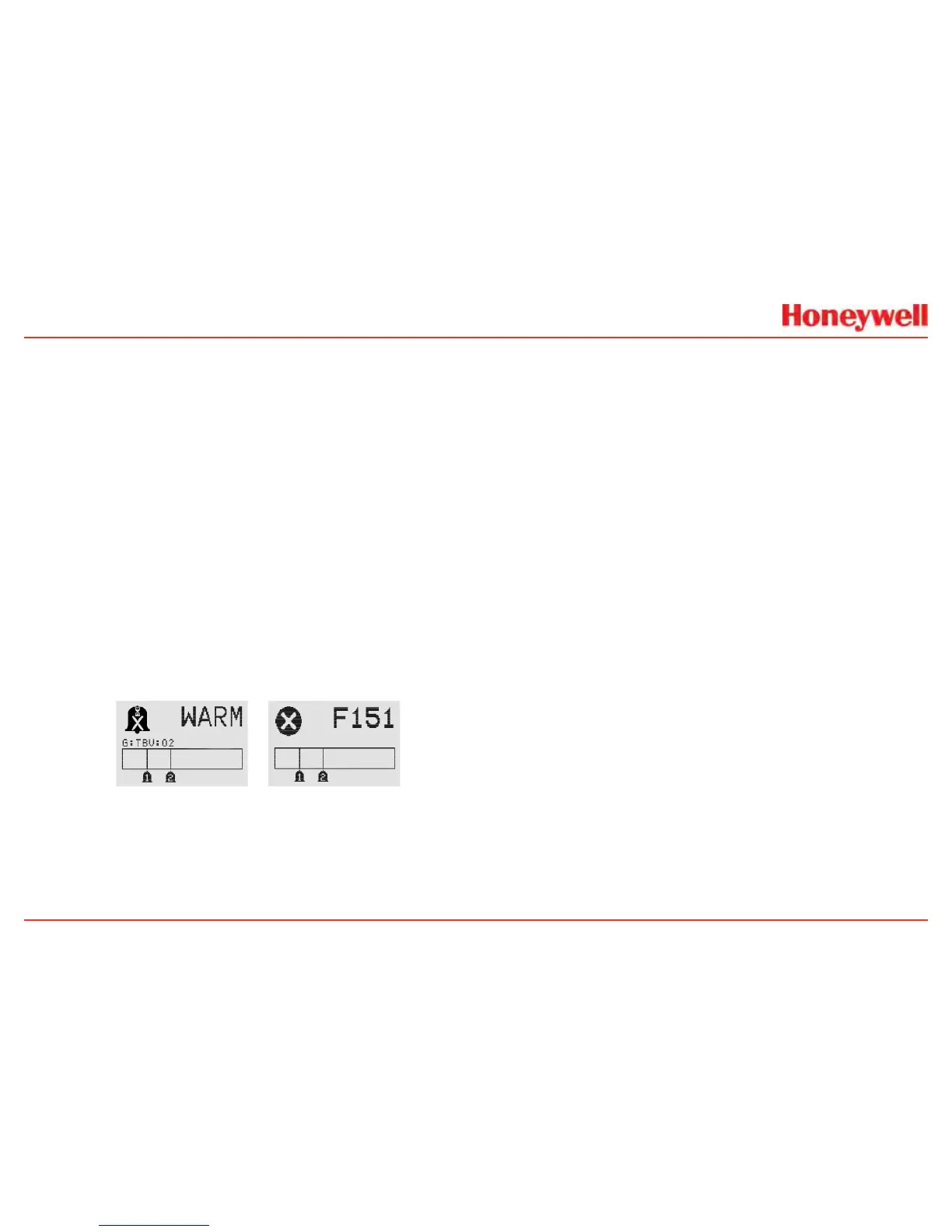
8�Thetransmitterwillentersensorwarm-upmode�However,
duetothechangeinsensorcelltype,thetransmitter
willnotentermonitormodeuntiltheunithasbeen
recongured�Thedisplaywillshowthesensorwarm-up
screen:
Figure 229. Sensor screens during warmup
Notethemessage“G:TBV:O2”�“TBV”indicatesthatthe
operatormustrecongurethetransmittertorecognize
thenewsensorcell�“O2”willreectthetargetgasofthe
newcell,i�e�,H2S,NO2,etc�Thedisplaywillalsoalternate
thewarm-upscreenwiththeFault151screen�This
indicatesthatthecommunicationbetweenthetransmitter
andtheoriginalcellisnolongerrecognized�Thisfault
conditionwillclearafterthetransmitterhasbeenproperly
recongured�
TherecongurationoftheXNXforanewcell/targetgasis
achievedthroughAcceptNewSensorType�Recalibrate
thesensorfollowingtheproceduresinSection3�2�2�
4�2XNXECSensorCartridgeReplacement


 To Next Page
 Loading...