Uploading
Pictures
to the
my
Picturetown
Server
Using Picture Bank
Uploading All Pictures
at
Once
:ill
Q~
o
o
o
.
The camera automatically uploads pictures that have
not
yet been uploaded
to
the my
Picturetown server whenever the
AC
adapter
is
connected
to
the camera. Charging
begins once pictures have been uploaded.
@
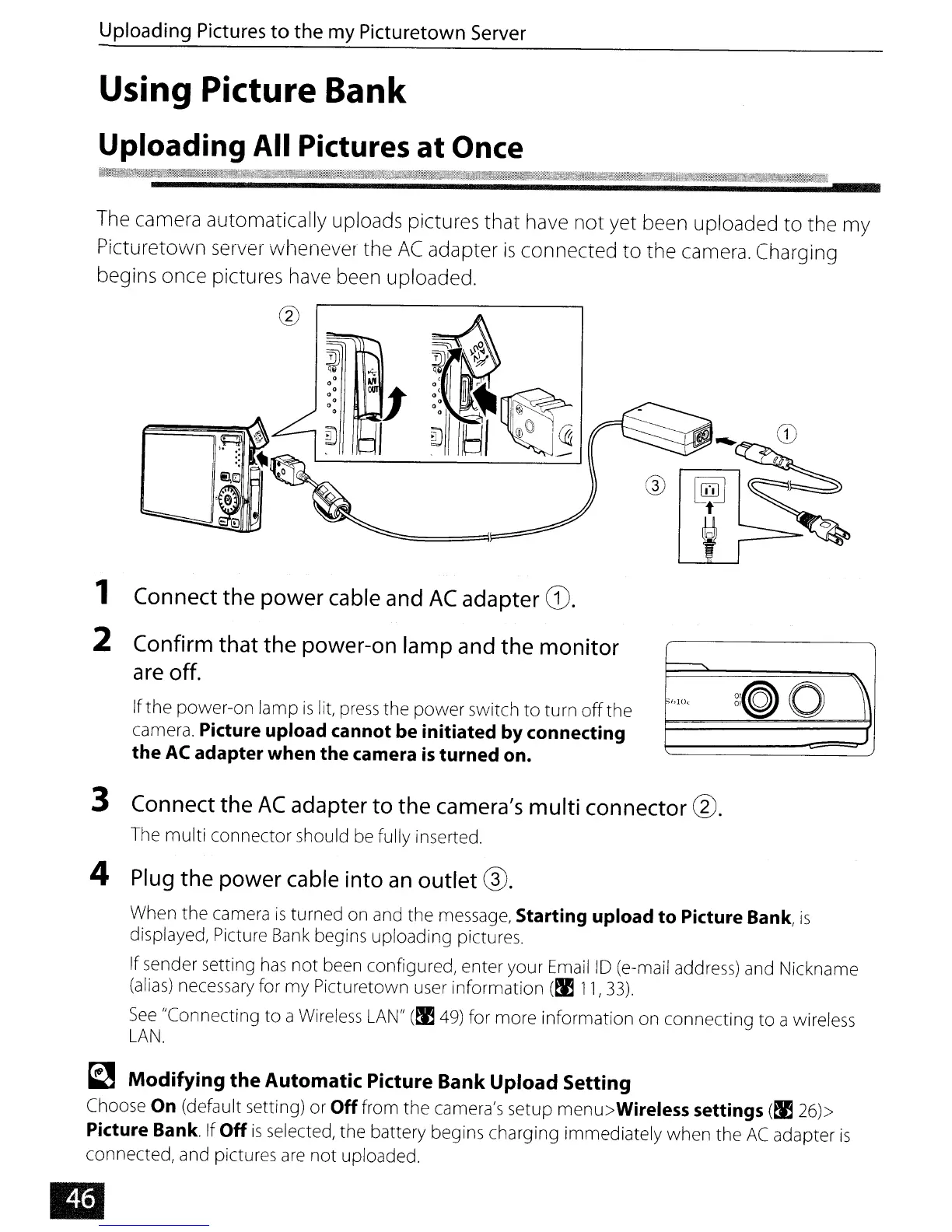
1 Connect the power
cable
and
AC
adapter
G)'
2
Confirm
that the power-on lamp
and
the monitor
are
off.
If
the
power-on lamp
is
lit,
press
the
power
switch
to
turn
off
the
camera.
Picture upload cannot be initiated by connecting
the
AC
adapter when the camera
is
turned on.
3 Connect the
AC
adapter
to
the
camera's
multi connector @.
The
multi
connector should be fully inserted.
4
Plug
the power
cable
into
an
outlet @.
When
the
camera
is
turned on and the message, Starting upload
to
Picture Bank,
is
displayed, Picture
Bank
begins uploading pictures.
If sender setting
has
not
been configured, enter your Email
10
(e-mail address) and Nickname
(alias) necessary for
my
Picturetown user information
(~
11,33).
See
"Connecting
to
a Wireless
LAN"
(~
49)
for more information on connecting
to
a wireless
LAN.
~
Modifying the Automatic Picture Bank Upload Setting
Choose On (default setting) or Off from
the
camera's setup menu>Wireless settings
(~
26»
Picture Bank.
If
Off
is
selected, the battery begins charging immediately when the
AC
adapter
is
connected, and pictures
are
not
uploaded.


 To Next Page
 Loading...












