EasyManua.ls Logo

Nikon CoolPix S610 - Printing Multiple Pictures

Nikon CoolPix S610
247 pages
Print Icon
To Next Page IconTo Next Page
To Previous Page IconTo Previous Page
Loading...
Connecting
to a
Printer
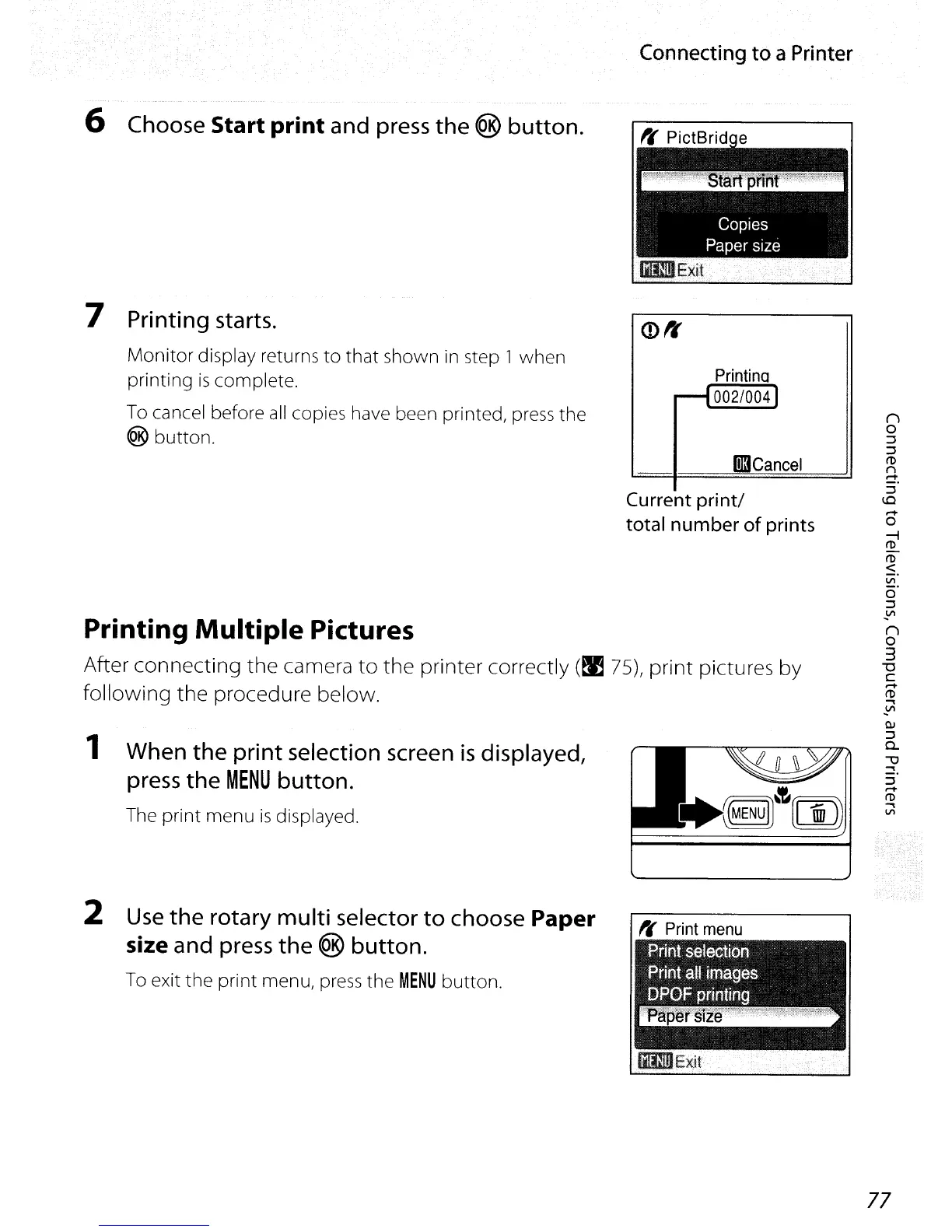
Printing Multiple Pictures
After connecting the camera
to
the printer correctly
(~
75), print pictures by
following the procedure below.
6 Choose Start
print
and press
the
® button.
7 Printing starts.
Monitor
display returns
to
that shown
in
step 1 when
printing
is
complete.
To
cancel before
all
copies have been printed, press the
® button.
1
When
the
print selection screen
is
displayed,
press
the
MENU
button.
The print menu
is
displayed.
2
Use
the
rotary multi selector
to
choose Paper
size
and press
the
® button.
To exit the print menu,
press
the
MENU
button.
Printina
--I
002/0041
Iil3Cancel
Current print/
total number of prints
It'
Print
menu
77

Table of Contents

Other manuals for Nikon CoolPix S610

Related product manuals