Sending Faxes
4-4
Scan Settings
You can adjust the image quality and density of the document you send. The higher
image quality you set, the better the output will be, but the longer the transmission
will take.
Image Quality
The default setting is <FINE>.
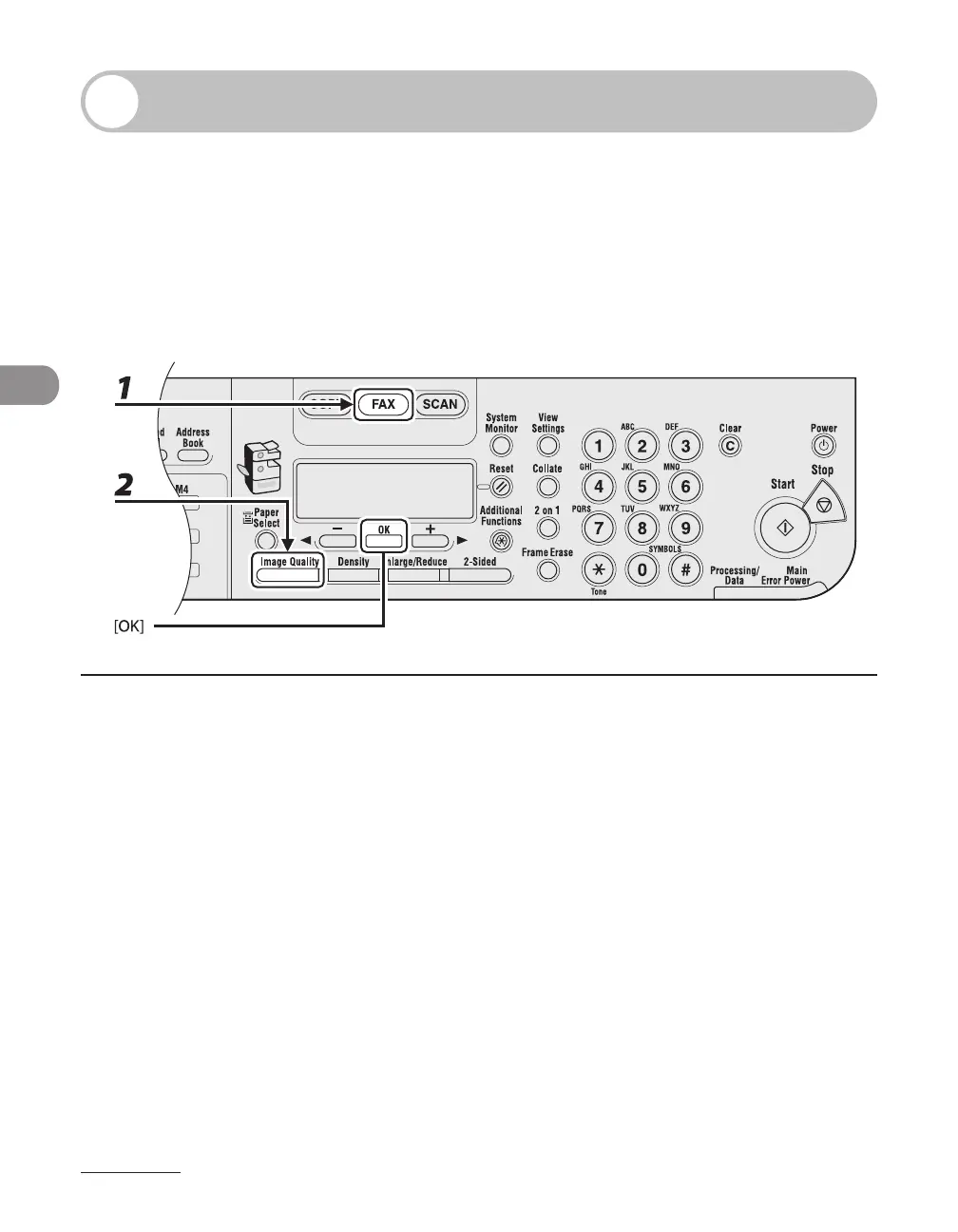
1 Press [FAX].
2 Press [Image Quality] repeatedly to select the resolution, then press [OK].
<FINE> for fine-print documents (the resolution is twice that of <STANDARD>). (200 x 200 dpi)
<PHOTO> for documents that contain photographs (the resolution is twice that of <STANDARD>). (200
x 200 dpi)
<SUPER FINE> for documents that contain fine print and images (the resolution is four times that of
<STANDARD>). (200 x 400 dpi)
<ULTRA FINE> for documents that contain fine print and images (the resolution is eight times that of
<STANDARD>). (400 x 400 dpi)
<STANDARD> for most text-only documents. (200 x 100 dpi)


 To Next Page
 Loading...







