Maintenance
10-10
Cleaning the ADF Automatically
If your documents have black streaks or appear dirty after scanning them through the ADF,
clean the ADF roller by repeatedly feeding blank sheets of paper through it.
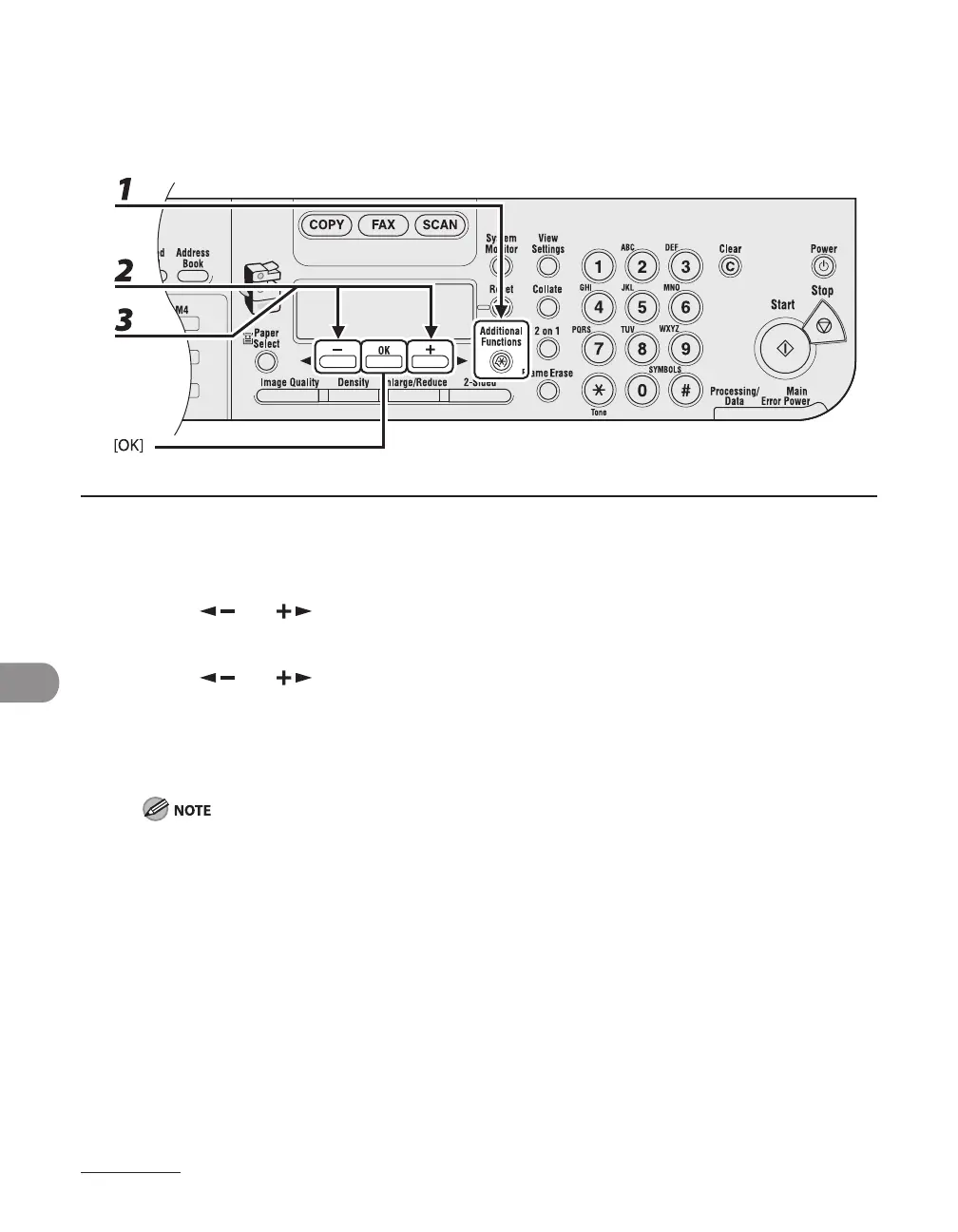
1 Press [Additional Functions].
2 Press [ ] or [ ] to select <ADJUST./CLEANING>, then press [OK].
3 Press [ ] or [ ] to select <FEEDER CLEANING>, then press [OK].
4 Load 5 sheets of blank paper into the ADF, then press [OK].
ADF cleaning starts. When finished, the display returns to the standby mode.
Use LTR paper.


 To Next Page
 Loading...







