ACCESSING THE PASSIVE KEY
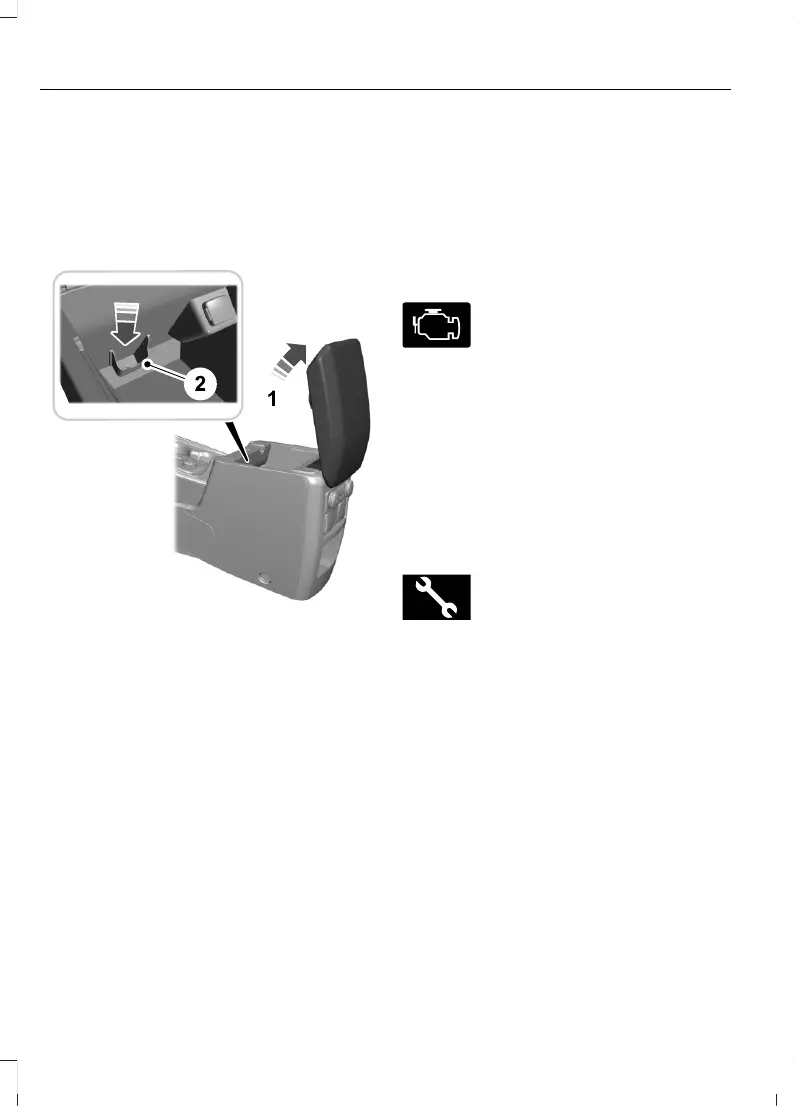
BACKUP POSITION -
VEHICLES WITH: PUSH
BUTTON START
If you are unable to start your vehicle:
1. Raise the center console storage lid.
2. Place the remote control in the backup
slot with the buttons facing toward the
rear of the vehicle.
3. Press the brake pedal.
4. Press the push button ignition switch
to start the vehicle.
STARTING AND STOPPING
THE ENGINE –
TROUBLESHOOTING
STARTING AND STOPPING THE
ENGINE – WARNING LAMPS
Malfunction Indicator Lamp
If it illuminates when the engine
is running, the on-board
diagnostics system is detecting
a malfunction of the vehicle emission
control system.
If it flashes, engine misfire could be
occurring. Increased exhaust gas
temperatures could damage the catalytic
converter or other vehicle components.
Avoid heavy acceleration and deceleration,
and have your vehicle checked as soon as
possible.
Powertrain Warning Lamp
If it illuminates when the engine
is running, this indicates a
powertrain or four-wheel drive
fault. If it flashes when you are driving,
immediately reduce the vehicle speed.
Avoid heavy acceleration and deceleration,
and have your vehicle checked as soon as
possible.
If both lamps illuminate when the engine
is running, stop your vehicle as soon as it
is safe to do so. Continuing to drive your
vehicle could cause reduced power or the
engine to stop. Switch the ignition off and
attempt to restart the engine. Have your
vehicle checked as soon as possible.
180
Explorer (CTW) Canada/Mexico/United States of America, enUSA, Edition date: 202401, DOM
Starting and Stopping the Engine



 To Next Page
 Loading...










