Garmin aera 500 Series Pilot’s Guide
190-01117-02 Rev. C
Appendix G
183
Overview GPS Navigation Flight Planning Hazard Avoidance Additional Features Appendices Index
HEADING LINE
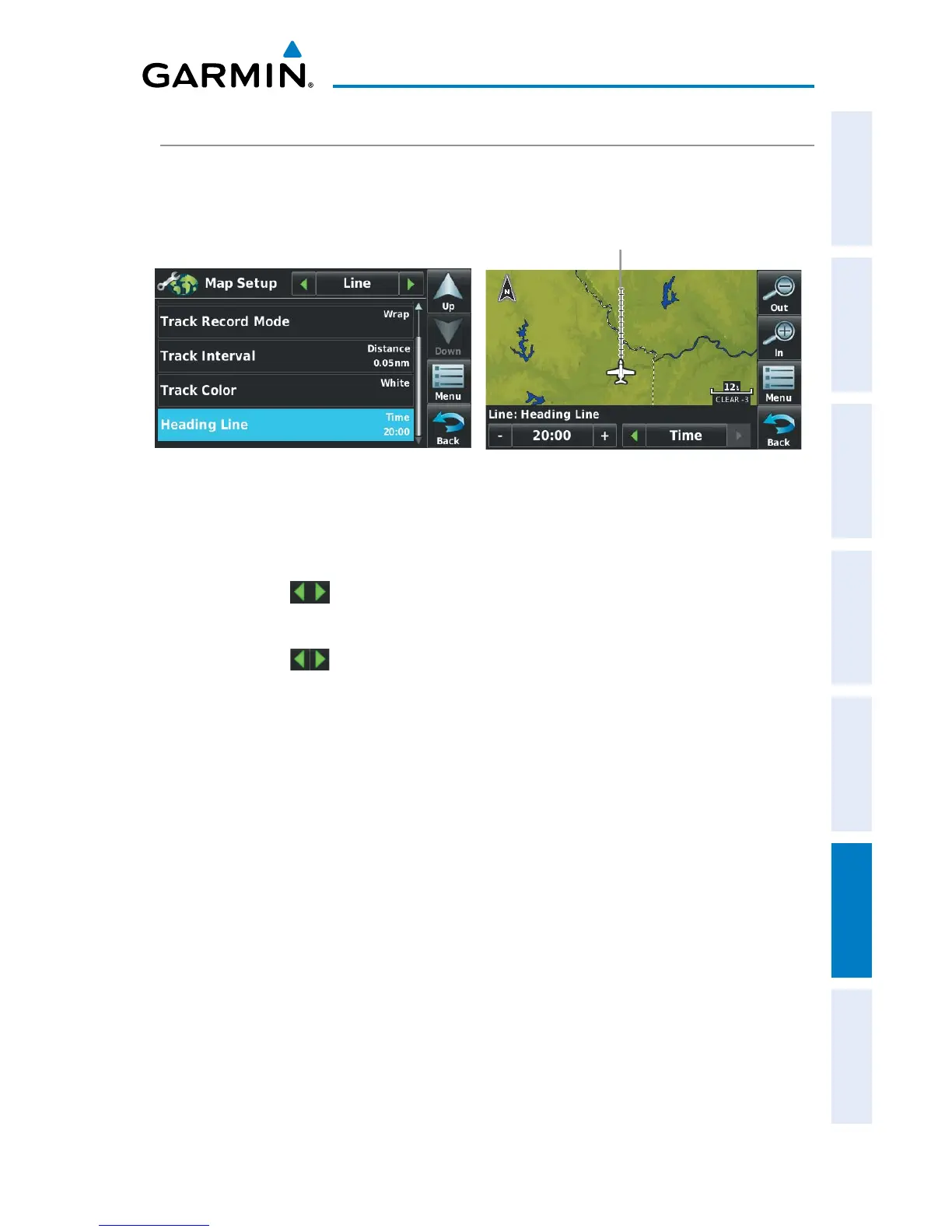
The aera draws an electronic “heading line” on the Navigation Map. The heading
line can be set to time or distance.
Heading Line
Heading Line Setup
Changing the heading line settings on the Navigation Map:
1)
From the 'Home' Screen, touch Map > Menu > Set Up Map.
2)
Touch the buttons to display the 'Line' Category.
3)
Touch Heading Line.
4)
Touch the buttons to select ('Off', 'Time', or 'Distance').
5)
Touch the +/- buttons to select the desired distance or time (if applicable).


 To Next Page
 Loading...