Garmin aera 500 Series Pilot’s Guide
190-01117-02 Rev. C
33
GPS Navigation
Overview GPS Navigation Flight Planning Hazard Avoidance Additional Features Appendices Index
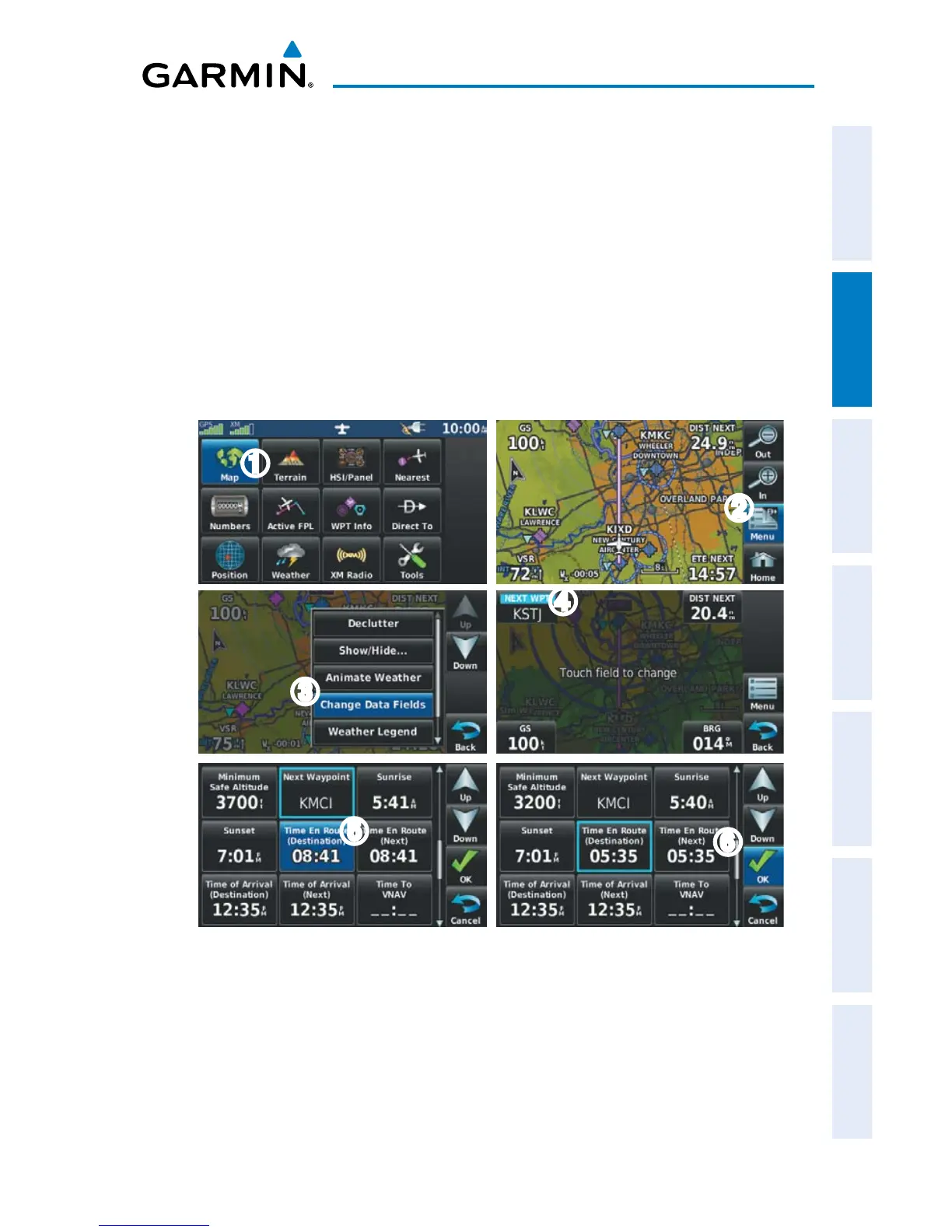
Changing the information shown in the data fields:
➊ From the ‘Home’ Screen, touch the Map Icon.
➋ Touch the Menu Icon.
➌ Touch the 'Change Data Fields' menu option.
➍ Touch the desired Data Field to change. A list of available Data Field Options
is displayed.
➎ Touch the desired Data Field Option.
➏ Touch the OK Icon.
➋
➌
➊
➎
➍
➏


 To Next Page
 Loading...