Garmin aera 500 Series Pilot’s Guide
190-01117-02 Rev. C
64
GPS Navigation
OverviewGPS NavigationFlight PlanningHazard AvoidanceAdditional FeaturesAppendicesIndex
2.6 DIRECT-TO NAVIGATION
The Direct-to method of navigation, initiated by pressing the Direct To Icon is
quicker to use than a flight plan when the desire is to navigate to a single point such
as a nearby airport.
The Direct To Icon is available from the 'Home' Screen, or 'touch and hold' the
Menu/ Icon when available.
Once a direct-to is activated, the aera establishes a point-to-point course line from
the present position to the selected direct-to destination. Course guidance is provided
until the direct-to is replaced with a new direct-to or flight plan, or cancelled.
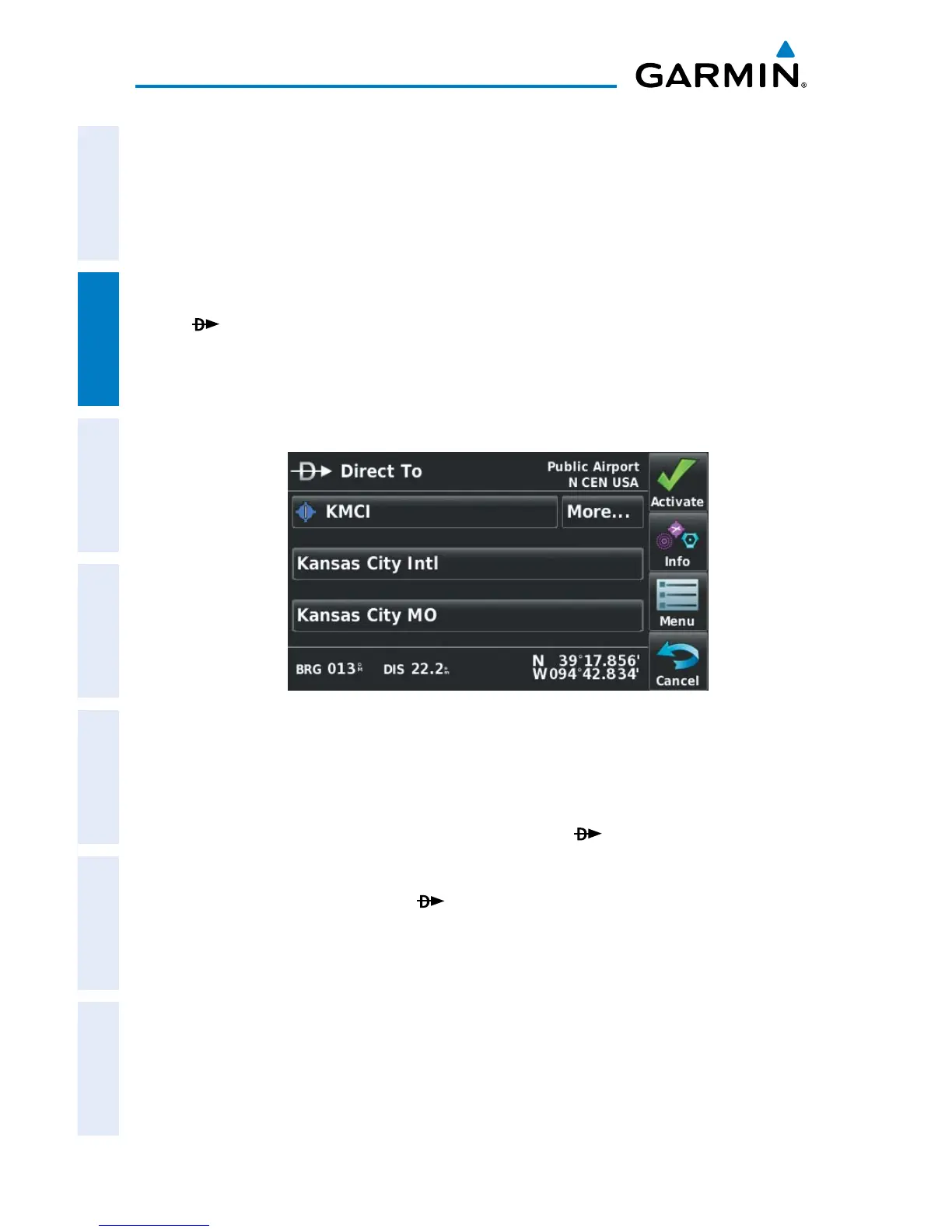
Direct To
Entering a waypoint identifier, facility name, or city as a direct-to
destination:
1)
From the ‘Home’ Screen, touch the Direct To Icon.
Or
:
Touch and hold the Menu/ Icon (when available).
2)
Touch Menu > Resume Navigation.
Or
:
a)
Touch the 'Search by Identifier', 'Search by Facility Name', or
'Search by City' fields.'.
b)
Enter the desired Identifier, Facility Name, or City using the keypad.
Refer to the Overview Section on 'Data Entry' for more information.
c)
Touch the OK Icon.


 To Next Page
 Loading...