LS10143-001SK-E Networking
5-4
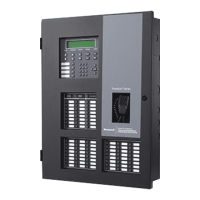
Figure 5-5 SK-NIC with Fiber Loop Modules
5.4.1.1 Accessory Mounting Kits
SK-NIC can be mounted within the IFP-2100/ECS cabinet or in the SK-NIC-KIT accessory cabinet. The
accessory kits are available if you want to install the SK-NIC outside of the IFP-2100/ECS cabinet. The
accessory kit part number is:
1. SK-NIC-KIT- which includes the SK-NIC, a small cabinet with door, cable, and mounting hardware.
5.4.2 SK-NIC Installation
The SK-NIC is designed to mount on one of the SLC expander standoff sets inside the cabinet or remotely using
the accessory cabinet.
Use the following steps to mount the SK-NIC inside the IFP-2100/ECS.
1. Place the SK-NIC on one of the SLC expander standoff sets.


 To Next Page
 Loading...