Upgrading The Computer
Upgrading the System Memory (RAM) 6 - 7
6
Upgrading the System Memory (RAM)
The computer has four memory sockets for 200 pin Small Outline Dual In-
line (SO-DIMM) - DDR-II (DDR2) - type memory modules (see “Memory”
on page D - 2). The total memory size is automatically detected by the POST
routine once you turn on your computer.
1. Turn off the computer, and turn it over and remove the battery.
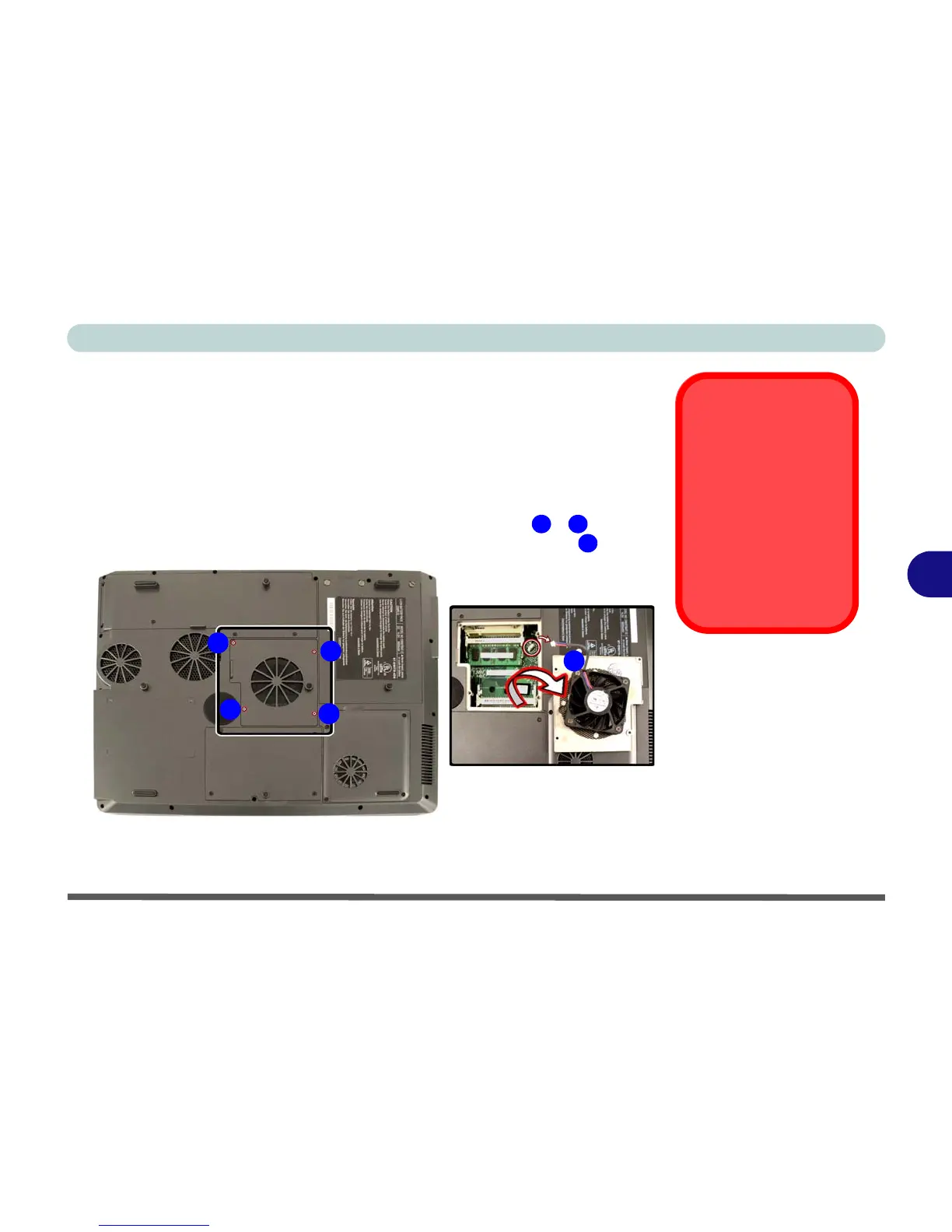
2. Locate the memory (RAM) bay cover and remove screws
- , and
carefully (the fan cable will still be attached) lift off the bay cover .
Contact Warning
Be careful not to touch
the metal pins on the
module’s connecting
edge. Even the clean-
est hands have oils
which can attract parti-
cles, and degrade the
module’s perfor-
mance.
Figure 6 - 4
RAM Cover
Removal
1 4
5
1
5
2
3
4


 To Next Page
 Loading...











