EA1-MG6-USER-M Hardware User Manual, 1st Ed. Rev C, 09/10
1–6
Chapter 1: Getting Started
1
Quick Start Steps
Step 1 – Unpack and Inspect
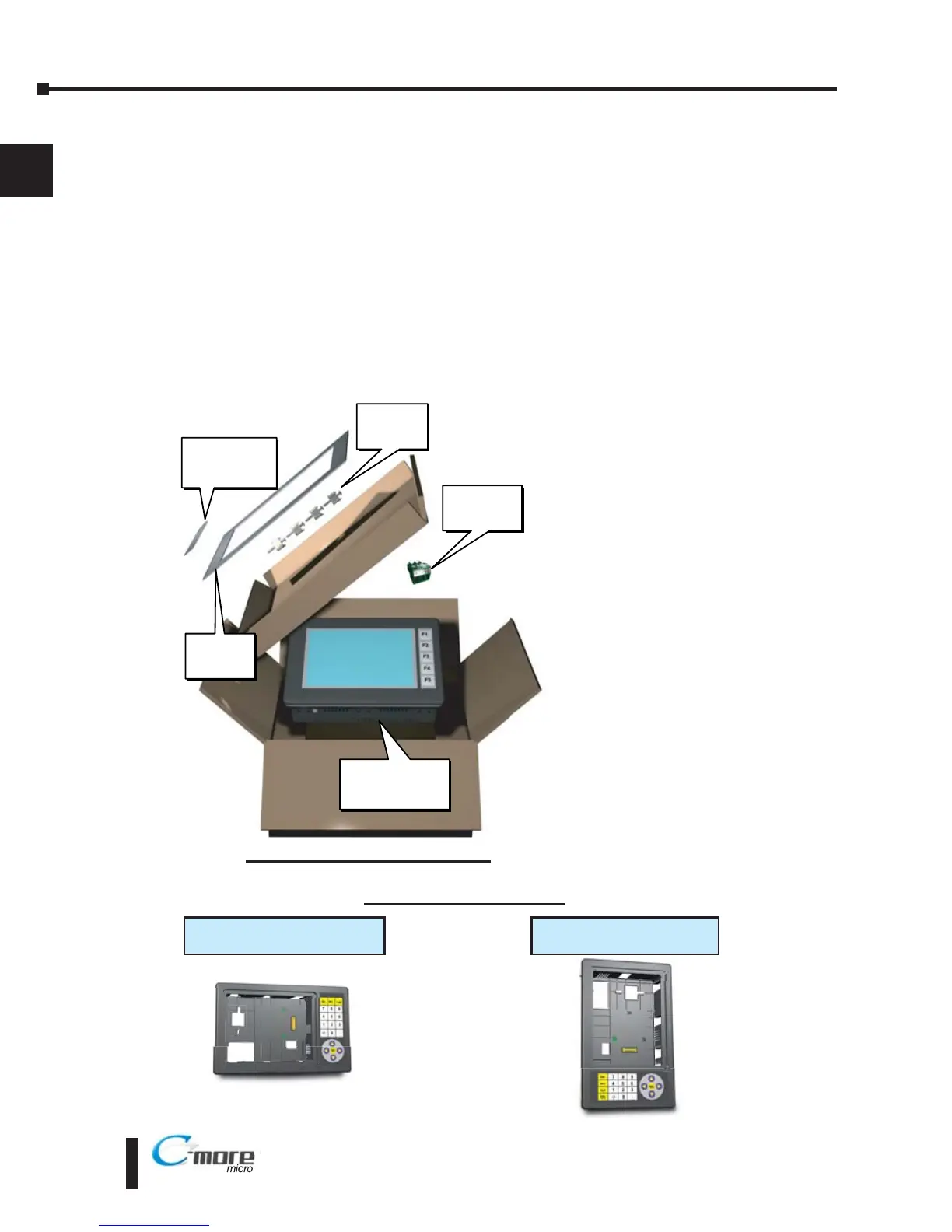
a.) Unpack the C-more 6” Micro-Graphic panel from its shipping carton. Included in the
carton are the following:
• C-more 6” Micro-Graphic panel (EA1-S6ML or EA1-S6MLW)
• DC power connector (EA-MG-DC-CON)
• cutout template
• mounting clips
• gasket
• function key label inserts
• Quick Start Guide
b.) Unpack any accessories that have
been ordered, such as:
Keypad Bezel, programming
cable, PLC communications
cable, etc.
c.) Inspect all equipment for
completeness. If anything is
missing or damaged,
immediately call the
AutomationDirect
®
returns
department @ 1-800-633-0405.
Shipping Carton Contents
20-Button Horizontal Keypad Bezel
EA-MG6-BZ2
21-Button Vertical Keypad Bezel
EA-MG6-BZ2P
Optional Accessories



 To Next Page
 Loading...