a) Insert the screwdriver into the latch.
b) Move the screwdriver down to switch the latch to the open position.
c) Remove the screwdriver.
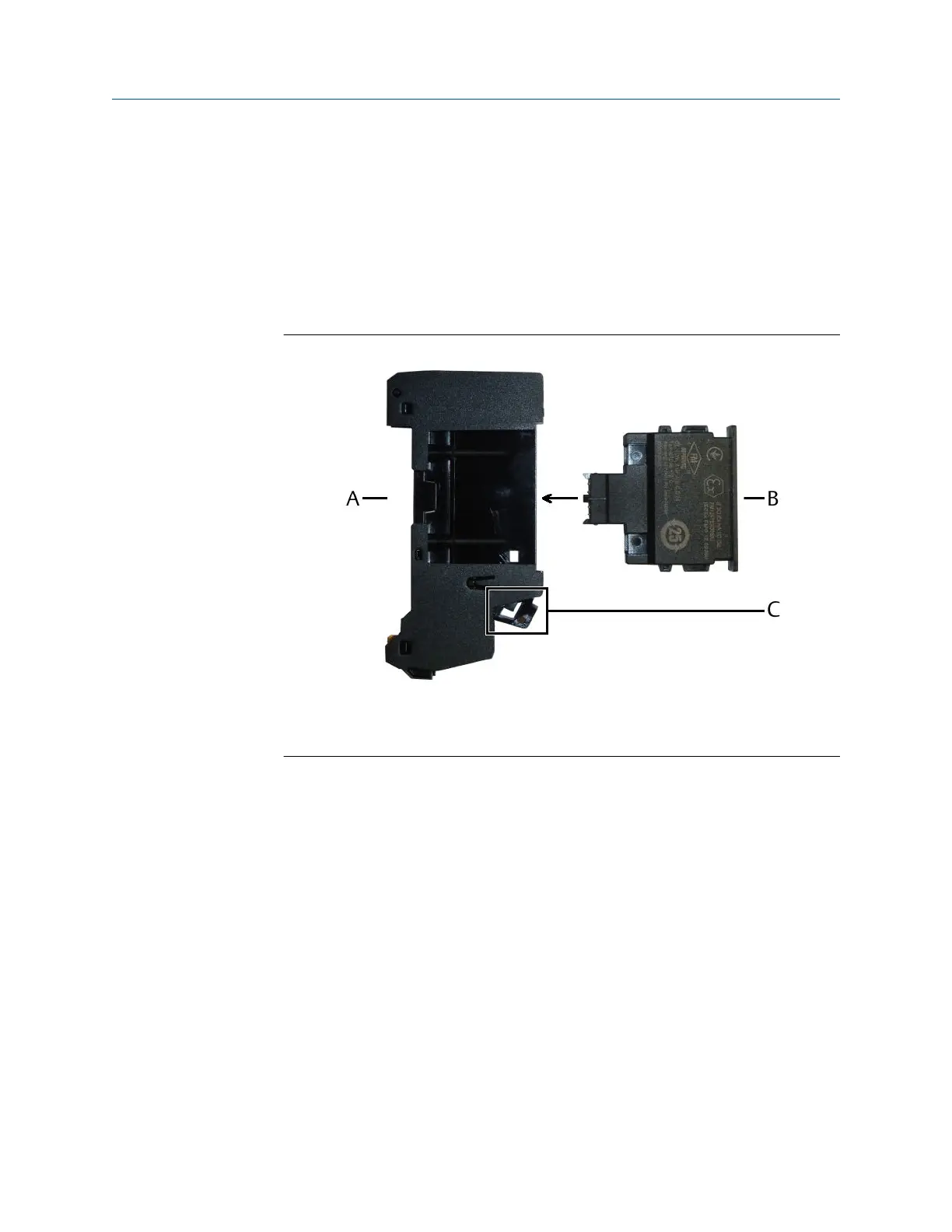
5. Gently push the Address Plug into the CHARM Address Terminal Block installed
before. The Address Plug locks with an audible click – the latch of the Address
Terminal Block flips in the close position.
The Address Plug only fits in one direction.
Figure 5-20: Address Plug installation
A. CHARM Address Terminal Block
B. Address Plug
C. Latch in open position
6. Continue with the installation or close the door (Close the AMS Asset Monitor).
5.11 Label the installed CHARMs
The CHARM labeling component consists of a label support that holds a label and its
protective plastic cover. Remove the label support from the AMS Asset Monitor before
writing or typing the CHARM IDs on the label.
Installation Guide Installing CHARMs hardware
MHM-97923-PBF March 2024
MHM-97923-PBF, Rev. 2.10 67


 To Next Page
 Loading...











