6
Startup
Startup with the CBG21A keypad
Operating Instructions – MOVIMOT
®
flexible
158
6.8 Startup with the CBG21A keypad
Using the CBG21A keypad, startup can be performed intuitively guided by the sym-
bols and functions of the color display.
6.8.1 CBG21A keypad
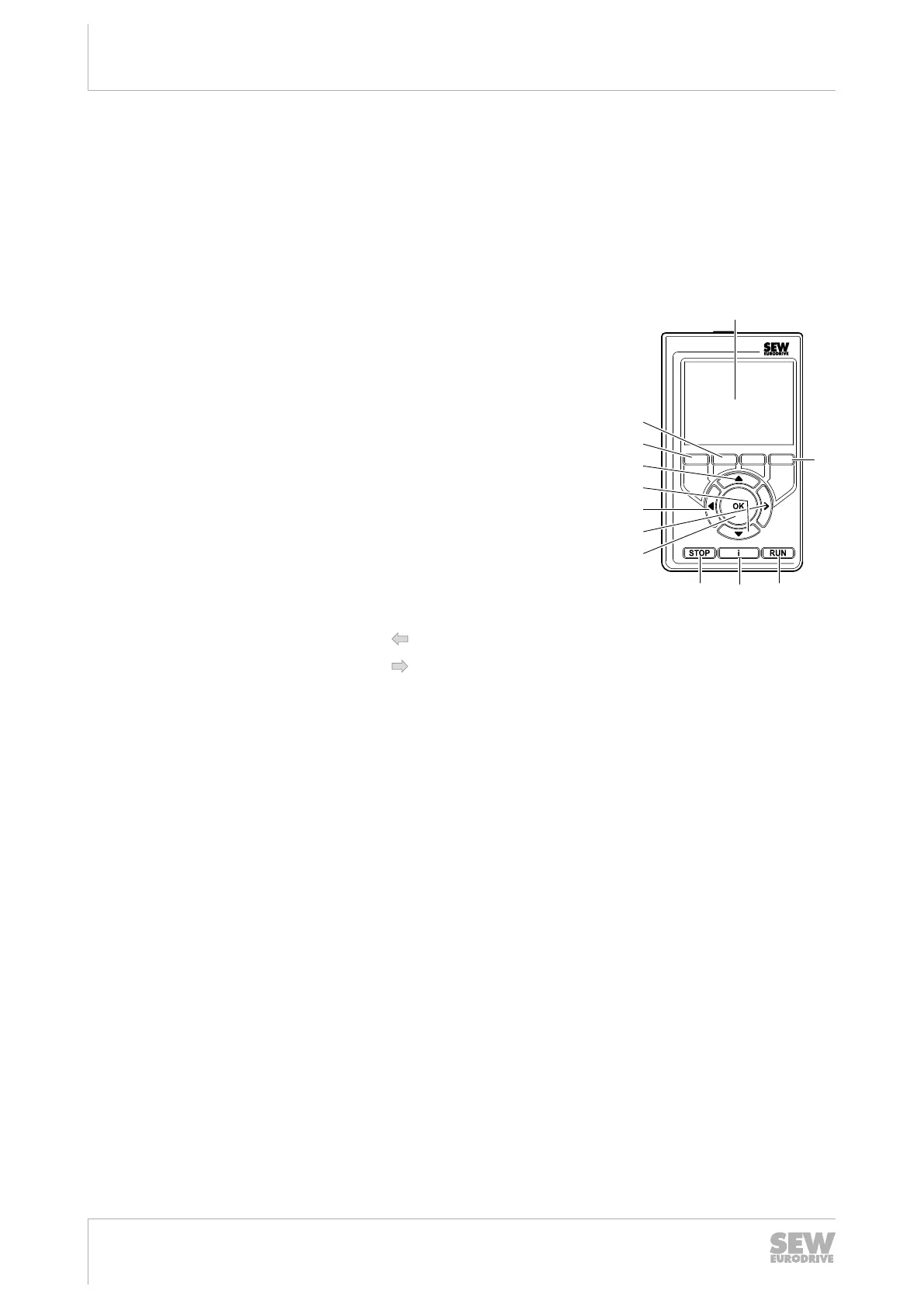
The following figure shows the CBG21A keypad:
[1] Color display
[5] [3]
[8]
[7]
[6]
[10]
[11]
[12]
[9]
[4]
[1]
[2]
[2] Function keys
(Function according to bottom line on color
display)
[3] <RUN> key (Start)
[4] <I> key (Information)
[5] <STOP> key (Stop)
[6] <OK> key (Acknowledgment)
[7] <►> key (Left)
[8] <◄> key (Right)
[9] <▼> key (Down)
[10] <▲> key (Up)
[11] Function key < > (Back)
[12] Function key < > (Next)
Operation
Activating a field Select a field using the arrow keys <◄>/<►>/<▲>/<▼>.
Use the <OK> key to activate the field.
Entering numbers Use the arrow keys <◄>/<►> to change the digit within the
number. The editable digit is highlighted.
Change the value of the number using the arrow keys <▲>/
<▼>.
Confirm the number with the <OK> key.
29129451/EN – 12/2019


 To Next Page
 Loading...