113
9
T h e S o n g J o b s
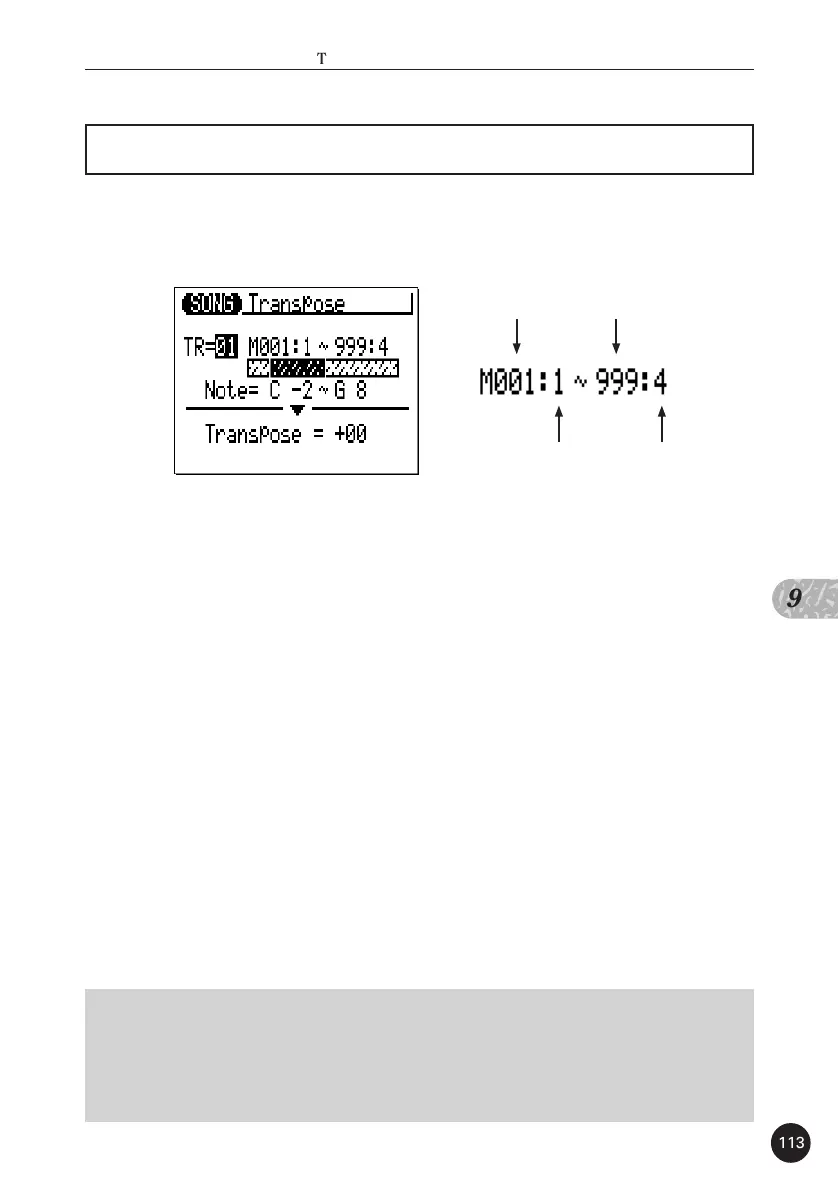
05 : Transpose
Transposes all notes in the specified part up or down by the speci-
fied number of semitones.
The “TR” parameter selects the track to be affected by the Trans-
pose job: “01” … “16” for the sequncer tracks, or “Cd” for the accompa-
niment chord track.
The “M” parameters above the graphic bar are used to specify the
first measure:beat and last measure:beat of the range to be modified.
The “Note” parameters specify the range of notes to be affected.
The maximum range is from “C-2” to “G8”.
The “Transpose” parameter determines the amount of transposi-
tion in semitone increments. Minus (-) values transpose down while plus
(+) values transpose up. the range is from “-99” through “0” to “+99”.
After setting the parameters as required press [ENTER] to execute
the Transpose job. The metronome icon will appear on the display while
the data is being processed, then “Completed” will appear briefly when
the job is done. Press the [EXIT] key to return to the job list, or a mode key
to go directly to the selected mode.
■
NOTE
• Of course, you can transpose all tracks as required to shift the entire song to a
different key, but the Transpose job is actually more suited to changing the pitch of
a section of a single track. This can be done to produce temporary “modulations”
to another key, or to create harmony with another track.
First beat.
First measure. Last measure.
Last beat.


 To Next Page
 Loading...