5 Description of the driving position
18
Other errors
• In case of problems on the machine different from that already described, if the warning light
is flashing and the STOP icon appears on the operator display station as well an error code, stop
the machine immediately and contact your dealer.
A List of error codes displayed on the operator display station, page 174
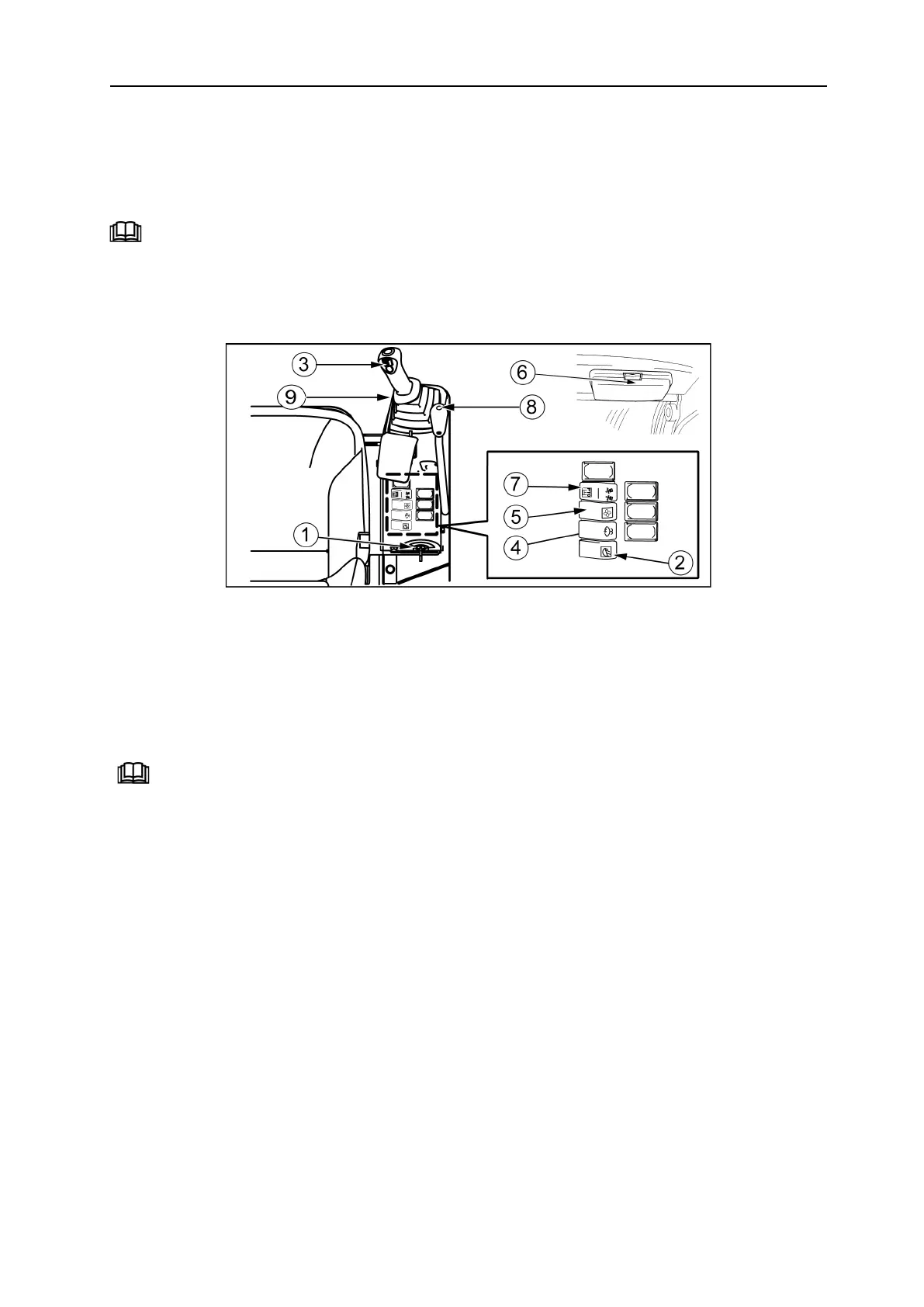
5.2 Switches
1= Start key
2= Headlight switch
3= Horn
4= Windscreen wiper switch and windscreen
wiper
5= Ventilation switch
6= Interior lighting switch
7= Boom rotation selection switch / PTO 1
8= 2nd gear switch
9= Cigar lighter
7 Options, page 37


 To Next Page
 Loading...