111
BSR
Preparation
use Slide-on table ►
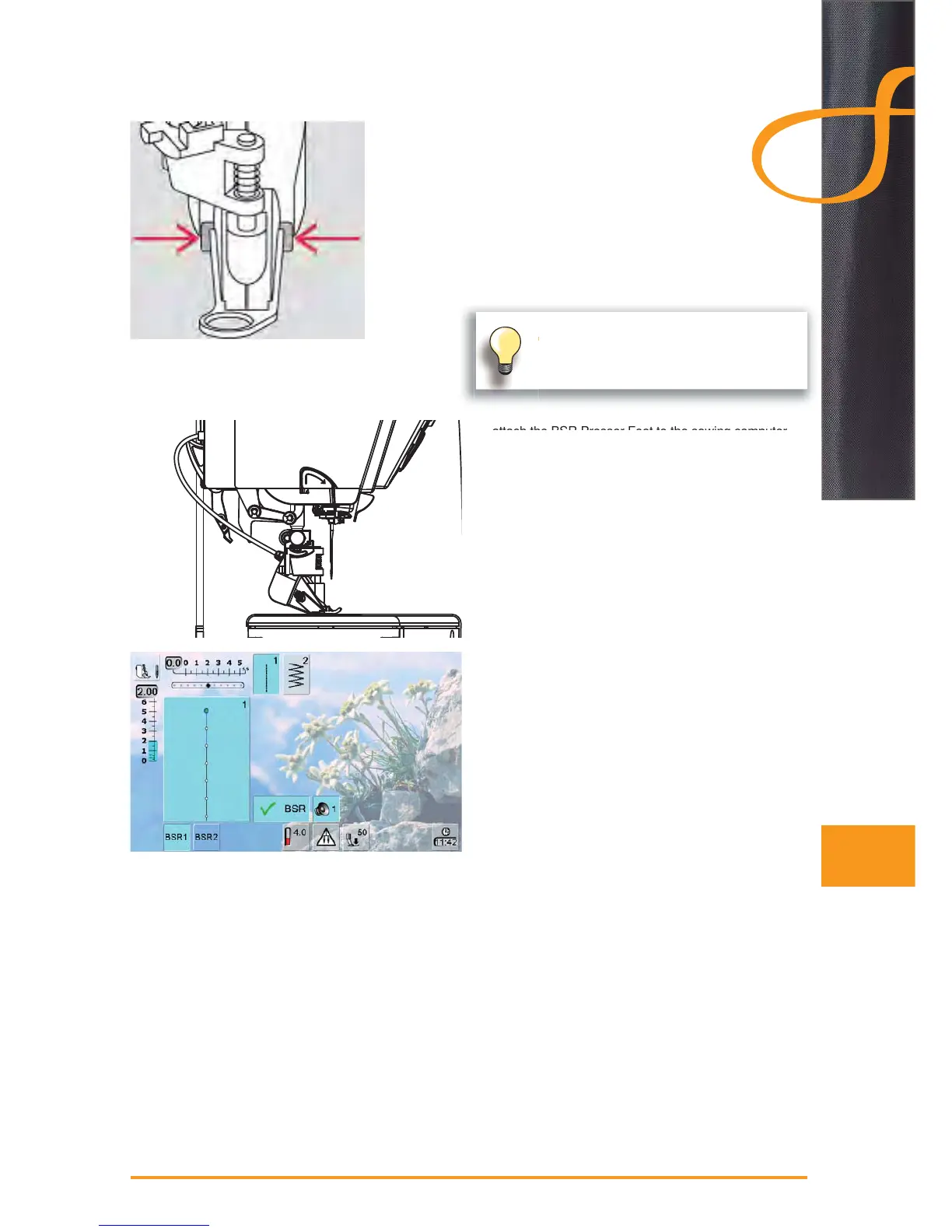
attach the desired presser foot sole to the BSR Presser ►
Foot
removing sole: press both buttons (see arrows) on ‣
each side of the foot
slide the sole down the groove at an angle ‣
attaching the sole: slide the sole up in the groove ‣
until it clicks into place
attach the BSR Presser Foot to the sewing computer ►
and plug the cable in the outlet provided
the «BSR» screen opens automatically ►
the BSR mode 1 is activated (BSR1 is standard) ►
the basic stitch length setting is 2mm ►
set the desired stitch length ►
when sewing small forms and stippling, stitch length of ►
1mm - 1.5mm is suggested


 To Next Page
 Loading...







