148
Embroidery Motifs
1
Properties
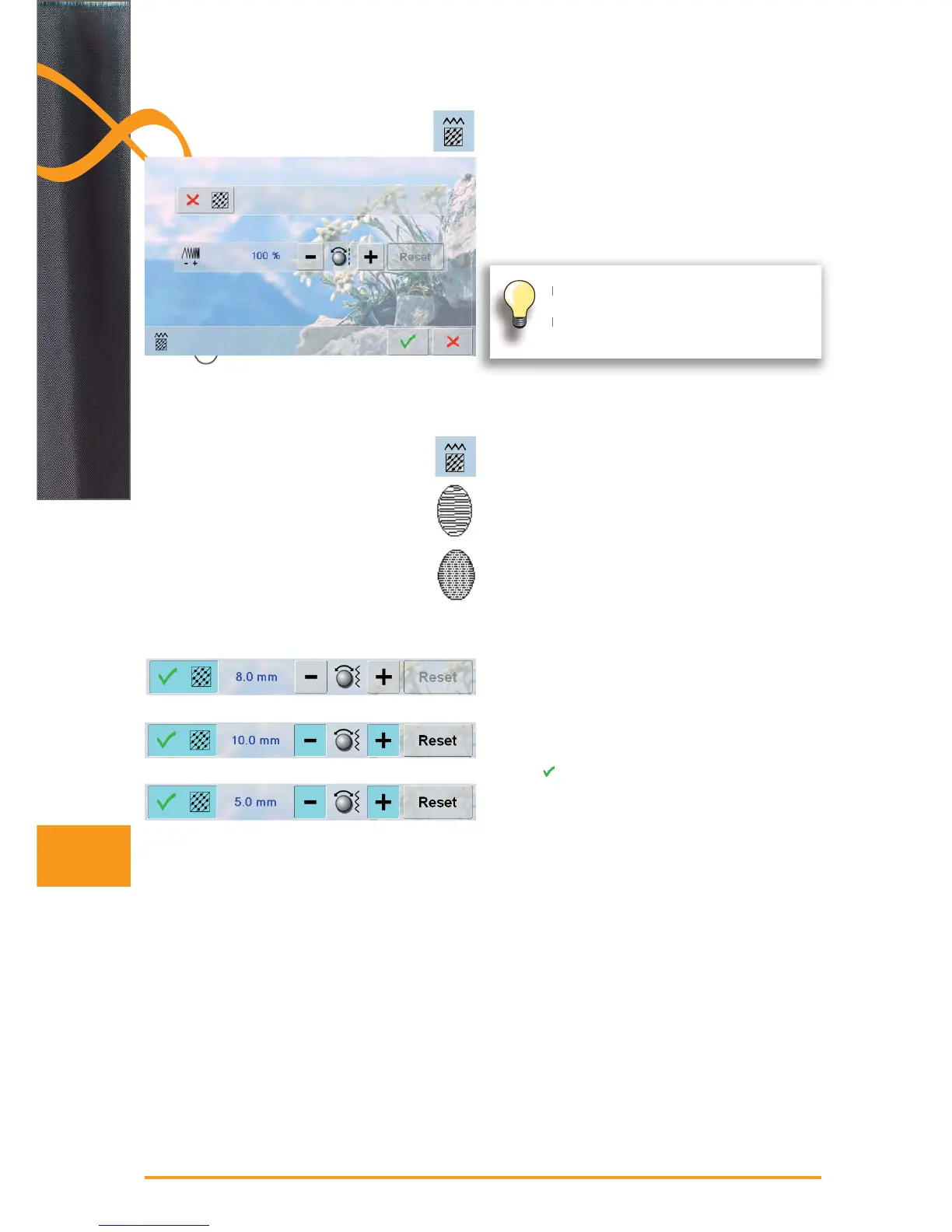
change the stitch type ►
change the stitch density ►
the basic setting of the step stitch (fill stitch) is activated ►
by touching the icon «Change Stitch Type»
The embroidery motifs are filled with satin or step stitches.
Satin Stitch
the needle swings from one side to the other (tight ►
zigzag)
Step Stitch (Fill Stitch)
the needle stitches in straight rows at regular intervals ►
(straight-stitching)
Fill Stitch Type
touch the icon «Change Stitch Type» ►
the satin stitch fill changes to a maximum of 8mm long ►
step stitches fill (basic setting)
touch the «+ /-» icon or turn the stitch width knob
►
clockwise/counterclockwise and the maximum step
stitch length is increased/decreased
the maximum stitch length is 12.7mm ►
touch ► , the selected step stitch length is saved and
the Edit screen appears
touch the «Reset» icon, basic setting (8mm) is activated ►
to fill the motif with satin stitches again, touch the ►
«Change Stitch Type» icon again
If the motif is enlarged substantially, long satin
stitches occur, tunneling the fabric.
In this case, it is recommended to switch to
the step stitch fill.


 To Next Page
 Loading...







