53
Stitch Patterns
Customizing Stitch Patterns
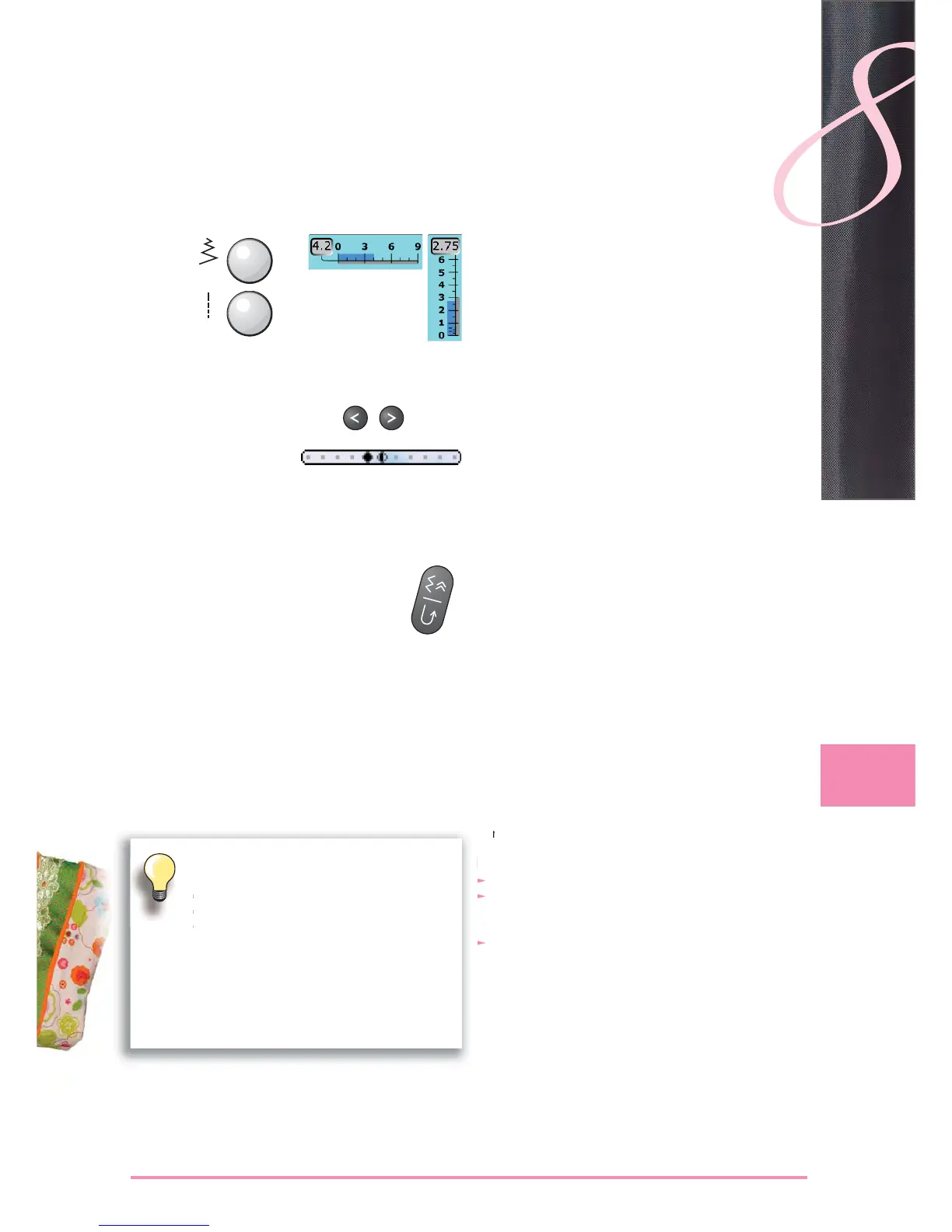
alter stitch width and stitch length using the knobs ►
stitch width and stitch length can be altered while ►
sewing
touch the relevant button to move the needle position. ►
To move quickly hold the button down
11 needle positions in total (5 left, 5 right, 1 center)►
can be altered while sewing ►
Altering Stitch Width and Stitch Length
Altering Needle Position
A stitch pattern can be individually altered according to the fabric and the application.
The adjustments described here are applicable for all practical and many decorative
stitches.
Securing with Quick Reverse Button on Head Frame
secures the beginning and end of the seam ►
touch the Quick Reverse button = sewing computer ►
sews in reverse (backstepping)
release the Quick Reverse button = sewing computer ►
sews forwards
For All Stitch Types and Materials
altered stitch length, stitch width and needle position are ►
automatically saved as well as functions like mirror
image
sew an altered stitch (e.g. zigzag stitch)►
select another stitch and sew (e.g. straight stitch) ►
when retrieving the individually altered zigzag stitch, the ►
alterations are retained
the temporary altered stitch memory can contain any ►
number of stitch patterns
Resetting to the Factory Setting
option 1: touch «clr» button ►
option 2: restore stitch width and stitch length by ►
touching the stitch width / stitch length bar (or manually
by turning the knob); reset other functions manually
option 3: switch off sewing computer ►
Temporary Altered Stitch Memory



 To Next Page
 Loading...






