38
Embroidery
Adjusting Embroidery Settings
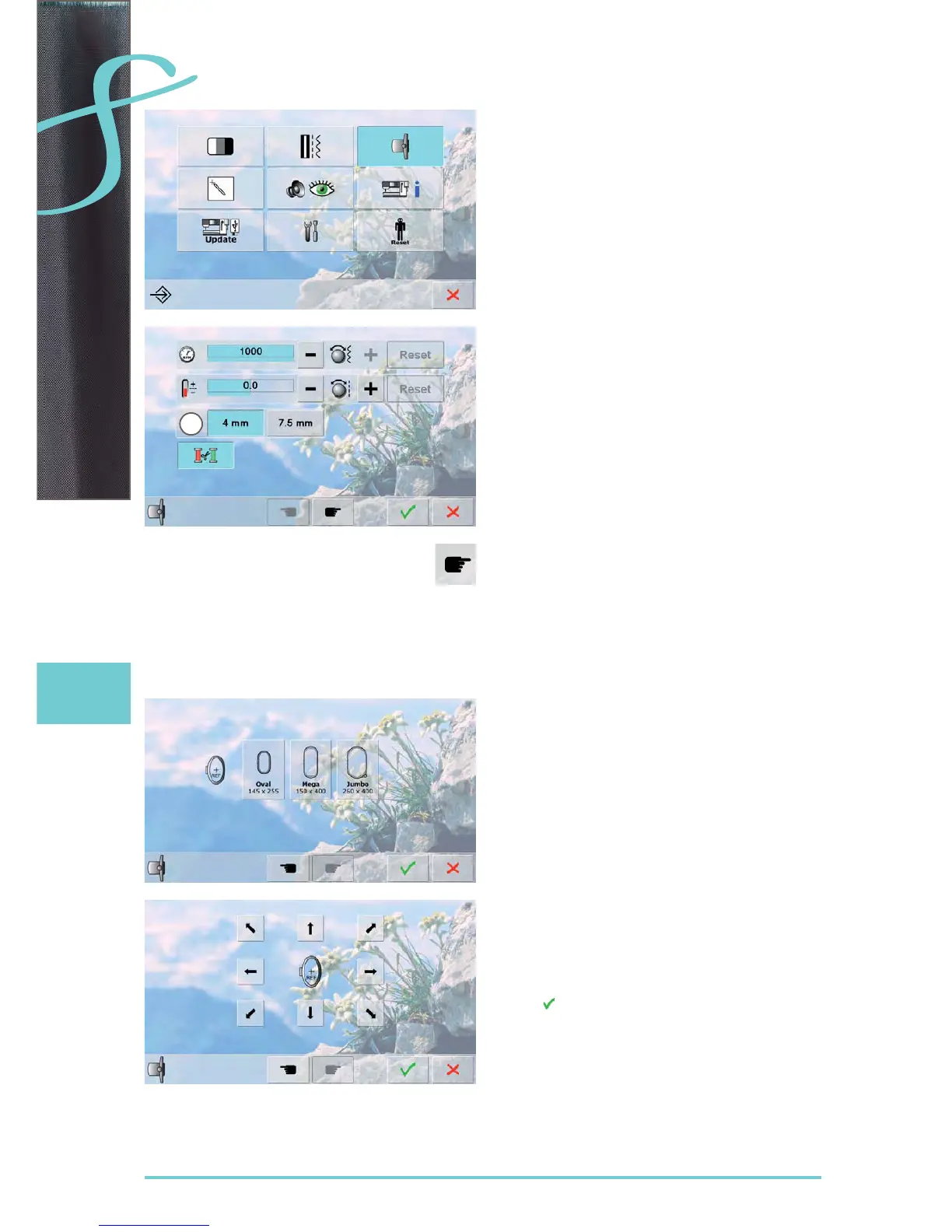
the motor speed and thread tension can be adjusted ►
and the automatic thread cutter activated or deactivated
Fabric Thickness
if the fabric ► 1 is more than 4mm thick, e.g. toweling,
select the 7.5mm icon
this ensures that the embroidery hoop is only moved ►
when the needle is no longer in the material
To calibrate the hoop, select «Next Page».
Calibrating the Hoop
«Adjust Reference Position» calibrates the needle to the
center of the hoop.
Adjustments can only be done if the embroidery module is
attached.
select the required hoop and follow the instructions on ►
the screen
1
Setup Program
place embroidery template into the embroidery hoop ►
the hoop position is detected and the needle positioned ►
in the center
if the needle is not positioned exactly in the center of the
►
embroidery template, use the arrow icons to position it
accurately
touch ► until the selection menu appears
the adjustment is saved ►



 To Next Page
 Loading...






