Handle the Jobs in a DocBox
Overview of the Available Settings for DocBox Jobs
Introduction
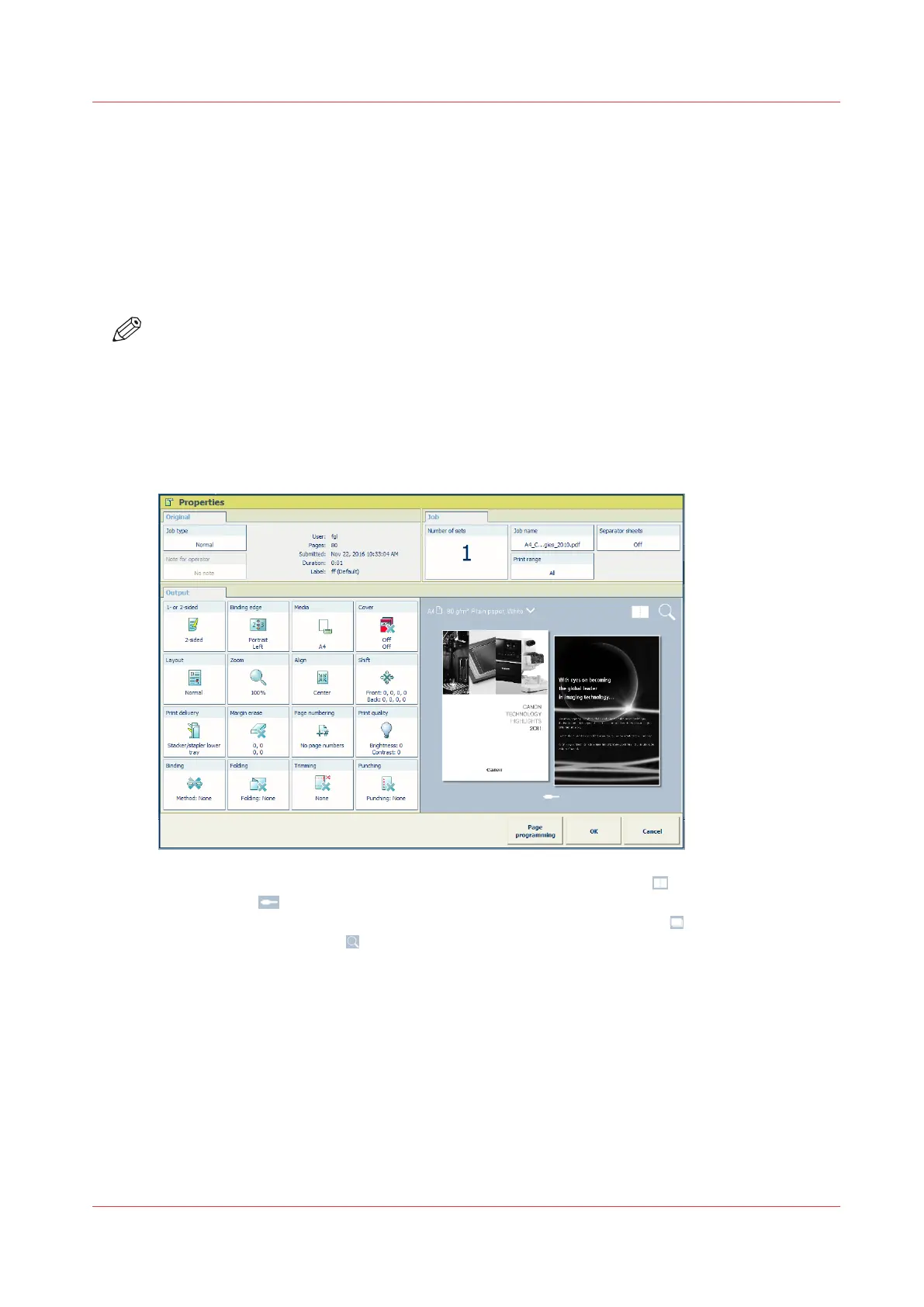
When you select a job in a DocBox and touch [Properties], the current settings of the selected job
are displayed. Below, the available settings are described.
NOTE
Depending on the type of job you want to edit, either a print job or scan job, some settings
cannot be changed. When a setting cannot be changed, the setting is greyed out.
Preview the job settings for PDF print jobs
For PDF print jobs a realistic preview is displayed in the job properties. For other jobs a general
preview is displayed indicating most of the settings.
1. View the result of the job and imposition settings in the sheet view .
2. Touch the
icon and browse the document.
3. View how the document will look after printing in the document view .
4. Use the zoom function to view specific details.
Handle the Jobs in a DocBox
Chapter 8 - Plan the jobs
125
Canon varioPRINT DP line


 To Next Page
 Loading...




