Add media to the media catalog
When enabled in the Settings Editor, you can add new media to the media catalog via the control
panel.
[60] Media management via the control panel
Procedure
1.
Touch [System] -> [Media].
2.
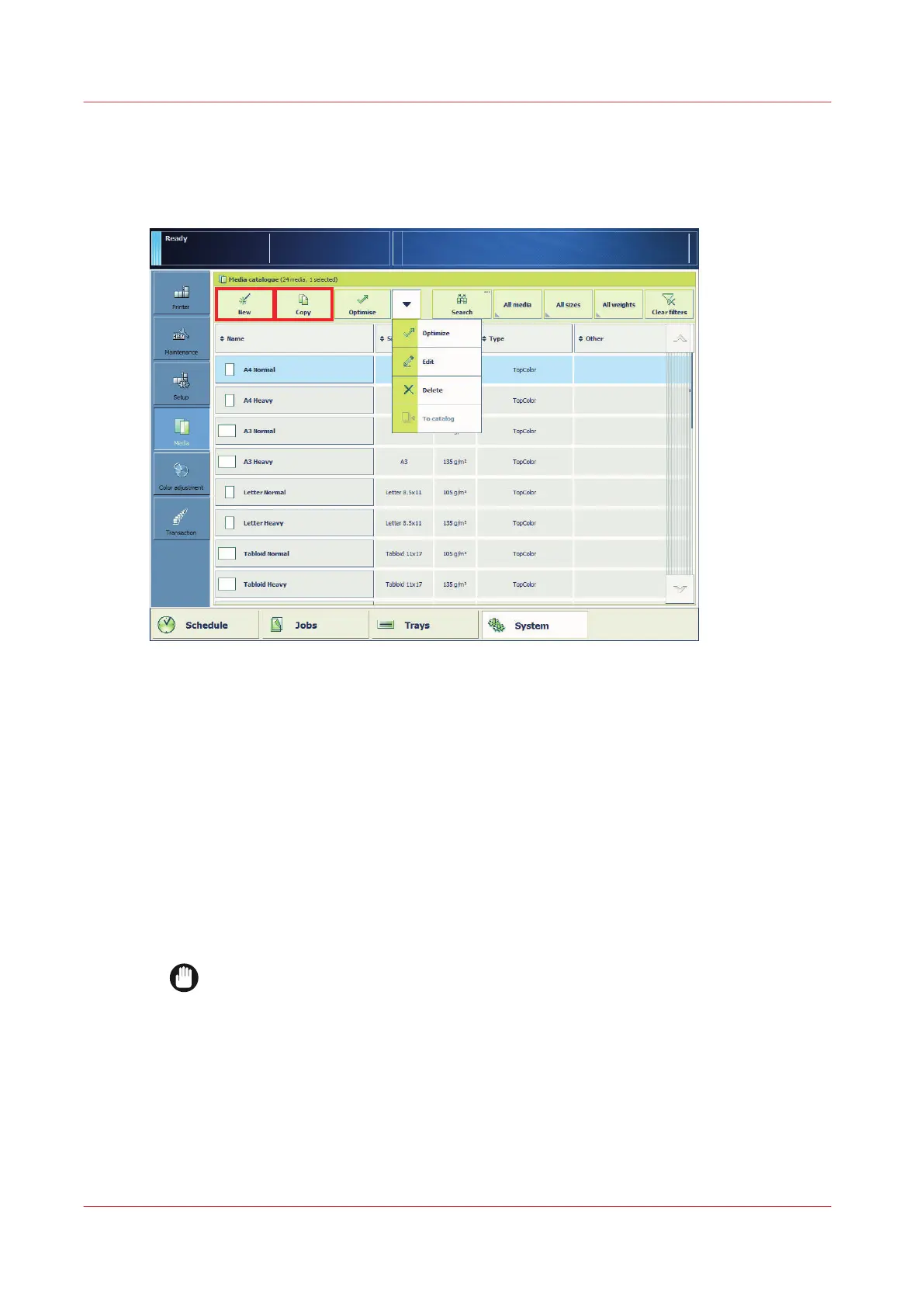
Use one of the following methods to add new media.
• Touch [Copy] to use one of the current media definitions as starting point and copy its
attributes to the new media definitions.
• Touch [New] to define all attributes from scratch.
• Touch [New] -> [Import from media library] to import a media with correct media attributes
from the media library.
3.
If required, define the name and attributes of the new media.
For convenient retrieval of media in the media catalog, use the following media attributes:
• Name
• Custom type name
IMPORTANT
For optimal print quality, define the correct values for the following media attributes.
Refer to the packaging of the media for this information.
• Size
• Weight
• Surface type
4.
Touch [OK].
Add media to the media catalog
290
Chapter 13 - Media Handling
Canon varioPRINT DP line


 To Next Page
 Loading...




