E02016 2/02 Electrical Propulsion Components E2-27
4. Exit back to the GEOHV STATEX III Menu, use
the arrow keys to highlight “QUIT MENU” and
press [ENTER] to return to DOS.
5. Open the main menu for the current software
release by typing “
gemenu3e
” (or “
gemenu
” if
using version 14 software) and press [ENTER].
The main menu (Figure 2-2) should appear.
(Note the software release date in the menu title.)
Convert old CFG files for new software:
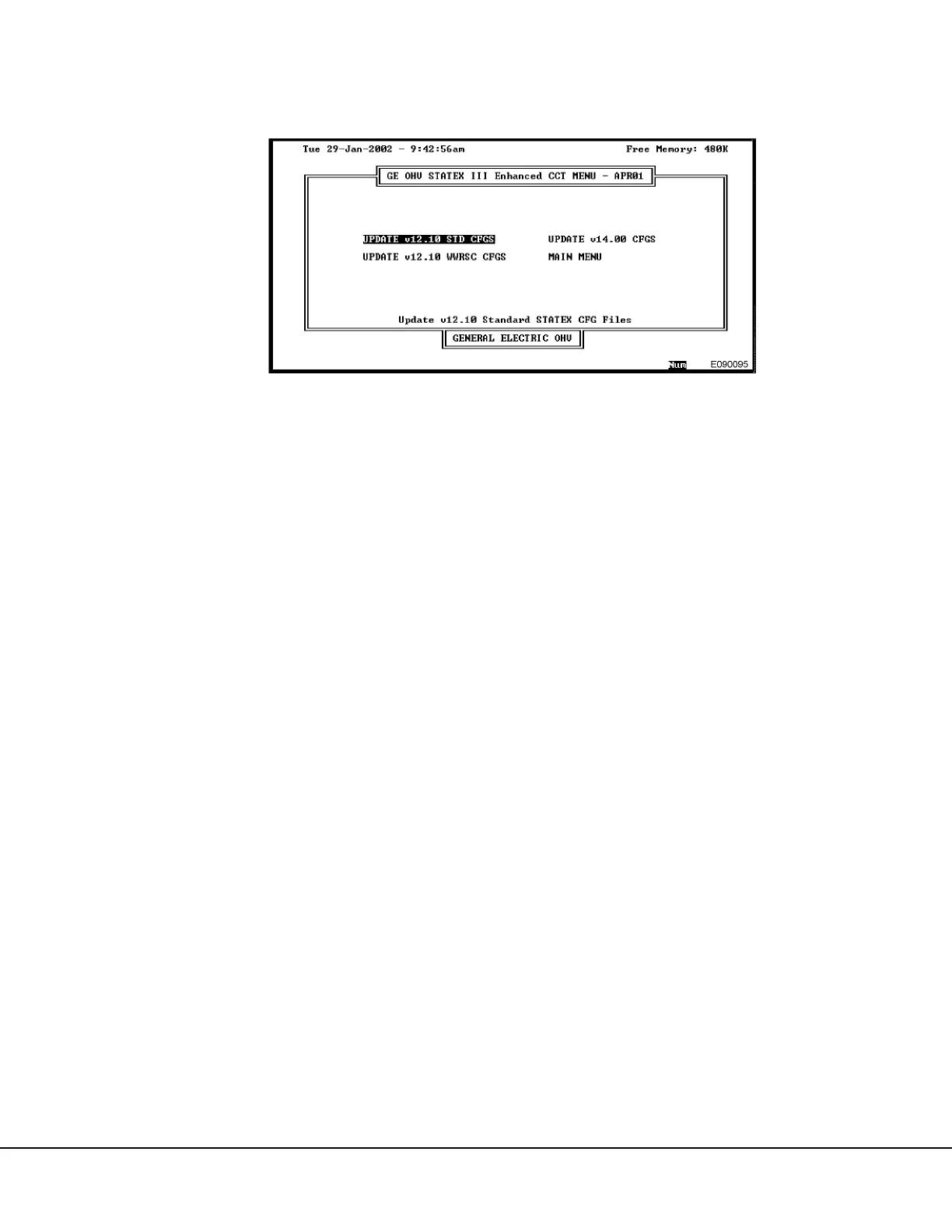
6. Select “UPDATE CFG VERSION” by typing [u] or
move the cursor with the arrow keys and press
[ENTER]. The screen shown in Figure 2-6 will
appear.
7. Note there are four selections available. (The ver-
sion 14 screen will not display “UPDATE v14.00
CFGS”.) Cursor to the desired operation and
press [ENTER].
a. Select “UPDATE v12.10 STD CFGS” if using
Enhanced version 1.00 to convert from ver-
sion 12.10 on a truck without wet weather
retard speed control.
b. Select “UPDATE v12.10 WWRSC CFGS” if
using Enhanced version 1.00 to convert from
version 12.10 on a truck with wet weather
retard speed control.
c. Select “UPDATE v14.00 CFGS” to convert
from version 14.00 software to Enhanced ver-
sion 1.00.
d. Select “MAIN MENU” if not converting files.
For the following example, “UPDATE v12.10 STD
CFGS” was selected and the screen in Figure 2-7
appears.
8. Note the screen shows a series of options
labelled “F1” through “F9”, referring to the Func-
tion Keys [F1] through [F9] and provides a
description of each.
• [F1] provides a Help Screen to assist you
directly on the screen.
• [F2] names the new configuration file in column
NEWCFG with the old configuration file name in
column OLDCFG (only at the line where the
cursor is).
• [F3] names the new configuration file with no
configuration file name.
• [F4] creates a new configuration file with a new
configuration file name (only at the line where
the cursor is).
• [F5] creates multiple configuration files with new
configuration file names for all files in the
NEWCFG column.
• [F6] resets all new file names to their original
OLDCFG names.
• [F7] sorts the old configuration files in the
NEWCFG column by file names.
• [F8] sorts the old configuration files by their
extensions.
Note: The description of [F7] or [F8] will be capitalized,
depending on which sort has been used.
• [F9] exits the Configuration Converter Tool and
returns to the GEOHV Main Menu.
FIGURE 2-6. CONFIGURATION FILE CONVERTER MENU (Enhanced Vers. 1.00 Shown)


 To Next Page
 Loading...











