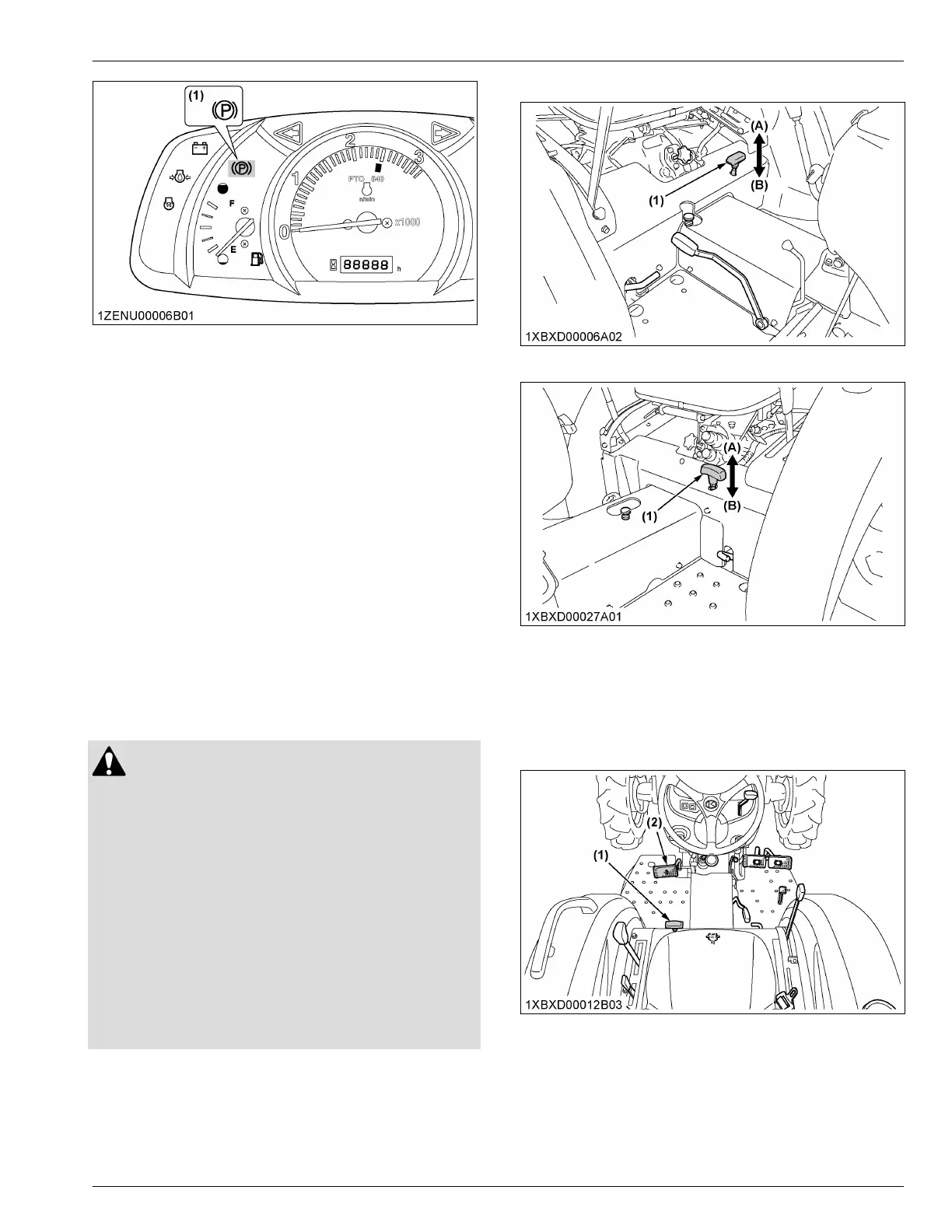
(1) Parking brake indicator
To set the parking brake
1.
Interlock the brake pedals.
2.
Depress the brake pedals.
3. Latch the brake pedals with the parking-brake-lever.
IMPORTANT :
• To prevent damage to the parking-brake-lever,
make sure that the brake pedals are fully
depressed before pushing the parking-brake-
lever.
To release the parking brake
1. Depress the brake pedals again.
5. Front wheel drive lever
Use
the front-wheel-drive-lever to engage the front
wheels with
the tractor stopped. [2WD type] of [Manual
transmission type] does not equip the front-wheel-drive-
lever
WARNING
T
o avoid personal injury or death:
•
Do not engage the front-wheel drive when
traveling at road speed.
• When driving on icy, wet, or loose surfaces,
make sure that the tractor is correctly ballasted
to avoid skidding and loss of steering control.
Operate the tractor at reduced speed and
engage the front-wheel drive.
• Do not brake suddenly. An accident may occur
as a result of a heavy towed load shifting
forward or loss of control.
• The braking characteristics are different
between 2-wheel drive and 4-wheel drive. Know
the difference and use them carefully.
Shift the front-wheel-drive-lever to “ON” to engage the
front-wheel-drive.
[Manual transmission type [4WD]]
[HST type]
(1) Front wheel drive lever (A) On
(B) Off
IMPORT
ANT :
• Depress the
clutch pedal before engaging the
front-wheel-drive-lever.
[Manual transmission type [4WD]]
FOOT CONTROLS AND HAND CONTROLS
INSTRUMENT PANEL AND CONTROLS


 To Next Page
 Loading...