65
4.9.11 System log
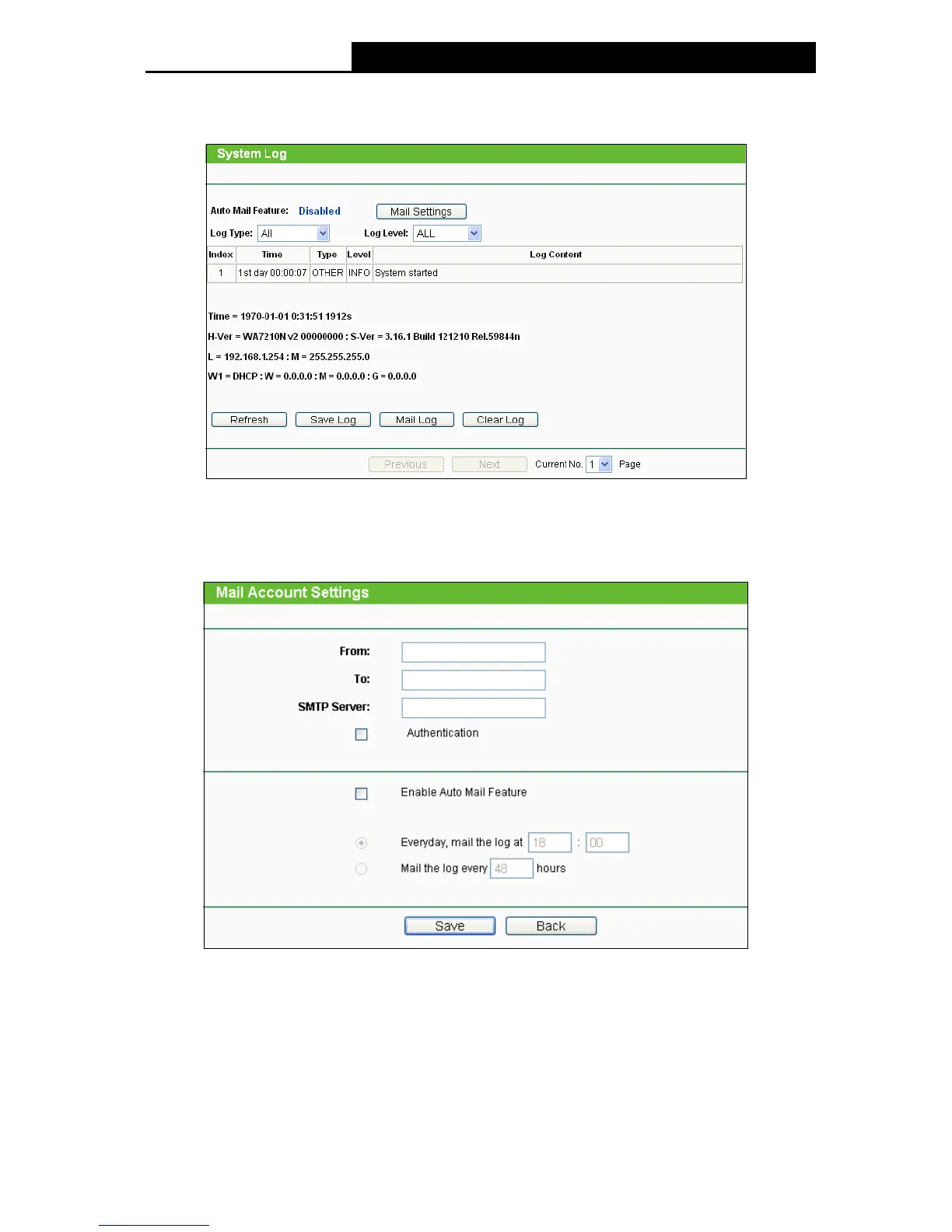
Choose menu System Tools > System Log, and then you can view the logs of the Device.
Figure 4-33 System Log
Auto Mail Feature - Indicates whether auto mail feature is enabled or not.
Mail Settings - Set the receiving and sending mailbox address, server address, validation
information as well as the timetable for Auto Mail Feature.
Figure 4-34 Mail Account Settings
From - Your mail box address.
To - Recipient's address.
SMTP Server - Your SMTP server.
Authentication - Most SMTP Server requires Authentication.


 To Next Page
 Loading...